
Groups and tables
A group is a block of seats one buyer pays for, such as a table for 8. This page is about getting a name on every seat before the event.
How a group fills up
- A buyer pays for the whole group. You see it under Group registrations on the event page.
- The buyer names the guests they know at checkout. The other seats stay open.
- The buyer shares a seat link. Each guest opens it and claims a seat.
- The buyer can also add names from their account.
- Your team can add a name at any time.
The row shows the progress, such as “3 of 8 named”. The Guest names missing card on Needs attention counts every open seat.
Manage group
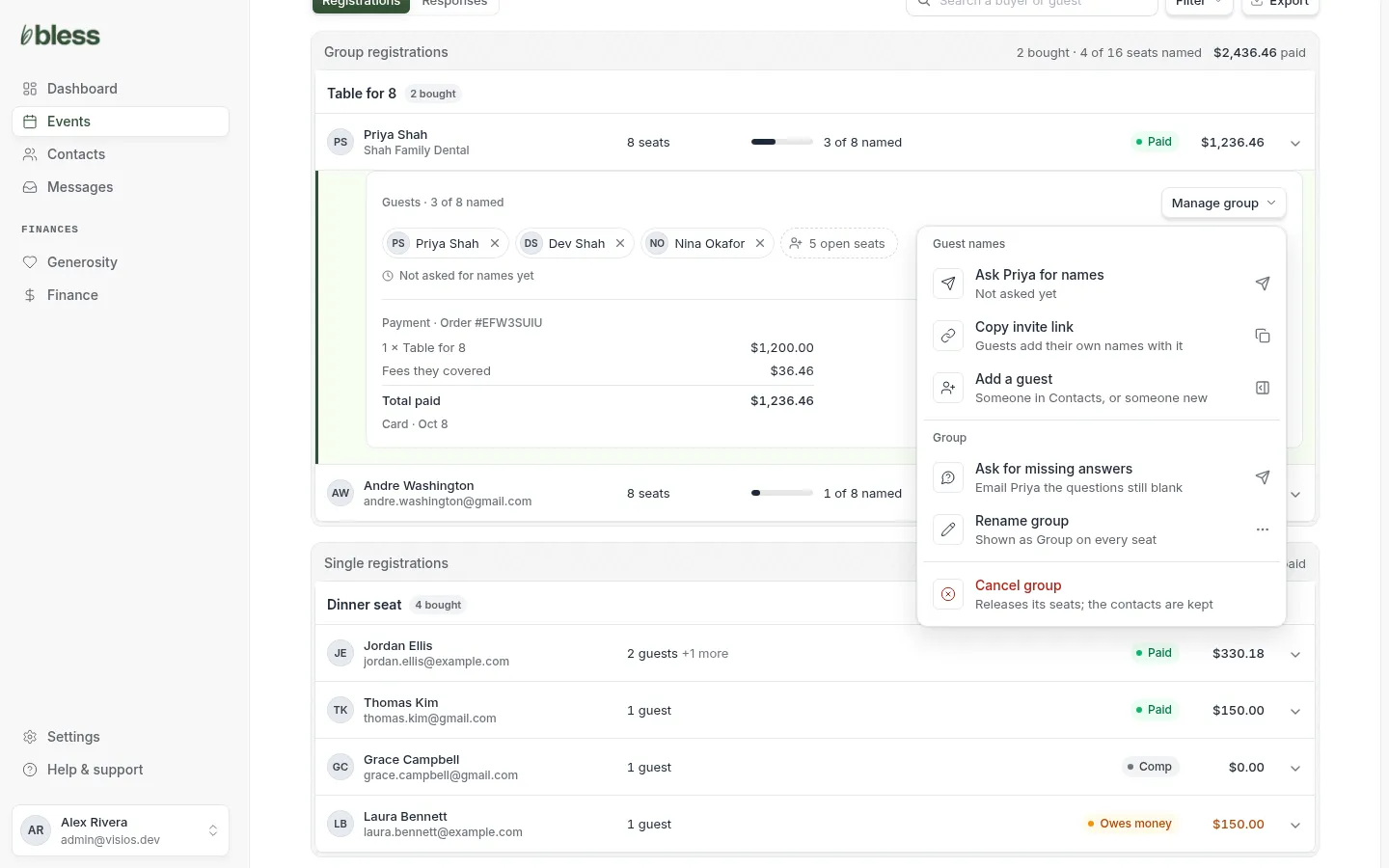
Open the group’s row on the event page, then press Manage group.
| Item | What it does |
|---|---|
| Ask (host) for names | Emails the host a list of open seats and the seat link. It shows when you last asked. |
| Copy invite link | Copies the seat link. Send it to the host or to their guests. |
| Add a guest | Puts a person in an open seat yourself. |
| Ask for missing answers | Emails the host the questions that are still blank for their seats. |
| Rename group | Changes the group name that shows on every seat. |
| Cancel group | Releases every seat. The contacts stay in Contacts. |
Ask for names
For one group, press Manage group, then Ask (host) for names.
For every group at once:
- On the event page, press See who on the Guest names missing card. Or filter the list to Guest names missing.
- Press Ask all for names.
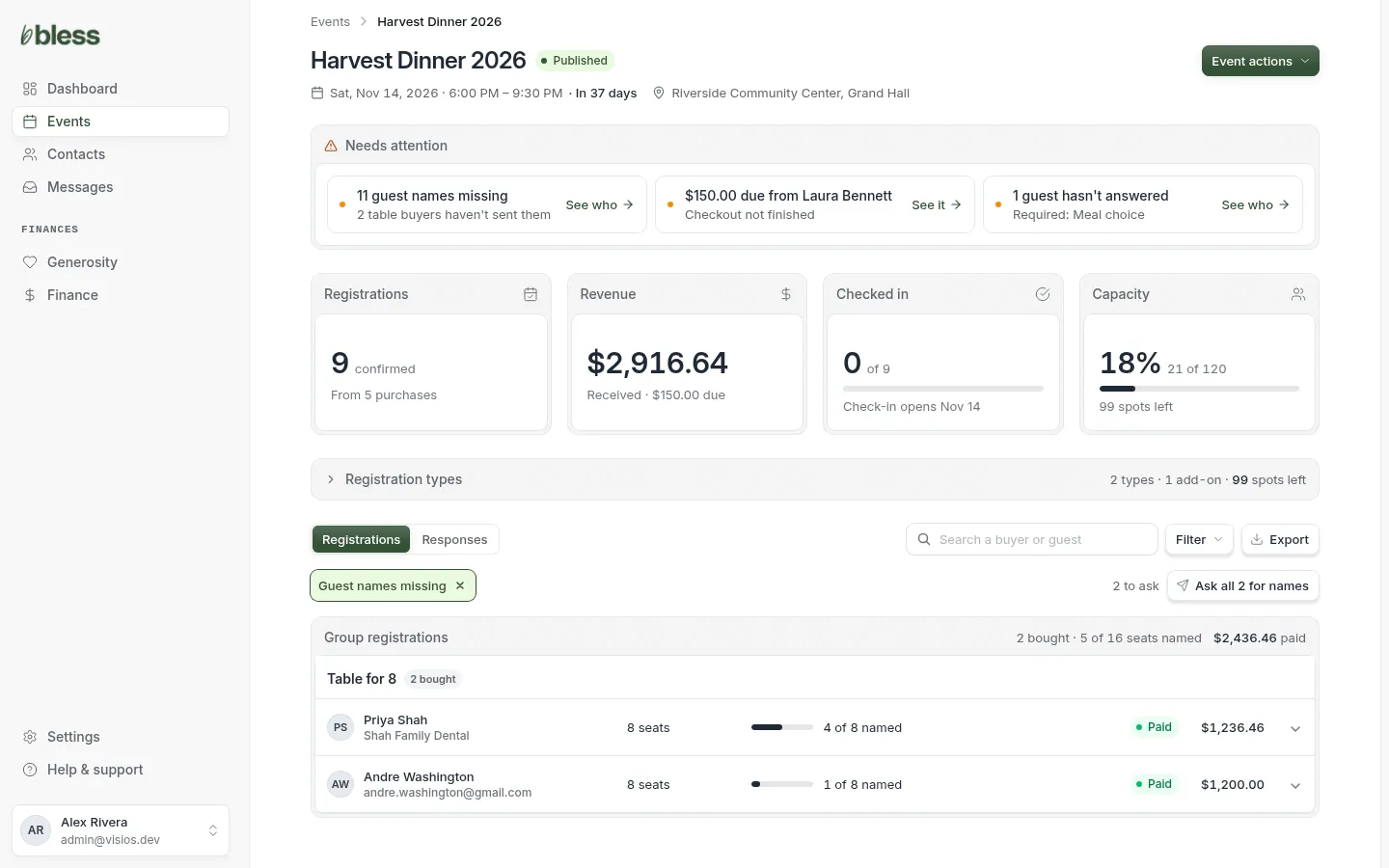
Bless asks each host one time a day at most. The line next to the button tells you how many were asked today and how many are left to ask.
Add a guest to a group
For a guest who calls or emails you instead of using the link.
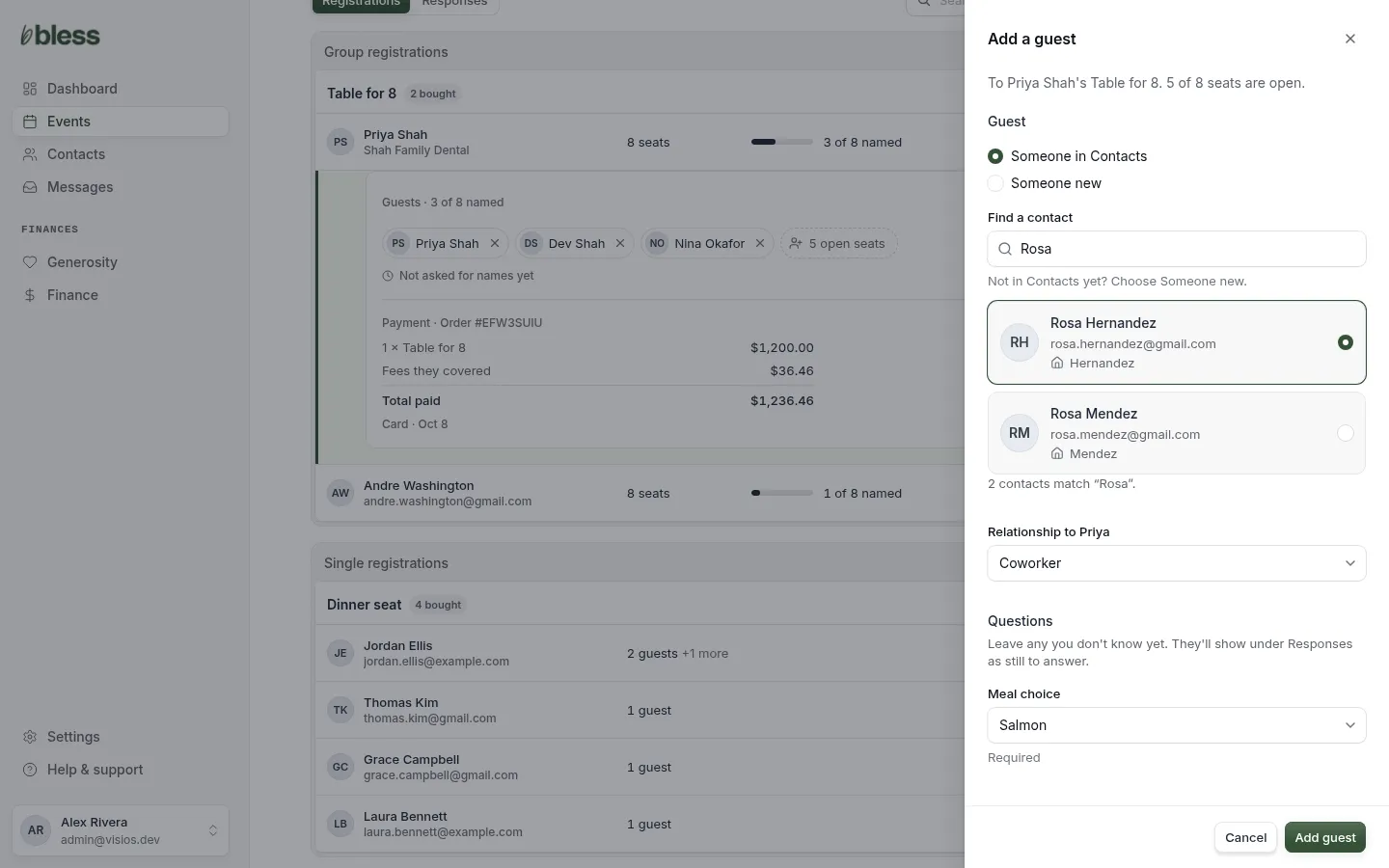
- Press Manage group, then Add a guest.
- Choose Someone in Contacts and find them, or choose Someone new and type their name. Email and phone are optional.
- Choose their relationship to the host.
- Answer the questions you know. Leave the others blank. They show under Responses as still to answer.
- Press Add guest.
To take someone out of a seat, press the × next to their name in the group. Press Remove from table to confirm. The seat opens again.
Rename or cancel a group
- Rename group changes the name on every seat, such as from “Priya Shah” to “Shah Family Dental”. Leave it blank to use the buyer’s name.
- Cancel group releases all its seats, and the seat link stops working. The contacts stay. A cancel does not refund the buyer.
The Groups page
Every group for the event on one page, seat by seat. It opens after you add a registrant with a group registration.
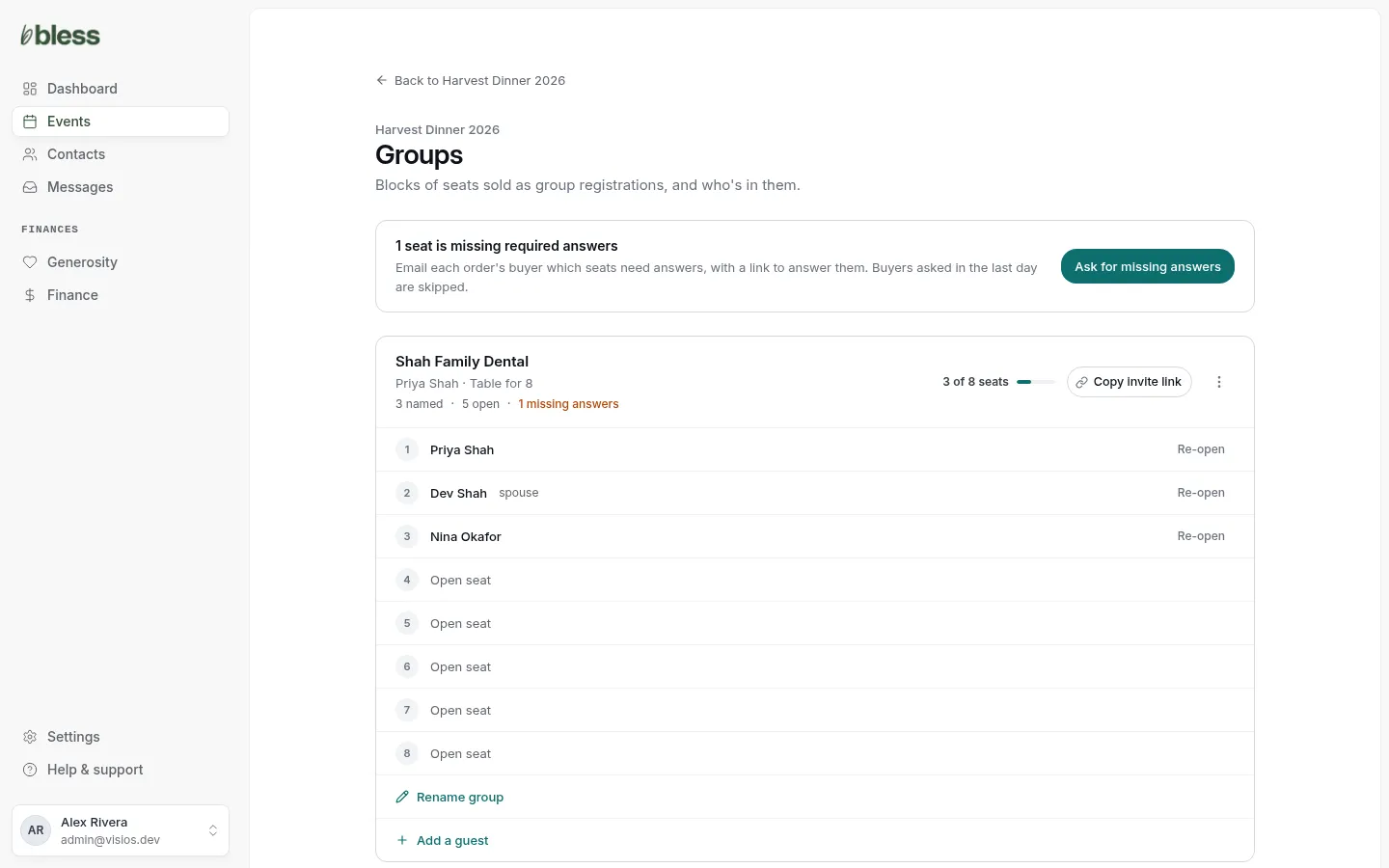
- Each group shows the host, the named and open seats, and any missing answers.
- Copy invite link copies that group’s seat link.
- Re-open next to a name takes that person out and opens the seat.
- Ask for missing answers at the top emails every buyer with blank required answers.
- The ⋮ menu reminds the host to fill their seats, asks that group for missing answers, or cancels the group.
- Rename group and Add guest are under each group’s seats.
Updated
Was this page helpful?
Thank you. Your answer helps us make these pages better.