
Add a registrant
Register someone yourself. Use it for a guest who pays by check or cash, a comp for a volunteer or sponsor, or a table booked by phone.
Add a registrant
Open the event, press Event actions, then Add registrant. You can also press Add registrant on the Dashboard.
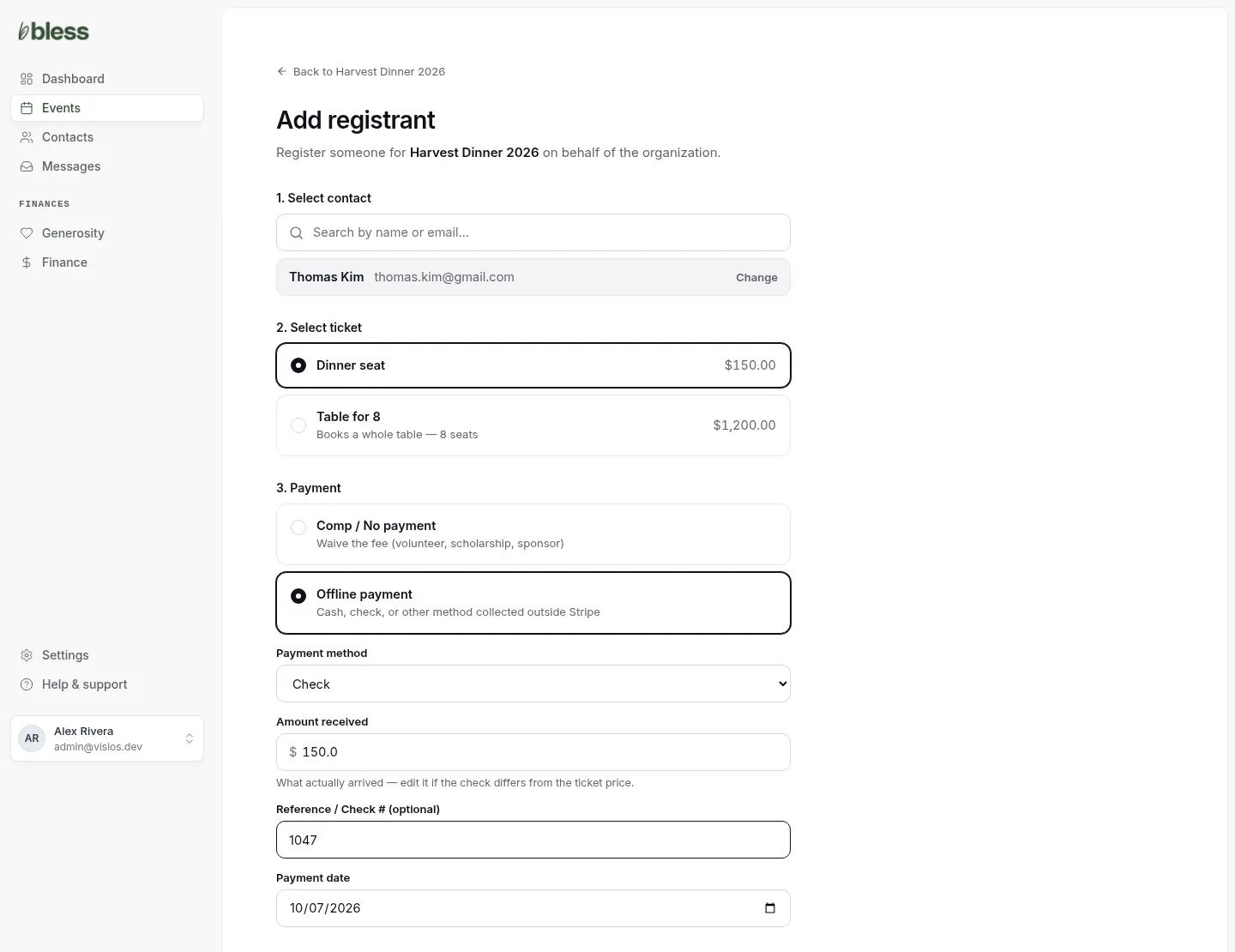
- Select contact. Search by name or email and press the person. If they are not in Contacts, add them as a new contact.
- Select ticket. Choose the registration type.
- Payment. Choose one:
- Comp / No payment waives the price. Add a reason if you want, such as “Volunteer”.
- Offline payment records money that came outside Bless. Choose Cash, Check or Other. Type the amount that arrived, the check number and the date.
- Registration questions. Answer the questions you know.
- Press Create registration.
You see “Registration created for” and the person’s name. The registration shows on the event page as Paid or Comp.
Good to know:
- Type the amount that actually arrived. If a check is for a different amount than the price, change it.
- An offline payment is recorded only. Bless does not charge a card.
Book a table for someone
- Choose a group registration under Select ticket. It says “Books a whole table” and the number of seats.
- Untick Buyer is attending if the buyer is not coming. They stay the buyer, and can still fill the seats.
- Choose the payment, then press Create registration.
The Groups page opens. Add the guests yourself, or copy the seat link and send it to the buyer.
Updated
Was this page helpful?
Thank you. Your answer helps us make these pages better.