
Spotter
During the live program you record what happens in the room. The auctioneer calls a bid, you type the paddle.
Draft. These pages describe the auction night as it is being built. Some screens are not released yet, and the pictures use sample data.
Record a bid
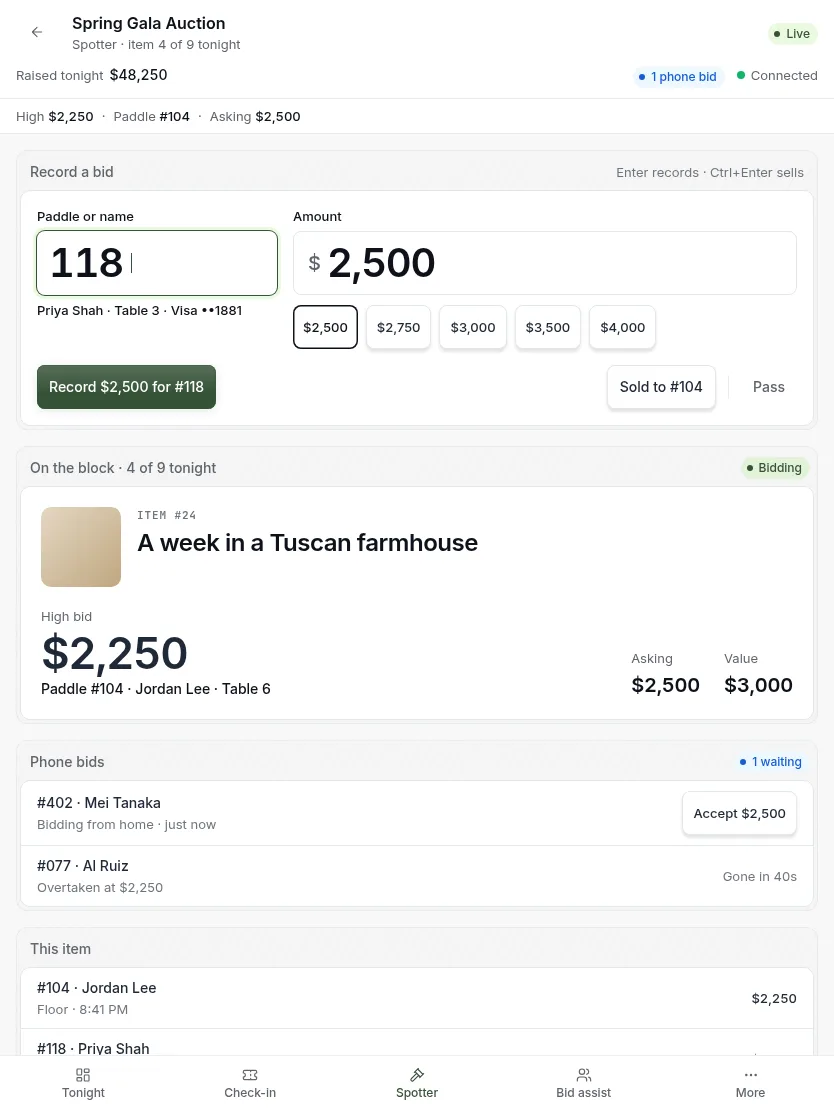
- Type the paddle number. The guest’s name appears under the field.
- Tap the amount the auctioneer just called.
- Press Enter to record it.
- When the hammer falls, press Sold.
Type the paddle every time, even when the same two guests are going back and forth.
The paddle is not recognized
If no bidder has the number you typed, the field turns red and Record goes dim. Nothing is recorded until the paddle matches someone.
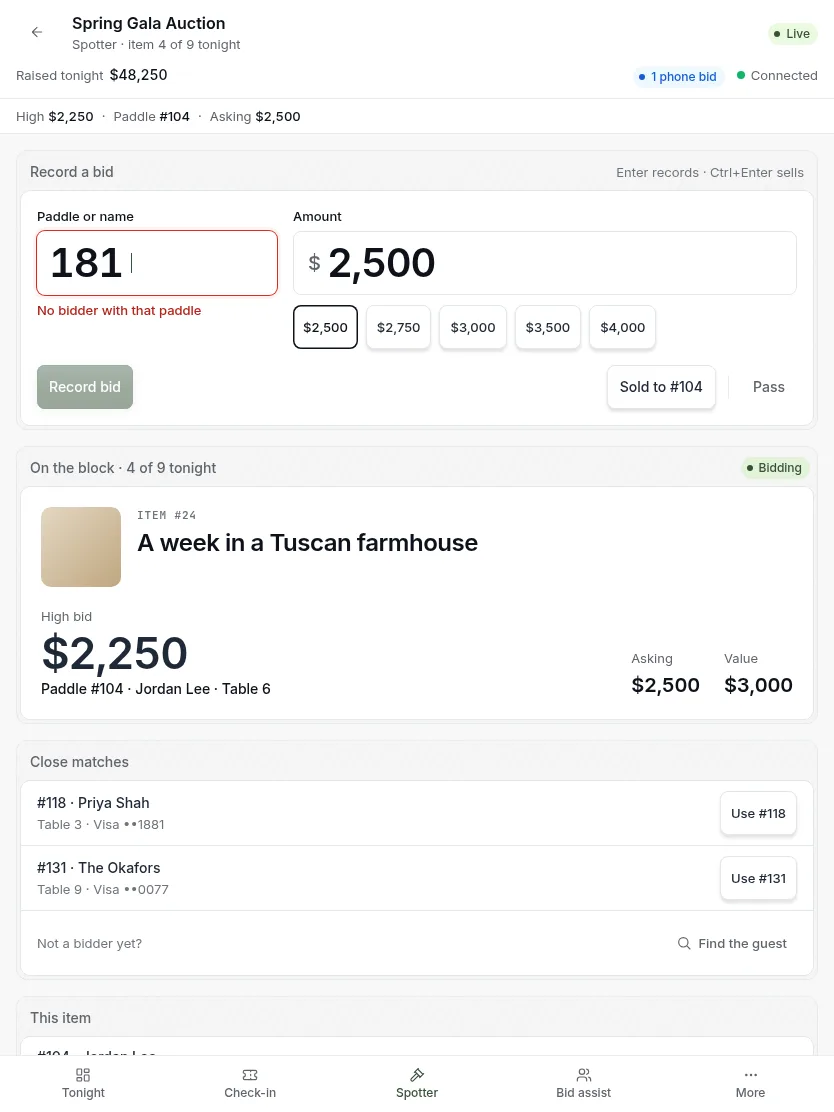
- Check the number and fix it, or tap one of the close matches. A slipped digit is the usual cause.
- If the guest is not a bidder yet, find them by name.
Sold and Pass still work, so you never hold up the auctioneer.
Confirm a sale
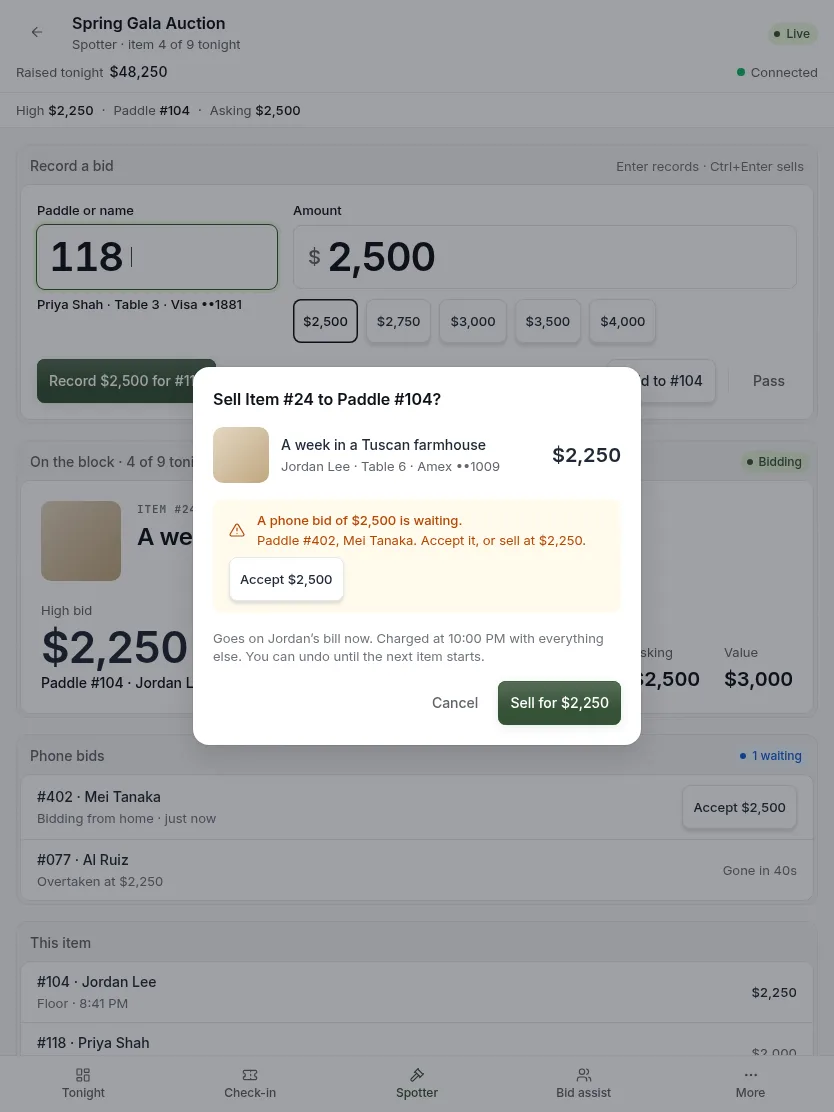
- Press Sold, or Ctrl+Enter on a keyboard.
- Check the name and the amount. This is where a mistyped paddle gets caught.
- If a phone bid is waiting, accept it or sell anyway.
- Press Sell.
Pass an item
When the auctioneer moves on without a sale.
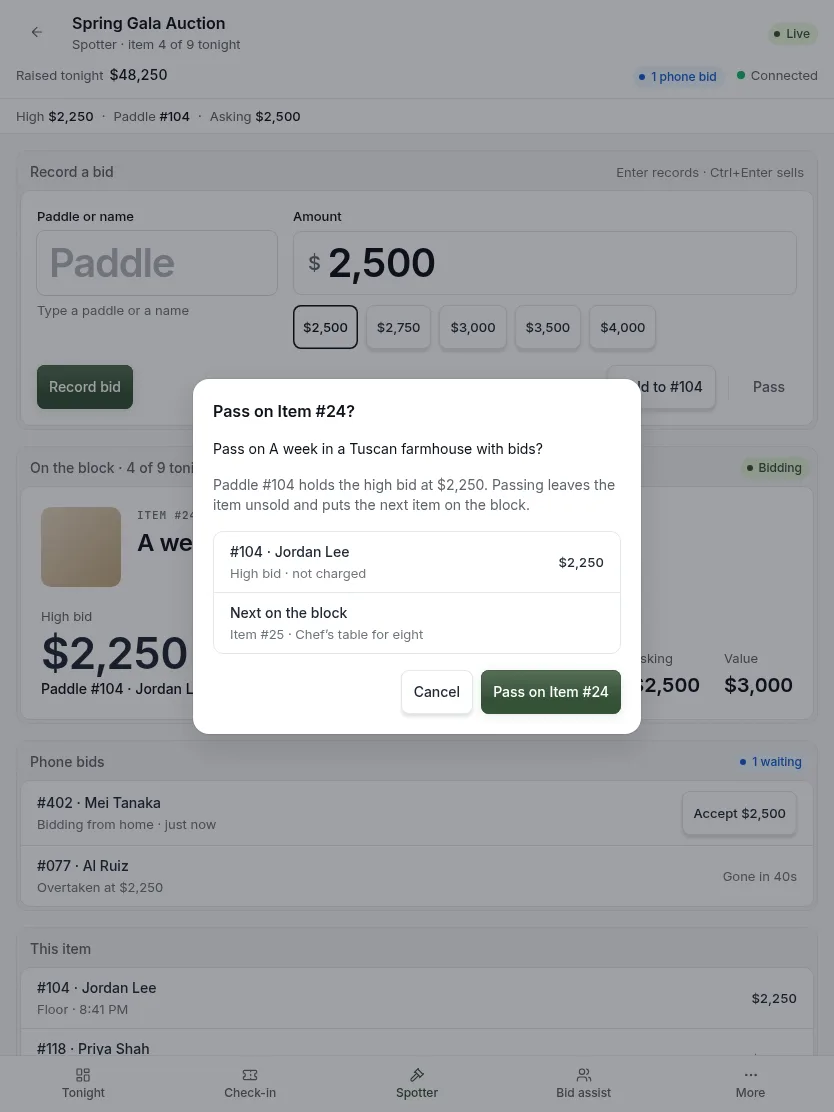
- Press Pass.
- If the item has no bids, the next item comes up at once.
- If it has bids, the screen asks you to confirm. It names the high bidder and the next item.
- Press Pass again to confirm.
The high bidder is not charged when an item is passed. Tell them so if they ask.
The paddle raise
During the appeal, paddles go up fast. There is usually one spotter for each part of the room.
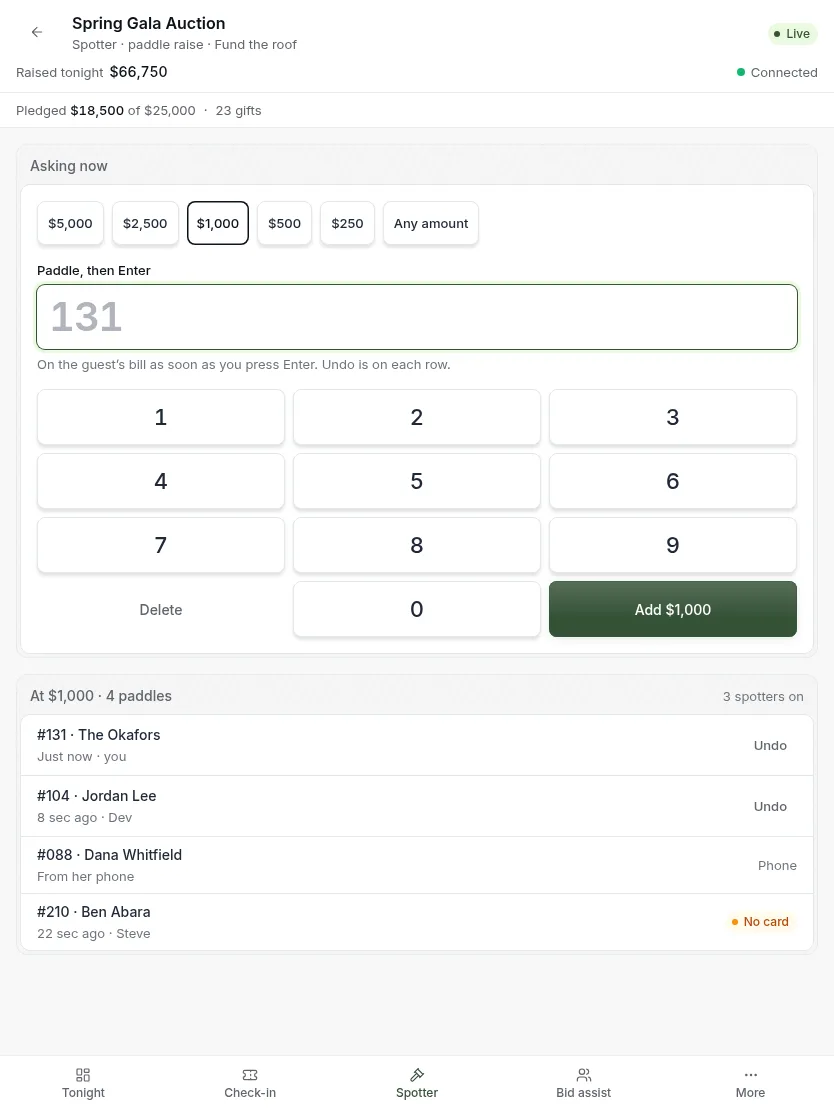
- Tap the level the auctioneer is asking for.
- Type a paddle and press Enter. The gift is on that guest’s bill.
- Repeat. To take back a wrong one, press Undo on its row.
Each paddle is saved as you enter it. There is nothing to confirm at the end, and nothing is lost if your phone dies. On a phone you get a number pad on the screen, and its Enter key shows the amount you are adding.
Tap instead of type
In a small room, the grid can be faster.
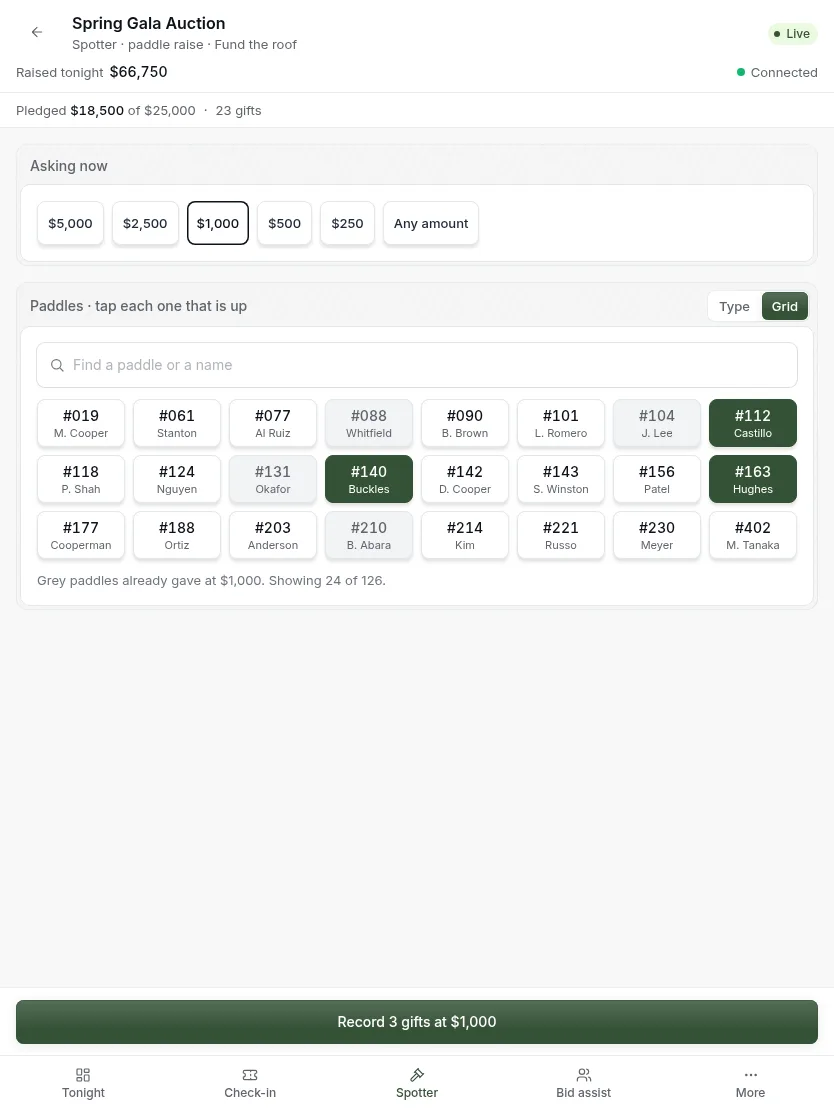
- Tap the level the auctioneer is asking for.
- Switch to Grid.
- Tap each paddle that is up. Tap again to take one back.
- Press Record. The button shows how many gifts and the amount.
Paddles that already gave at this level are gray, so nobody is charged twice. In a big room, use the search box to narrow the grid.
If you lose your connection
If the venue Wi-Fi drops, the screen says so and stops taking bids.
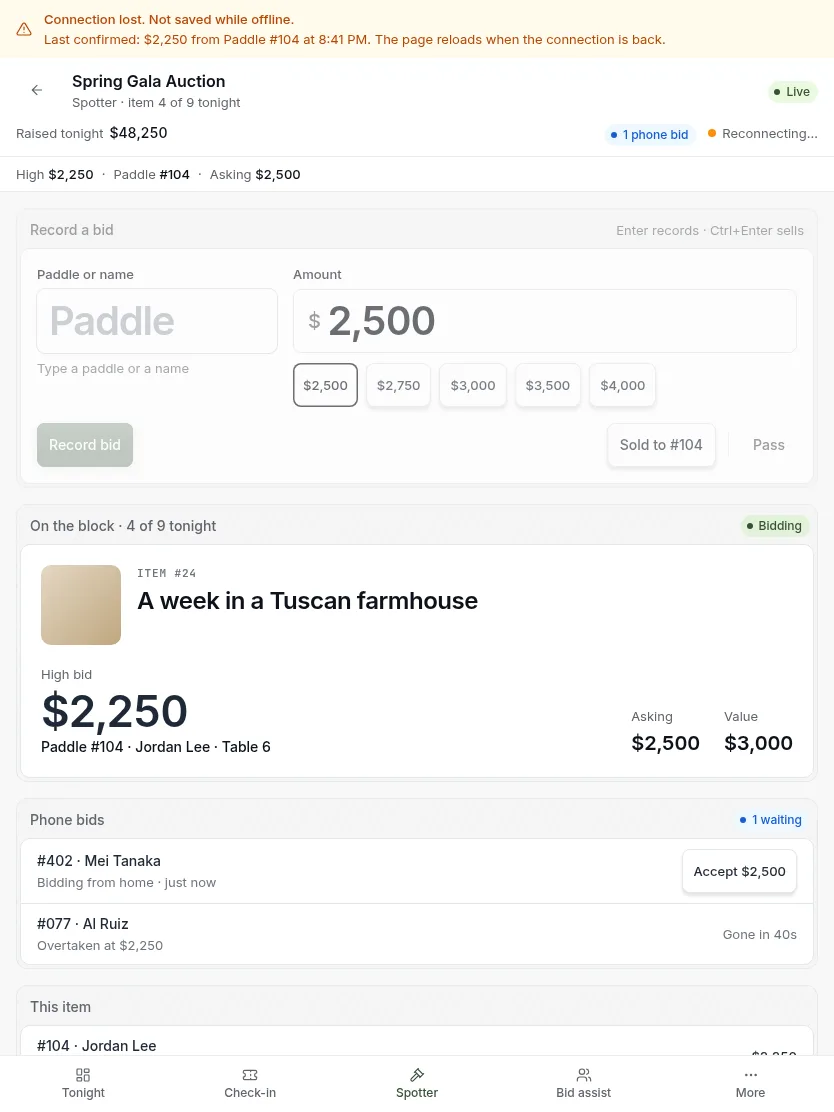
- Read the banner. It says what the last confirmed bid was.
- Tell the auctioneer, or hand over to another spotter.
- Wait. The page reloads on its own when the connection is back.
Nothing is saved while you are offline. Any bid called after the last confirmed one has to be entered again.
Updated
Was this page helpful?
Thank you. Your answer helps us make these pages better.