
Floor
You walk the room during silent bidding, bid for guests who ask, and answer questions about what they are winning and what they owe.
Draft. These pages describe the auction night as it is being built. Some screens are not released yet, and the pictures use sample data.
Bid for a guest
Use Bid assist when a guest wants to bid and would rather you do it.
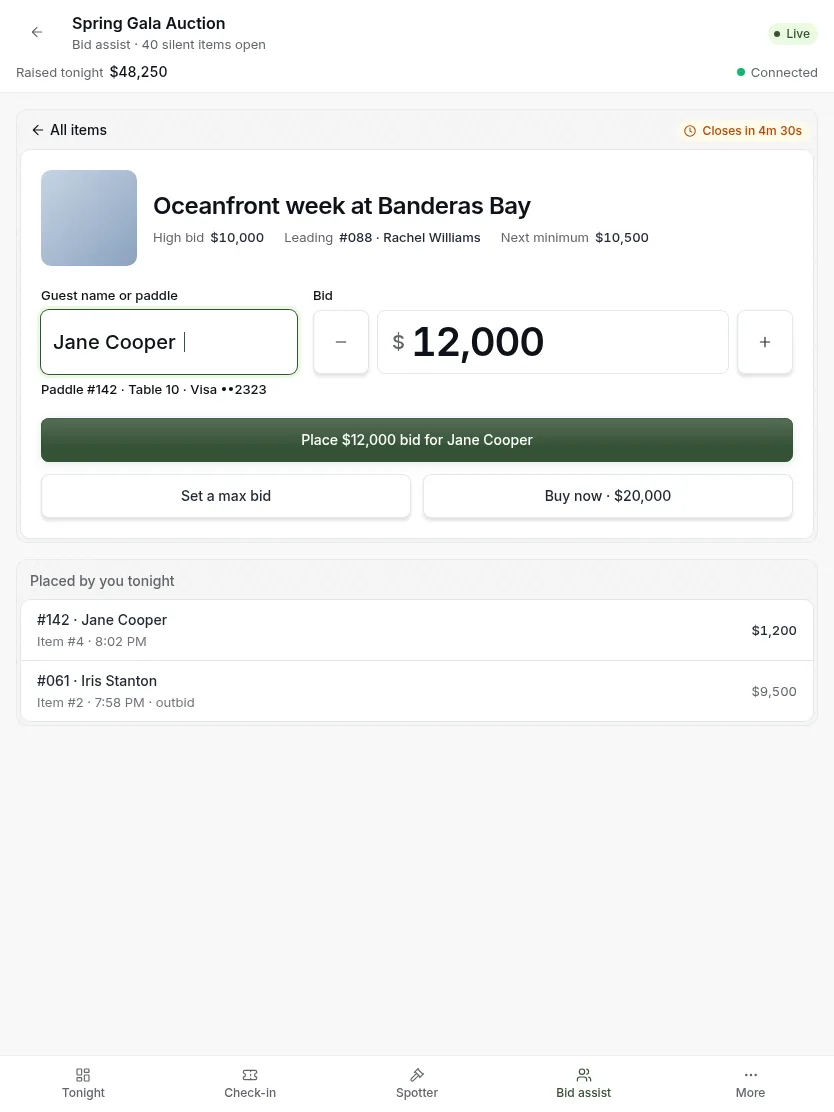
- Pick the item, or type its number from the display card on the table.
- Type the guest’s name or paddle.
- Tap plus or minus to set the bid.
- Read the button. It says who is bidding and how much. Then press it to place the bid.
You can also set a maximum bid or buy an item outright for a guest from the same screen.
Look a guest up
Guest lookup shows everything about one guest tonight. It answers the three questions guests ask: what am I winning, what do I owe, and which card is on file.
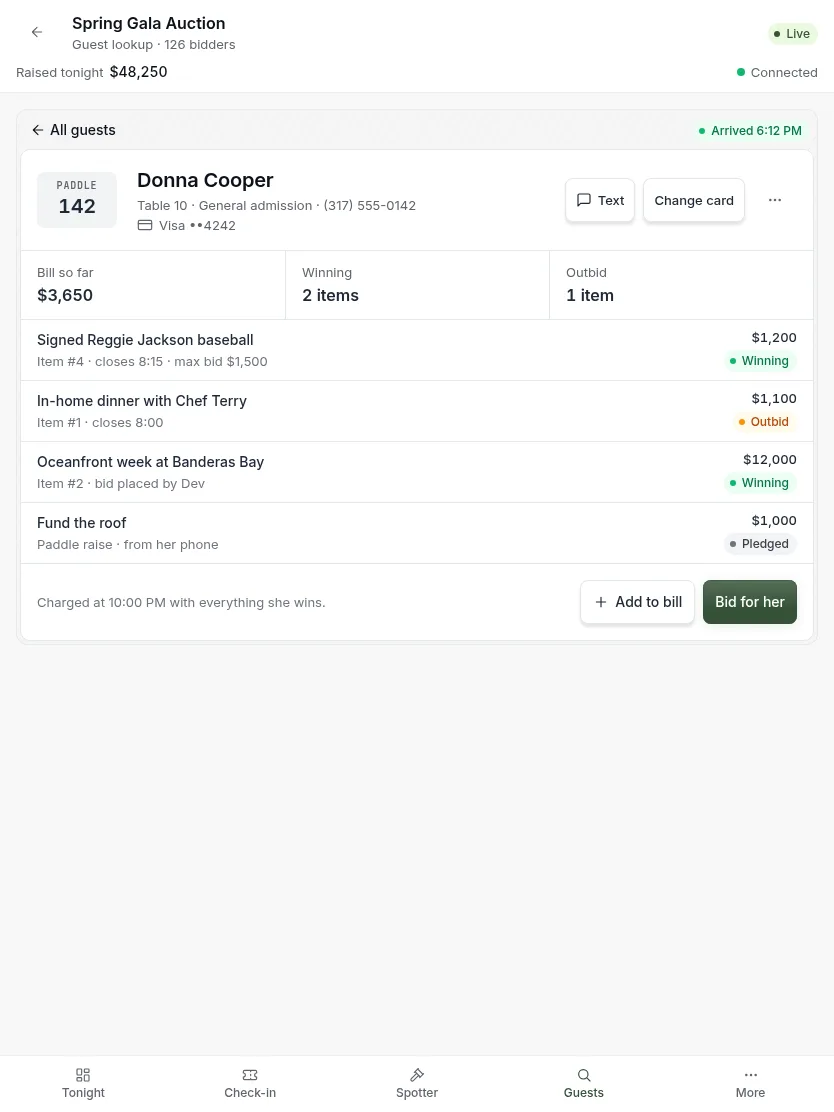
- Type a name or paddle.
- Read their bill, what they are winning, and where they have been outbid.
- From here you can message them, change their card, add to their bill, or bid for them.
Most guests come over because they were outbid, so the main button bids for them.
Add to a guest’s bill
For the wine pull, a raffle ticket, or a gift a guest asks to make. You need an advanced tool for this. If you do not see it, ask the organizer.
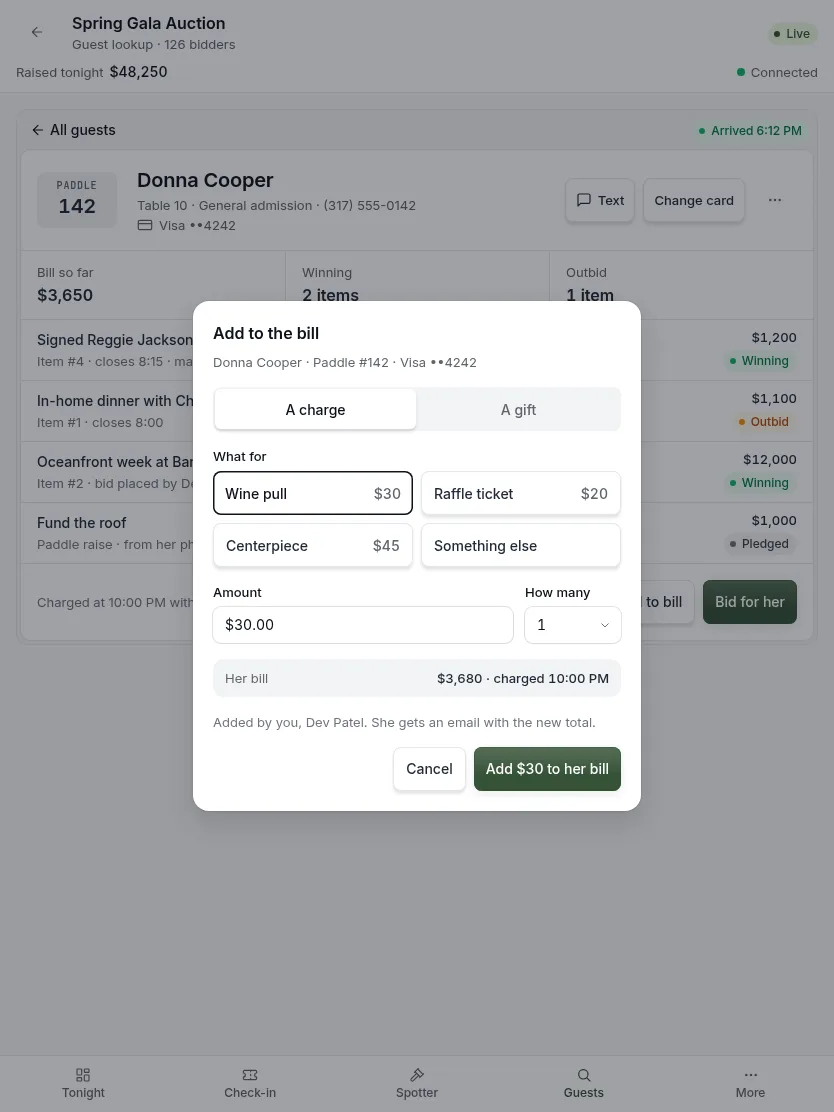
- Find the guest and press Add to bill.
- Choose a charge or a gift.
- Tap what it is for. If it is not listed, tap Something else and type it.
- Check the amount and the guest’s new total.
- Press the button to add it.
Good to know:
- Charge or gift matters for the guest’s receipt. A gift is tax deductible. A purchase is not.
- The common things are one tap, with prices set by the organizer. You do not type prices.
- The screen shows the new total and when the card will be charged. Tell the guest both.
Updated
Was this page helpful?
Thank you. Your answer helps us make these pages better.