
Pay and collect
What happens after bidding closes.
Draft. These pages describe the auction night as it is being built. Some screens are not released yet, and the pictures use sample data.
Your bill
When you win something, you get an email with a link to your bill.
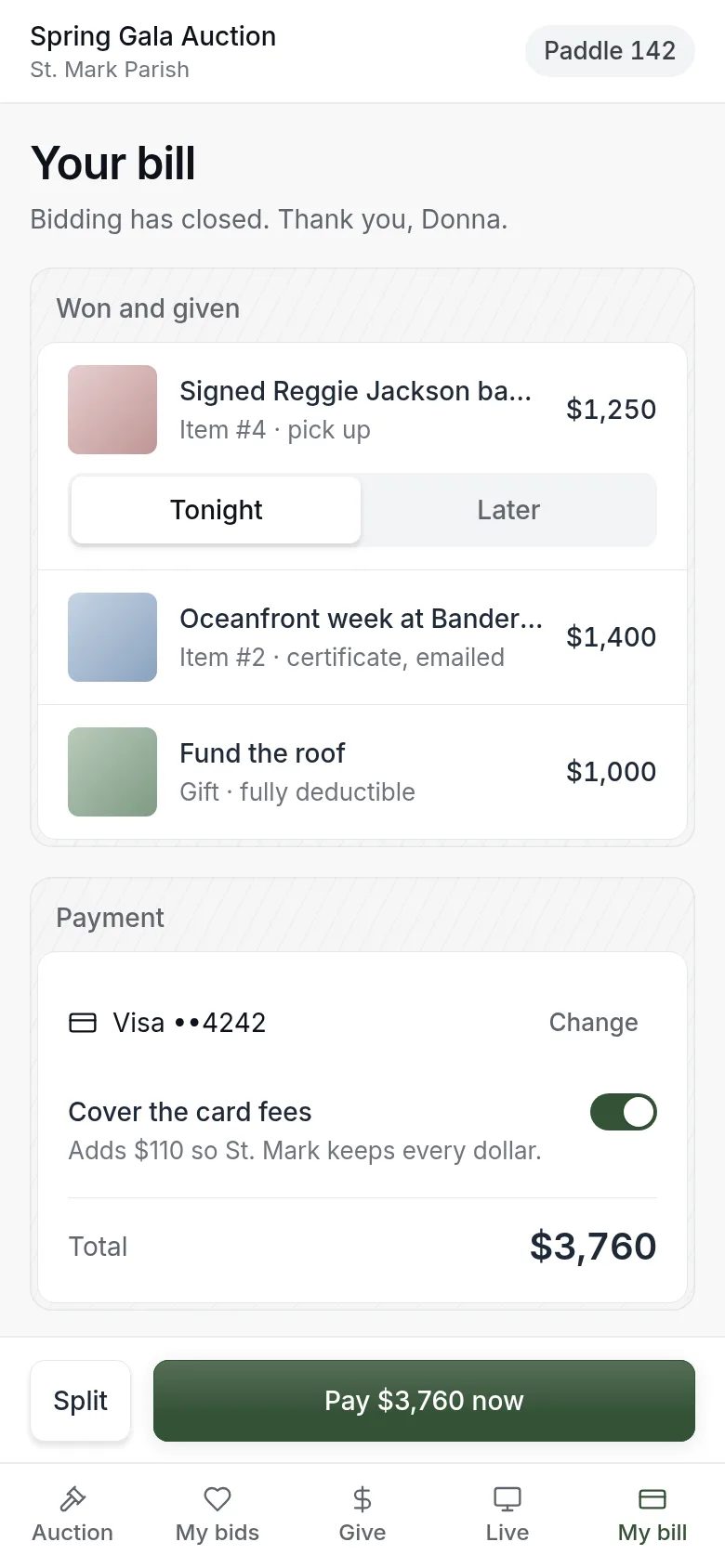
- Check what you won.
- For anything you need to collect, choose tonight or later.
- If you want, change your card or choose to cover the fees.
- Tap Pay now, or do nothing.
You do not have to do anything. If you leave it, the card you saved is charged once, at the time shown on your bill.
Choose a pick-up time
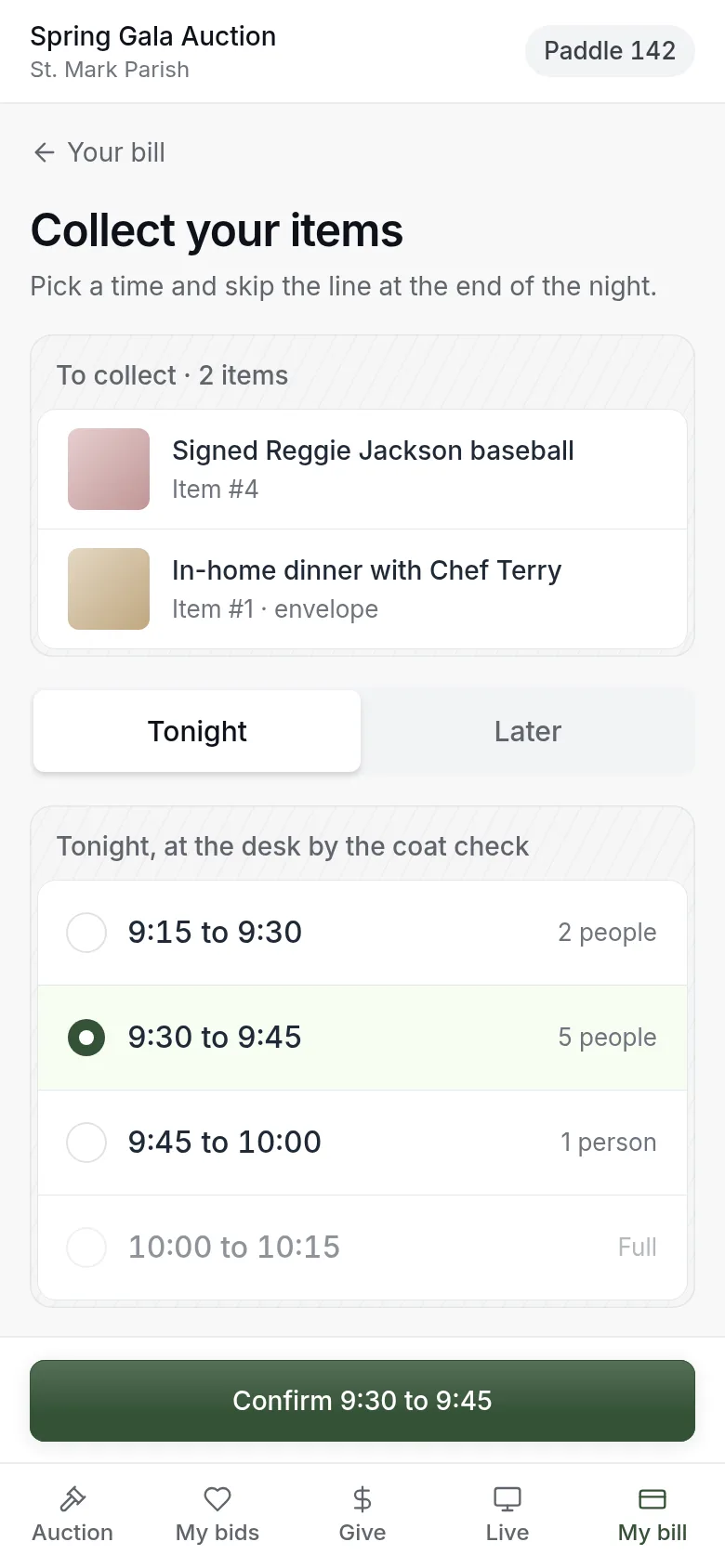
- Open Pick-up time from your bill.
- Choose Tonight or Later.
- For tonight, pick a 15-minute window. Each window shows how many people have already chosen it. A full window cannot be picked.
- Tap Confirm.
Later is one time and place set by the organizer. It is shown on the page.
When your items are ready you get an email. Show it at the pick-up desk.
Your receipt
After your card is charged, your receipt is ready.
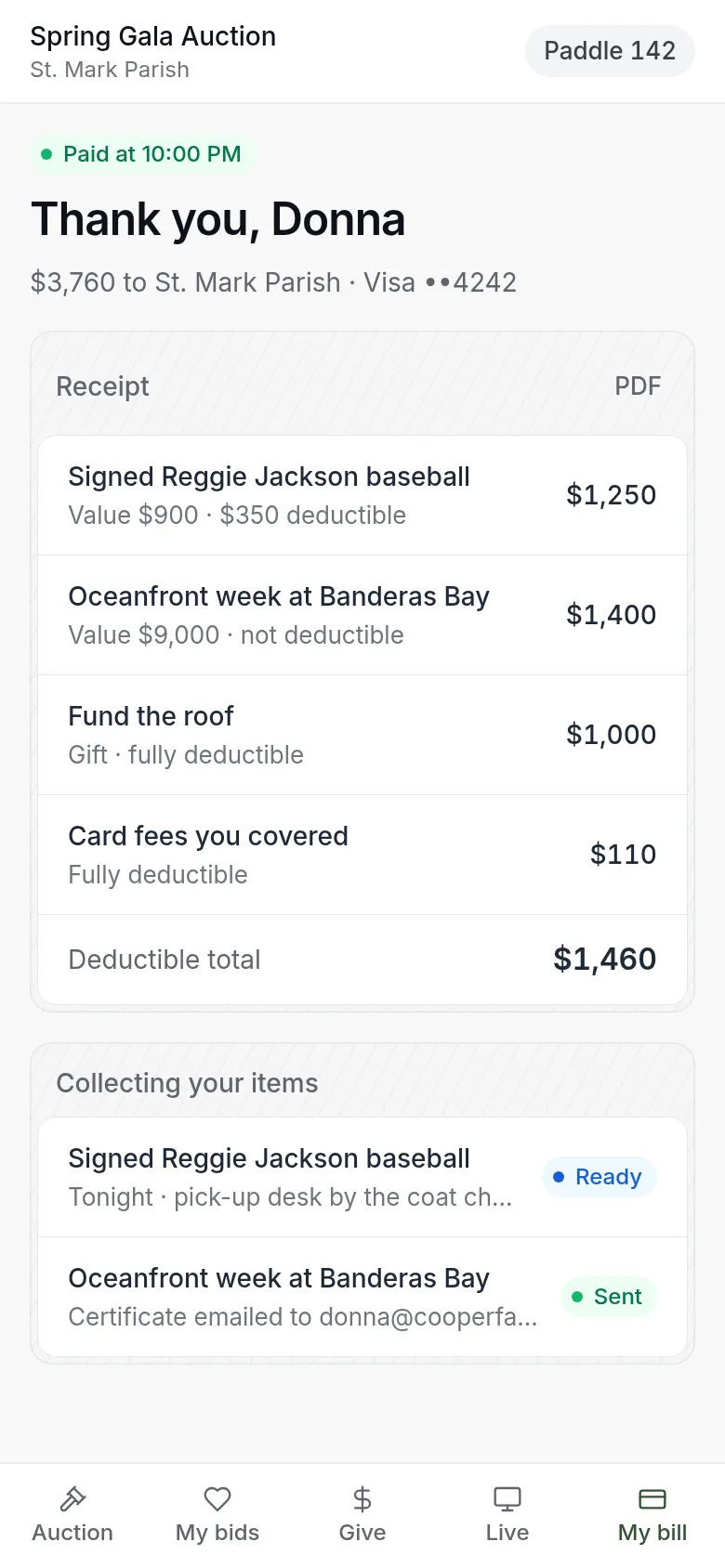
- See what you paid, and how much of it is tax deductible. The deductible amount is worked out for each line, with the total at the bottom.
- See where each item is.
- Download a PDF for your records.
If your card is declined
Open your bill and change your card, or pay at the pick-up desk when you collect.
Updated
Was this page helpful?
Thank you. Your answer helps us make these pages better.