
Get your paddle
Buying a ticket is all it takes. You do not sign up to bid separately.
Draft. These pages describe the auction night as it is being built. Some screens are not released yet, and the pictures use sample data.
Buy a ticket
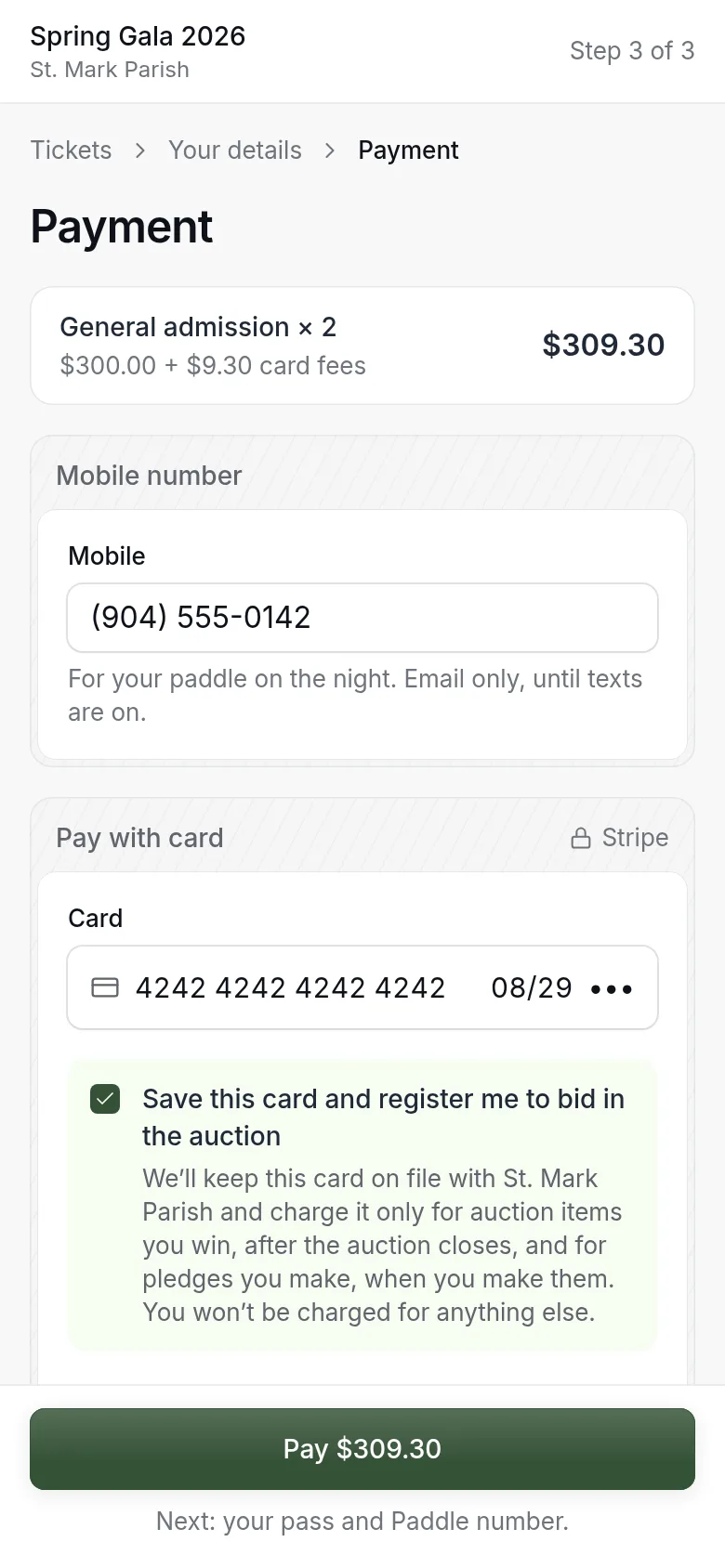
- Check the order total.
- Give your mobile number.
- Type your card.
- Leave the box ticked to save your card and register to bid.
- Pay.
Your card is charged for the ticket now. It is charged for anything you win or give only after the auction, at a time you will be told.
Your pass and paddle
Right after you pay, you see your paddle number and your pass.
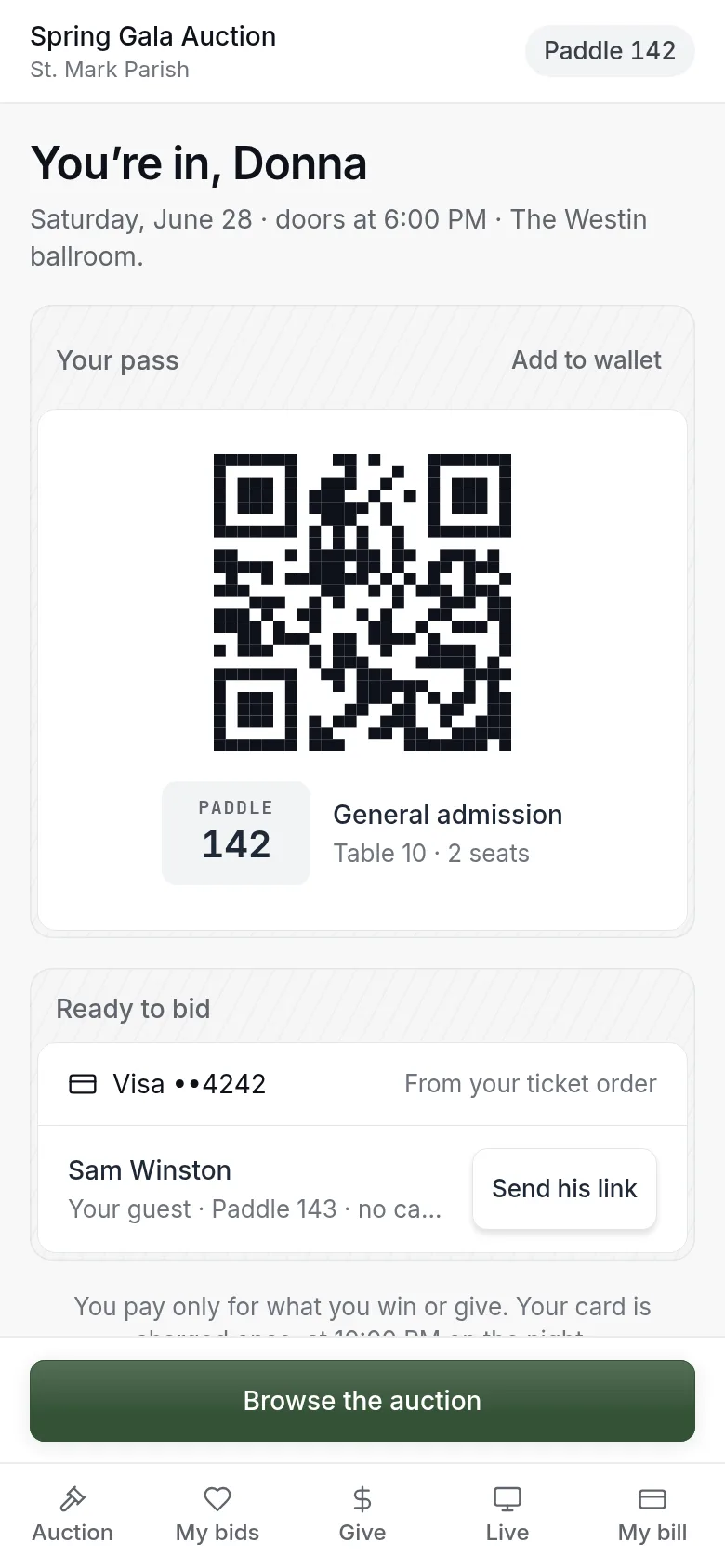
- Show the pass at the door to be checked in.
- If you bought tickets for other people, send each guest their own link so they get their own paddle.
- Tap Browse the auction to start looking.
Sign back in
On a new phone, or if the auction does not recognize you:
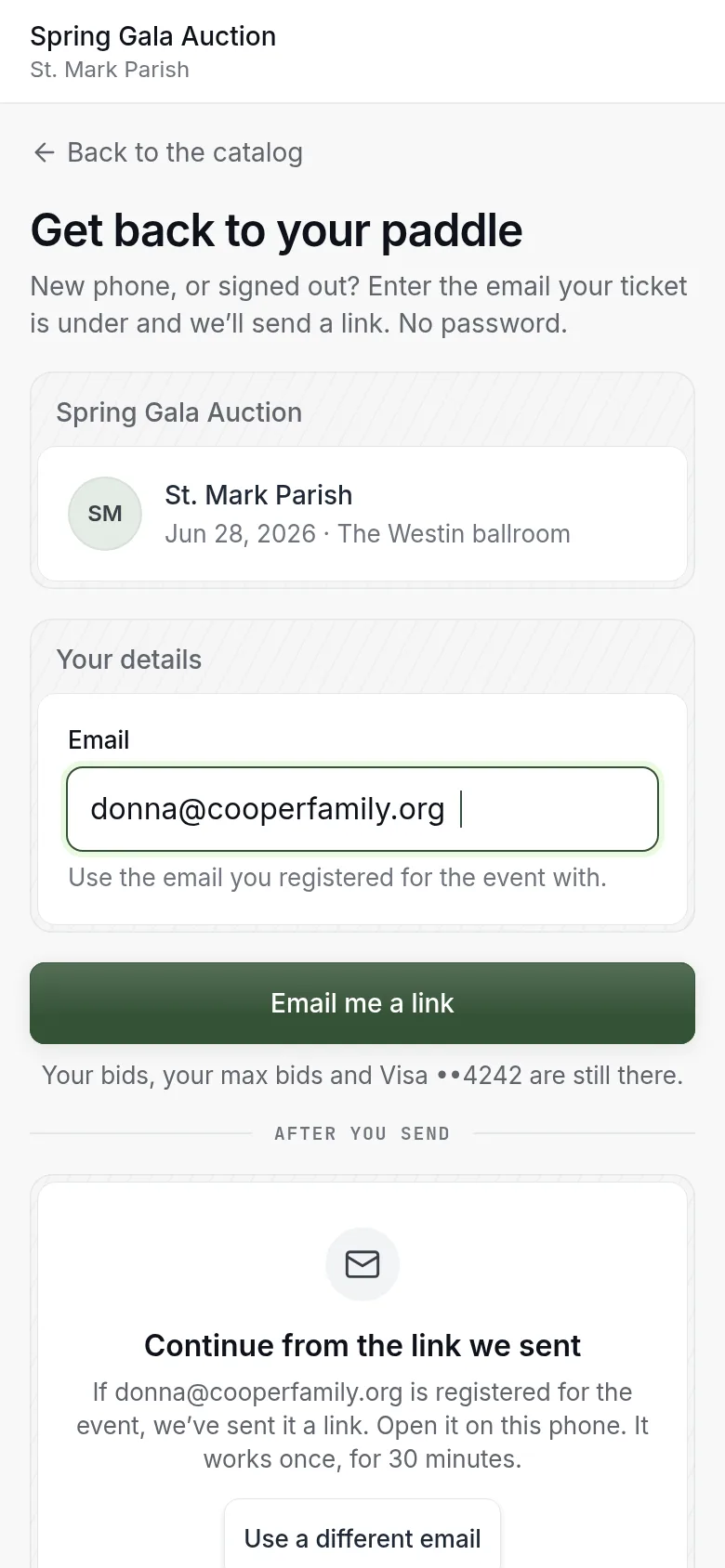
- Type the email your ticket is under.
- Press Email me a link.
- Open the link on the phone you want to use.
You land back on the auction with your paddle, your bids, your maximum bids and your card all in place. If you are at the event and stuck, any volunteer can help.
The emails you will get
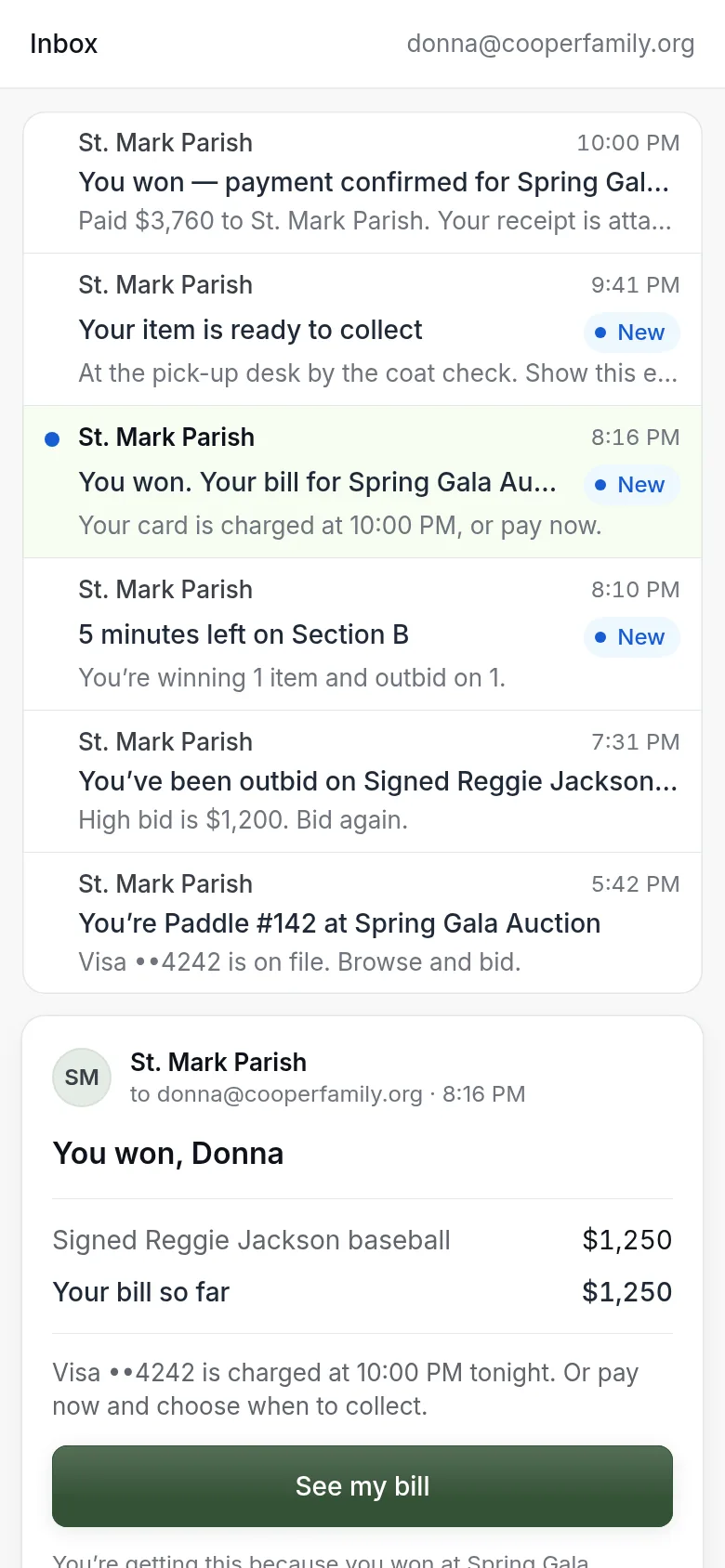
Six emails cover the night. Each one tells you one thing and has one button.
| When | What it tells you |
|---|---|
| You get your ticket | Your paddle number |
| Someone outbids you | Which item, with a button to bid again |
| Five minutes before a close | An item you are bidding on is about to close |
| You win | What you won and when your card will be charged |
| Your items are ready | Where and when to collect |
| Your card is charged | Your receipt |
Updated
Was this page helpful?
Thank you. Your answer helps us make these pages better.