
After the night
Getting everyone paid, and seeing how the auction did.
Draft. These pages describe the auction night as it is being built. Some screens are not released yet, and the pictures use sample data.
Settle up
From the last close until everyone has paid. One row per guest shows what they owe, whether they have paid, and whether their items have been collected.
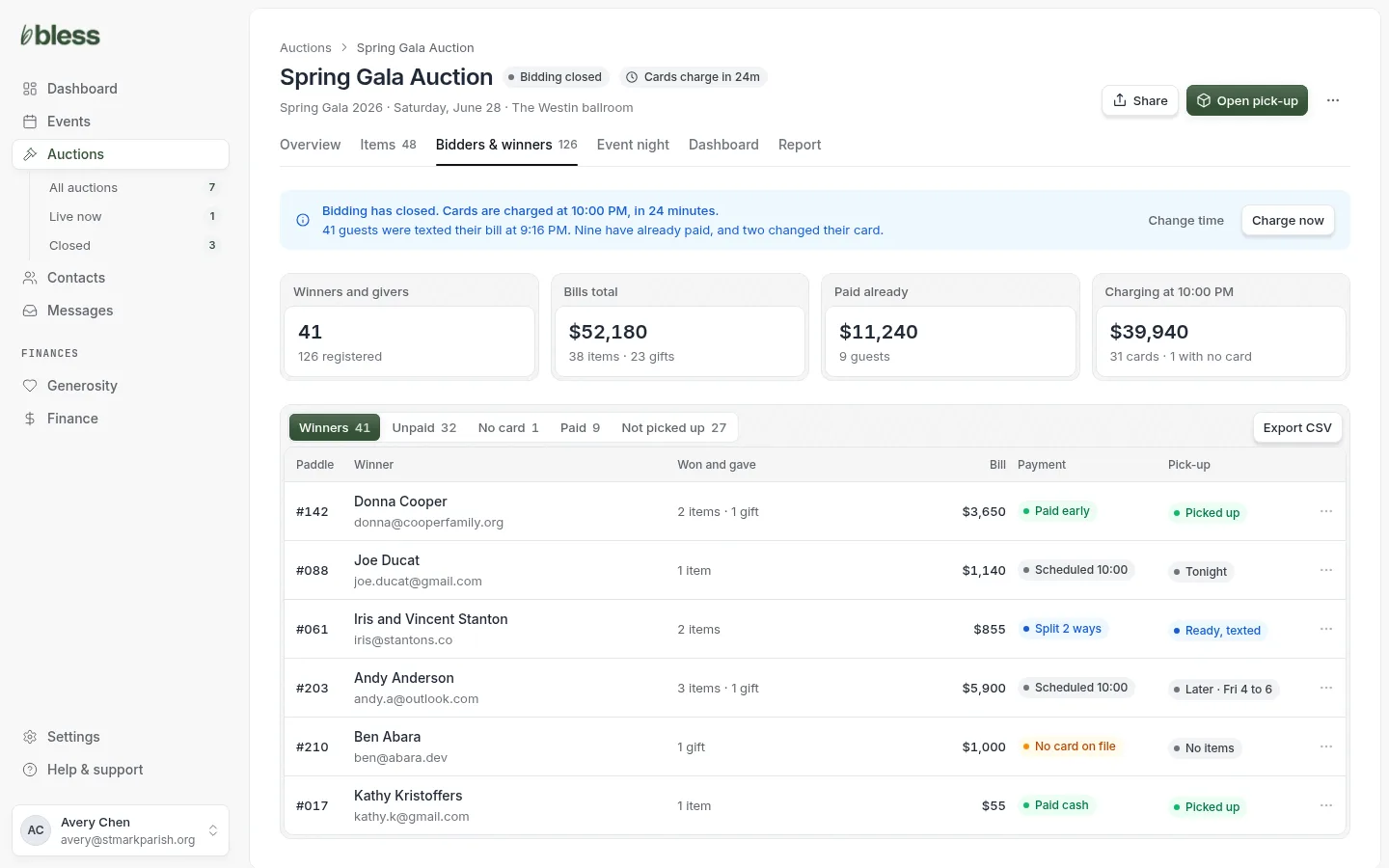
- Read the banner. It says when cards will be charged and who has been told.
- Filter to Unpaid or No card and work down the list.
- Open pick-up when items start leaving.
To mark a check as paid, type its reference number.
Charge now moves money and cannot be undone. Most nights you will not need it: cards are charged on their own at the time you set.
Split a bill
One item, paid by more than one guest. Do it after bidding closes and before cards are charged.
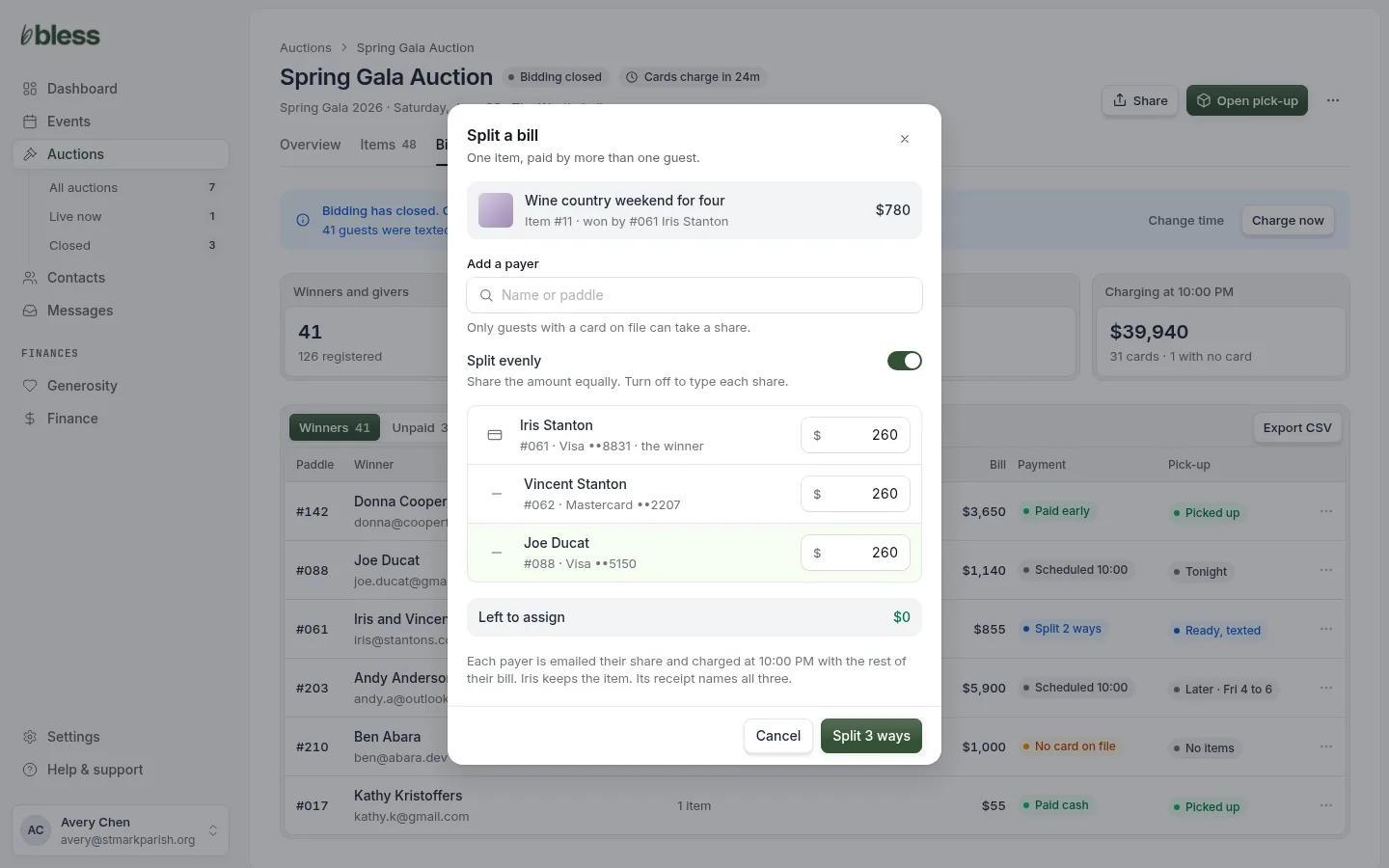
- Press Split on the guest’s row in Settle up.
- Type a name or paddle to add each payer.
- Leave Split evenly on, or turn it off and type each share.
- Check that nothing is left to assign.
- Press Split.
Good to know:
- The amount left to assign must reach zero before you can split.
- The winner always stays on the bill. Someone owns the item.
- Only guests with a card on file can be added, so every share can be charged.
Split a bill is planned for after the first release.
Report
What sold, for how much, and what to do next.
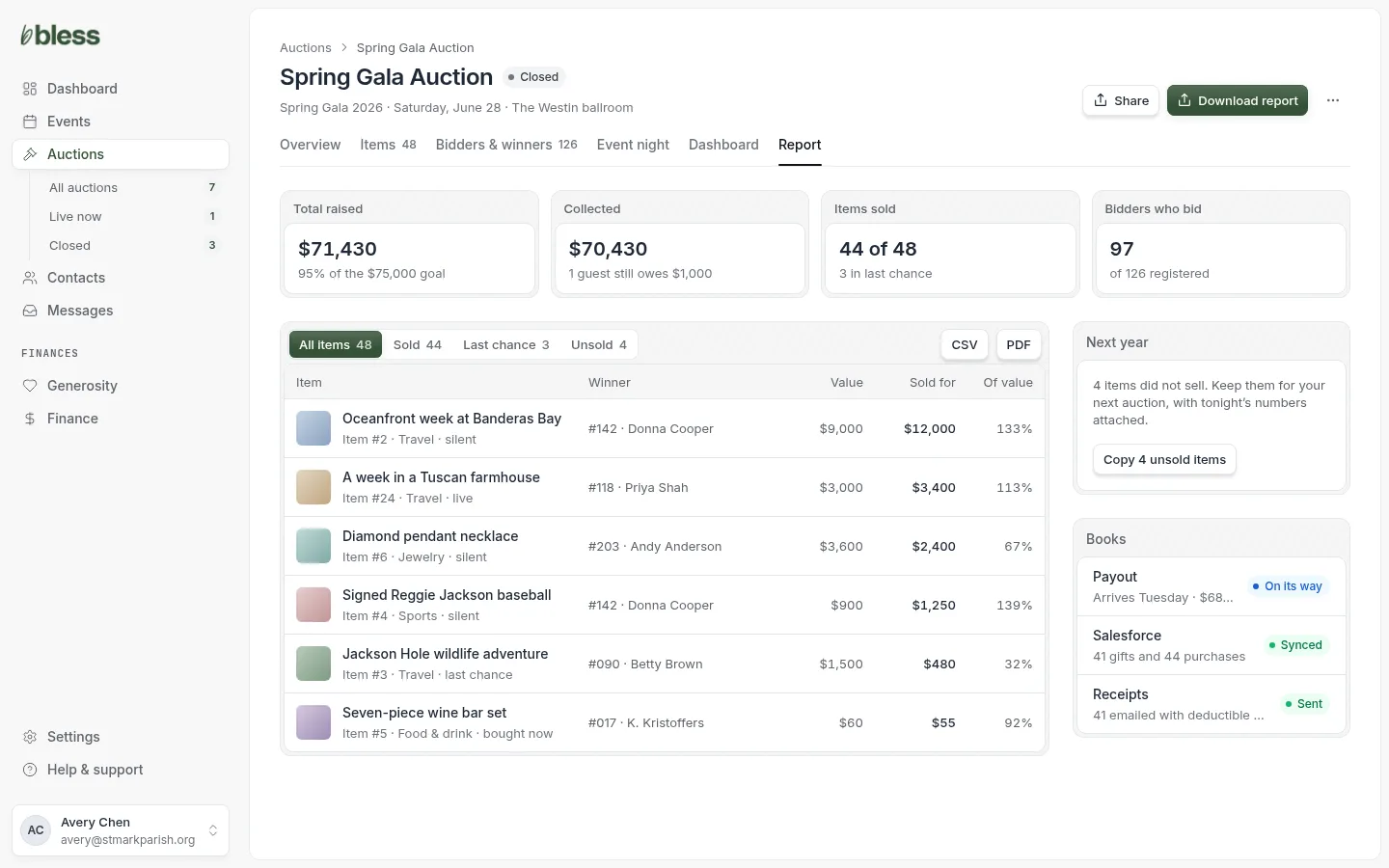
- Read the totals against your goal.
- Filter to Unsold or Last chance.
- Download a CSV or PDF.
- Copy unsold items to next year.
The Of value column shows what each item sold for against what it was worth, which is the thing to learn from for next year. The Books panel tells your treasurer that the money, the sync and the receipts are done.
A guest’s auction history
Every contact has an Auctions tab. Use it before a call or a thank-you.
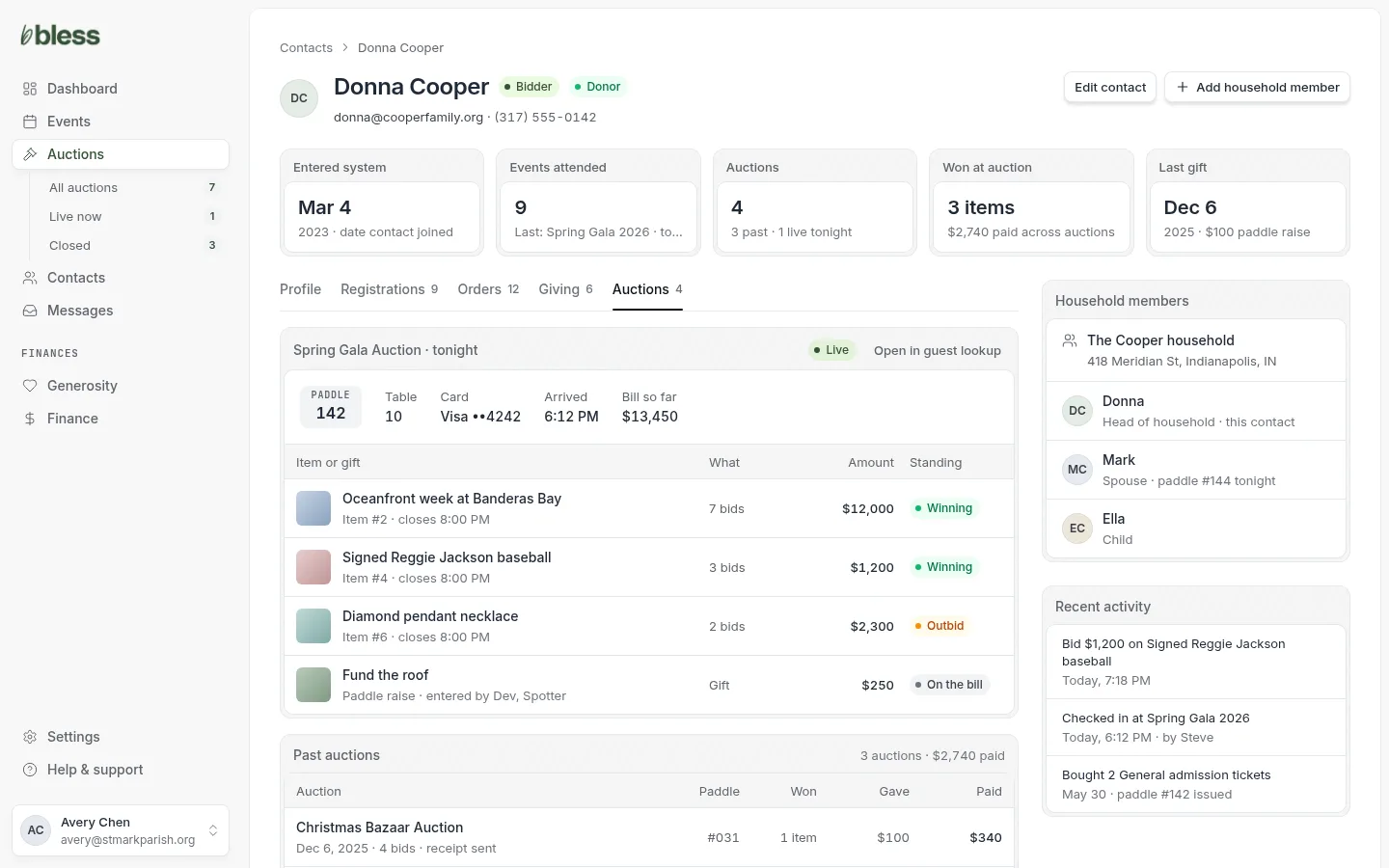
- Open a contact.
- Open the Auctions tab.
- Read tonight’s paddle, table, card and bill.
- Scroll to past auctions to see what they won and gave.
This page only reports. To do something for the guest during an auction, press Open in guest lookup. A gift entered by a volunteer shows who entered it.
Updated
Was this page helpful?
Thank you. Your answer helps us make these pages better.