
Door
You check guests in on a tablet and hand them their paddles, from doors until the program starts.
Draft. These pages describe the auction night as it is being built. Some screens are not released yet, and the pictures use sample data.
Check a party in
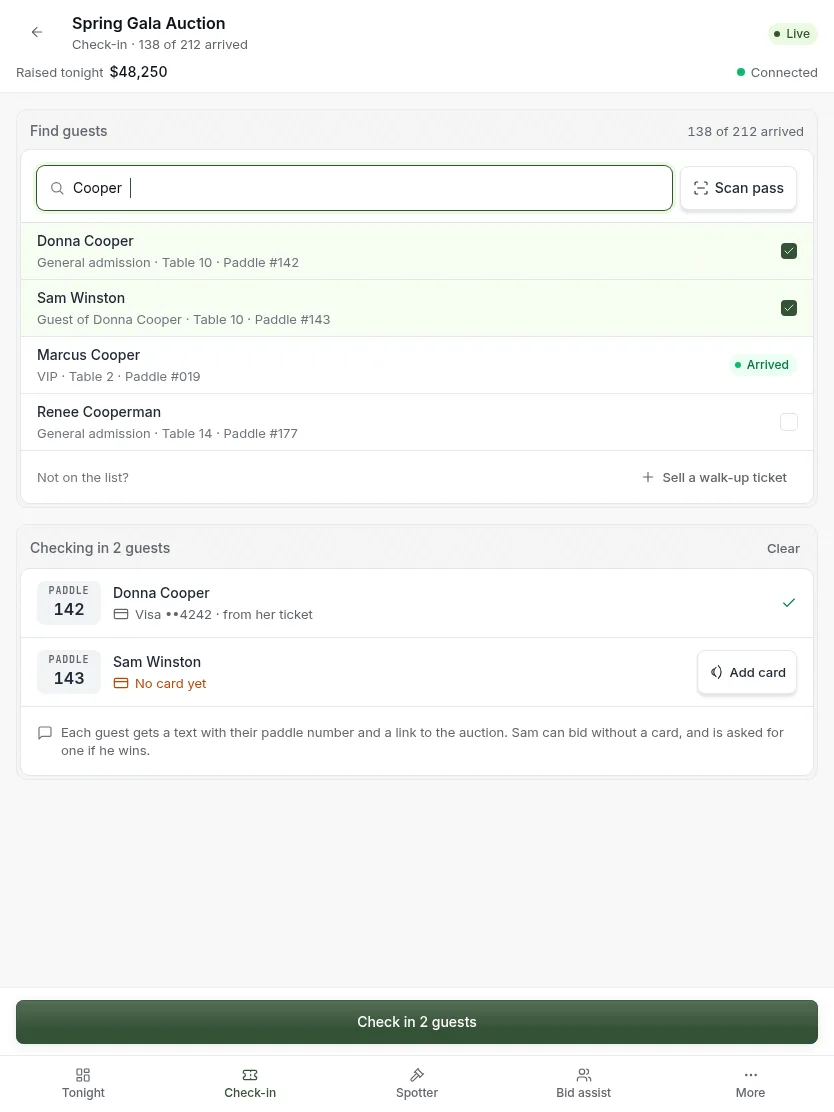
- Type a few letters of a name, or scan the guest’s pass.
- Tap everyone in the party who is here.
- Glance at the right side. It shows the paddle and card for each person.
- Press Check in. Each guest gets a message.
Good to know:
- You never type a paddle number. Paddles are given when a guest buys a ticket.
- A guest with no card on file can still be checked in.
- Not on the list? See Sell a ticket at the door.
Hand over the paddles
Right after you check a party in, the screen shows their paddle numbers in large type.
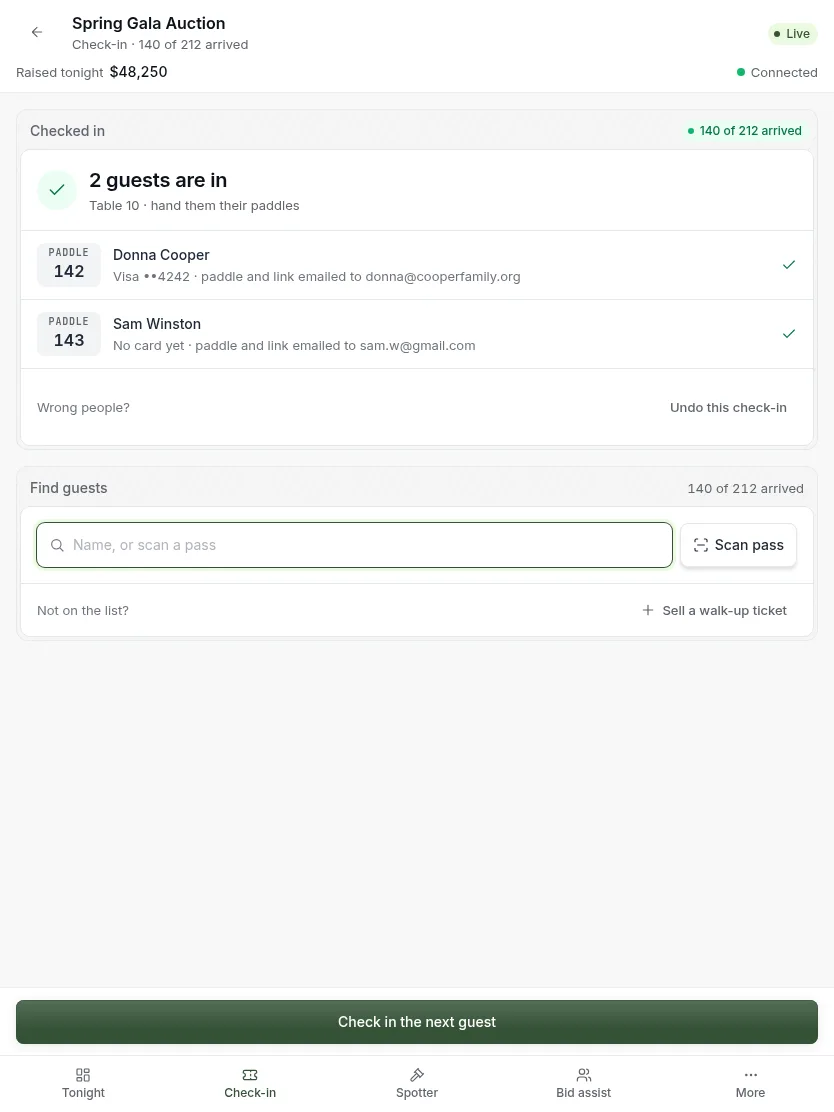
- Read the paddle numbers and hand those paddles over.
- Start typing the next name. The search box is ready, so you do not need to tap anything.
- Wrong party? Press Undo.
Sell a ticket at the door
For someone who arrives and is not on the list.
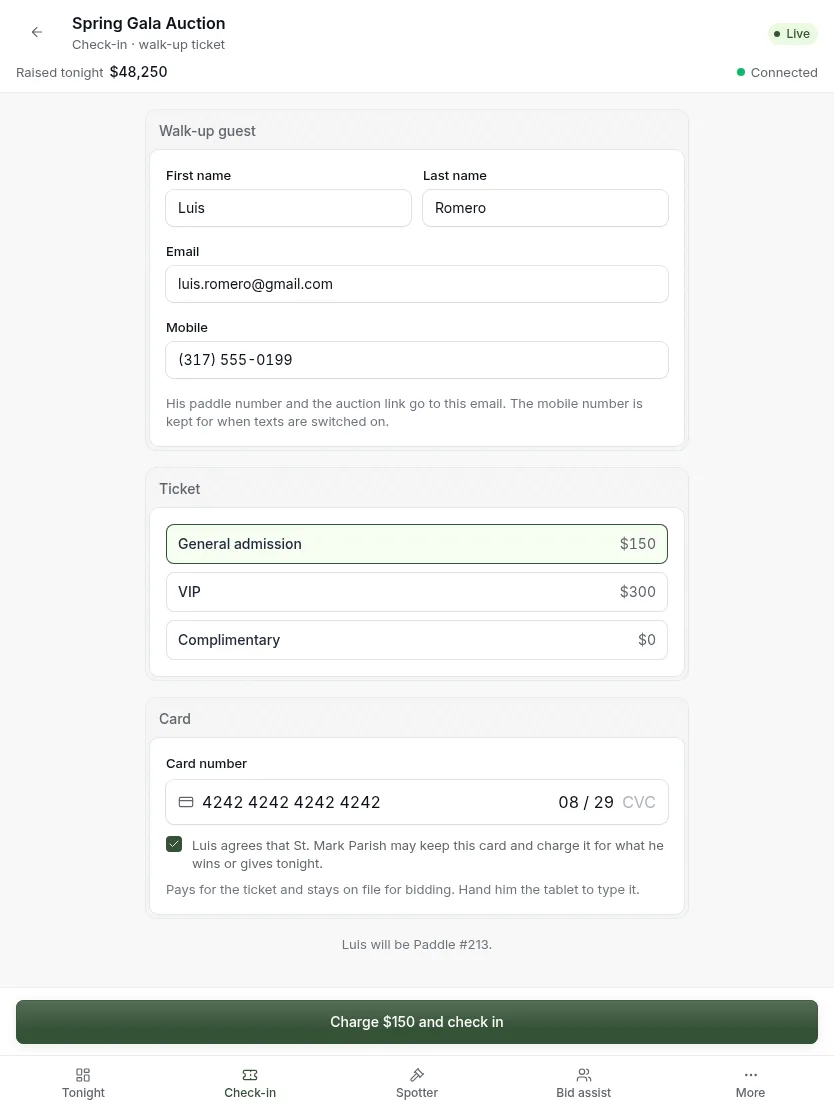
- Type their name, email and mobile number.
- Pick the ticket.
- Hand the tablet to the guest. They type their card and agree to it being kept.
- Press Charge and check in. A paddle is issued.
The one card pays for the ticket and becomes the card they bid with. It is all on one screen, so the line keeps moving.
Updated
Was this page helpful?
Thank you. Your answer helps us make these pages better.