
Pick-up
You hand items to their winners and record that they left, from the first close until the room empties.
Draft. These pages describe the auction night as it is being built. Some screens are not released yet, and the pictures use sample data.
Hand items over
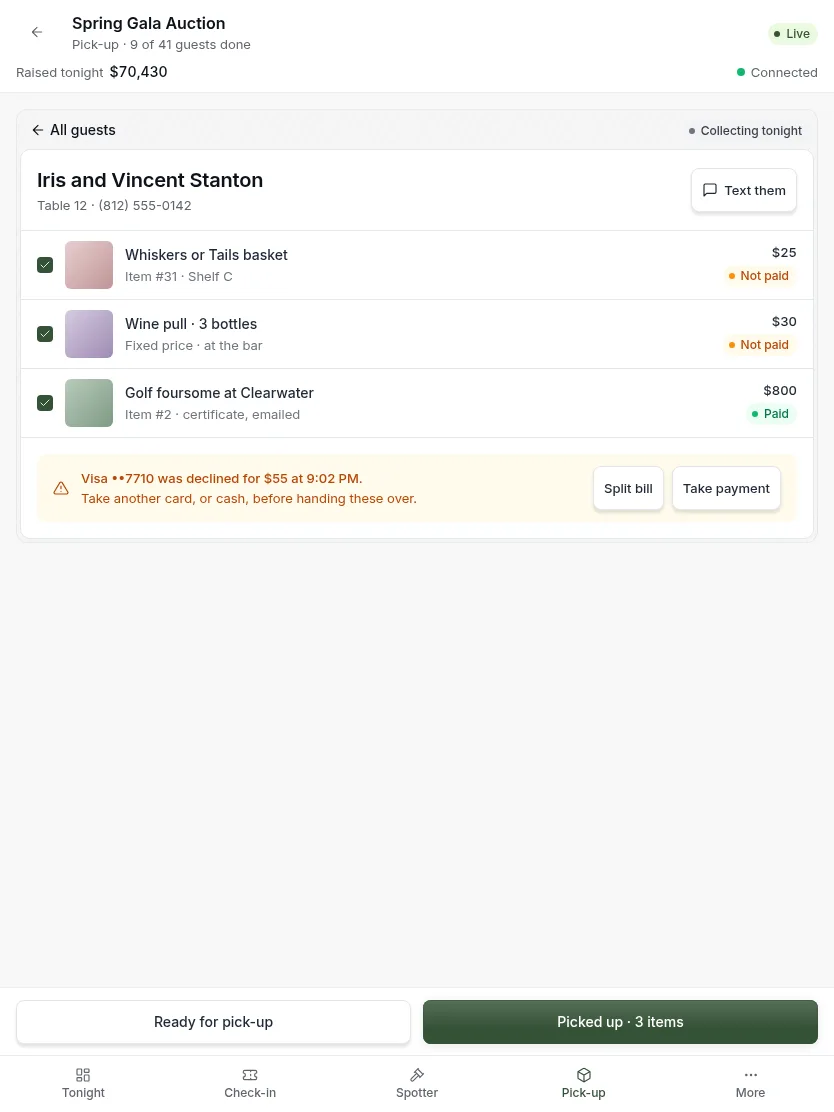
- Find the guest by name or paddle, or from the ready email they show you.
- Fetch what is listed. Each row shows the shelf the item is on.
- If something is unpaid, take payment first. See below.
- Press Picked up.
Some guests chose to collect later. Their items stay on the shelf.
Take payment
When a card was declined, or a guest has no card on file. You need an advanced tool for this. If you do not see it, ask the organizer.
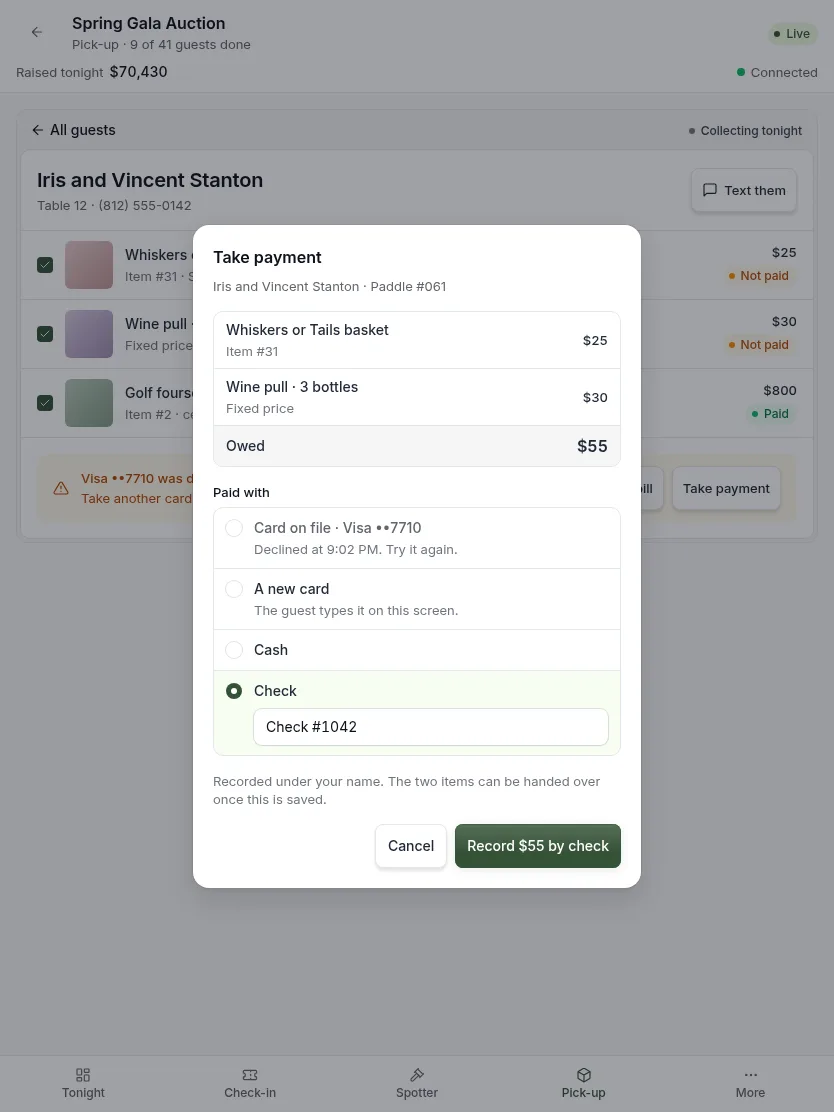
- Open the guest and press Take payment.
- Check what is owed. Only unpaid items are listed.
- Choose how they are paying. For a check, type its number.
- Press the button to record the payment.
- Hand the items over and press Picked up.
You can try the declined card again. Often the guest has already called their bank.
Updated
Was this page helpful?
Thank you. Your answer helps us make these pages better.