
Payments
Connect your organization's Stripe account, so guests can pay for events and donors can give. The money goes straight to your Stripe account.
Connect Stripe
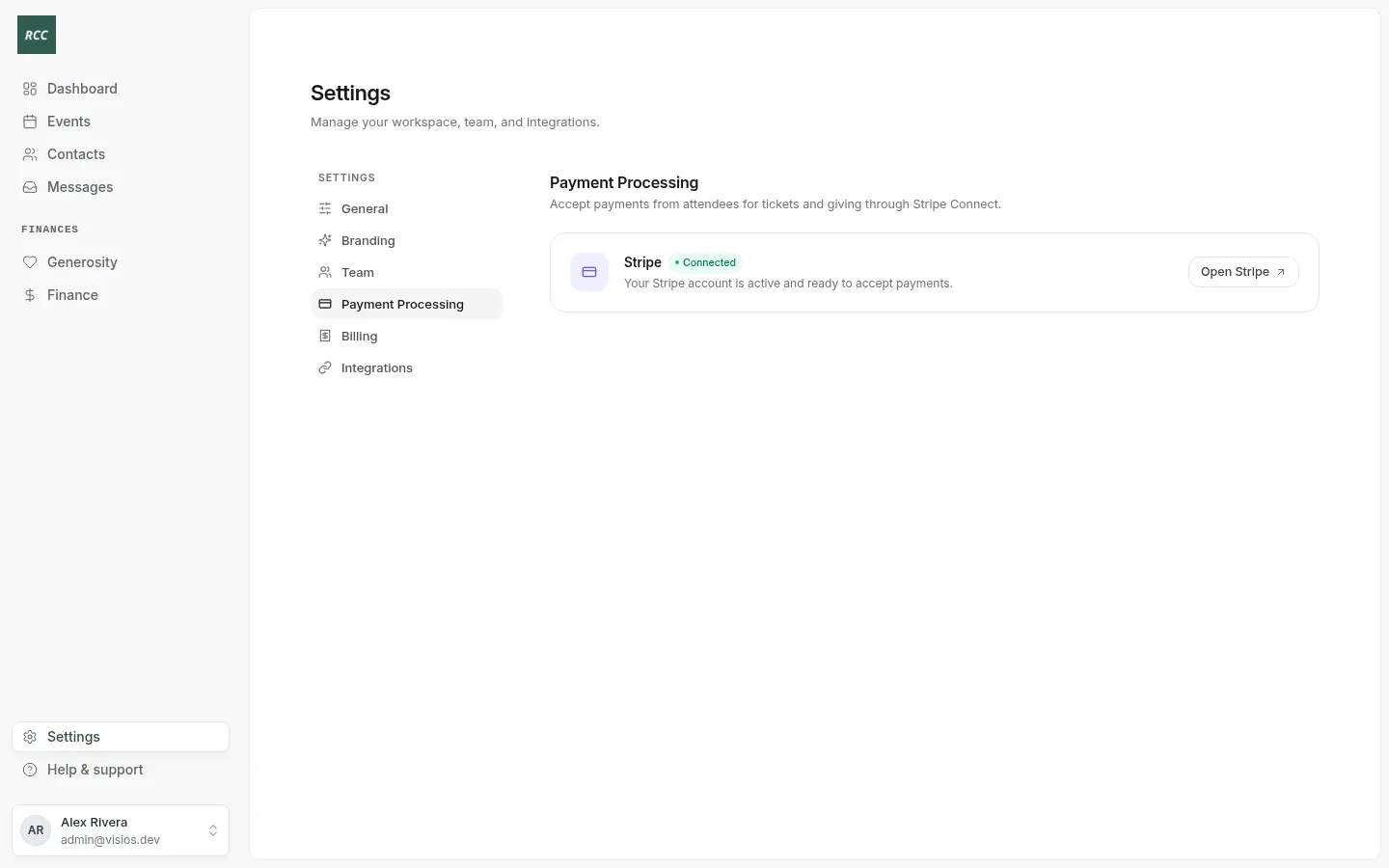
- Open Settings and press Payment Processing.
- Press Connect Stripe. Stripe opens.
- Follow Stripe’s steps. Stripe asks for your organization’s details and your bank account.
- At the end, Stripe sends you back to Bless.
You see “Stripe account connected successfully!” The tab shows Connected.
If you leave before the end, you see “Please complete your Stripe account setup.”
The three states
| You see | Means | Press |
|---|---|---|
| Not connected | Your organization has no Stripe account in Bless. | Connect Stripe |
| Setup incomplete | Stripe needs more details before you can take payments. | Continue setup |
| Connected | People can pay and give. | Open Stripe |
Until Stripe is connected, you cannot create a giving page. You see “Connect Stripe first.”
Open Stripe
Press Open Stripe to open the Stripe dashboard in a new tab. Sign in to Stripe if it asks.
In Stripe you can:
- See your balance and when the next payout comes.
- Change the bank account for payouts.
- Find a payment and refund an event order.
Good to know
- Guests and donors can pay by card or US bank account.
- Stripe keeps a processing fee from each payment. See How Finance works.
- Bless shows each deposit to your bank in Finance › Payouts.
Updated
Was this page helpful?
Thank you. Your answer helps us make these pages better.