
Payouts
Each deposit Stripe sent to your bank, what is in it, and what to do when one fails.
Open Payouts
Press Finance in the sidebar, then press Payouts.
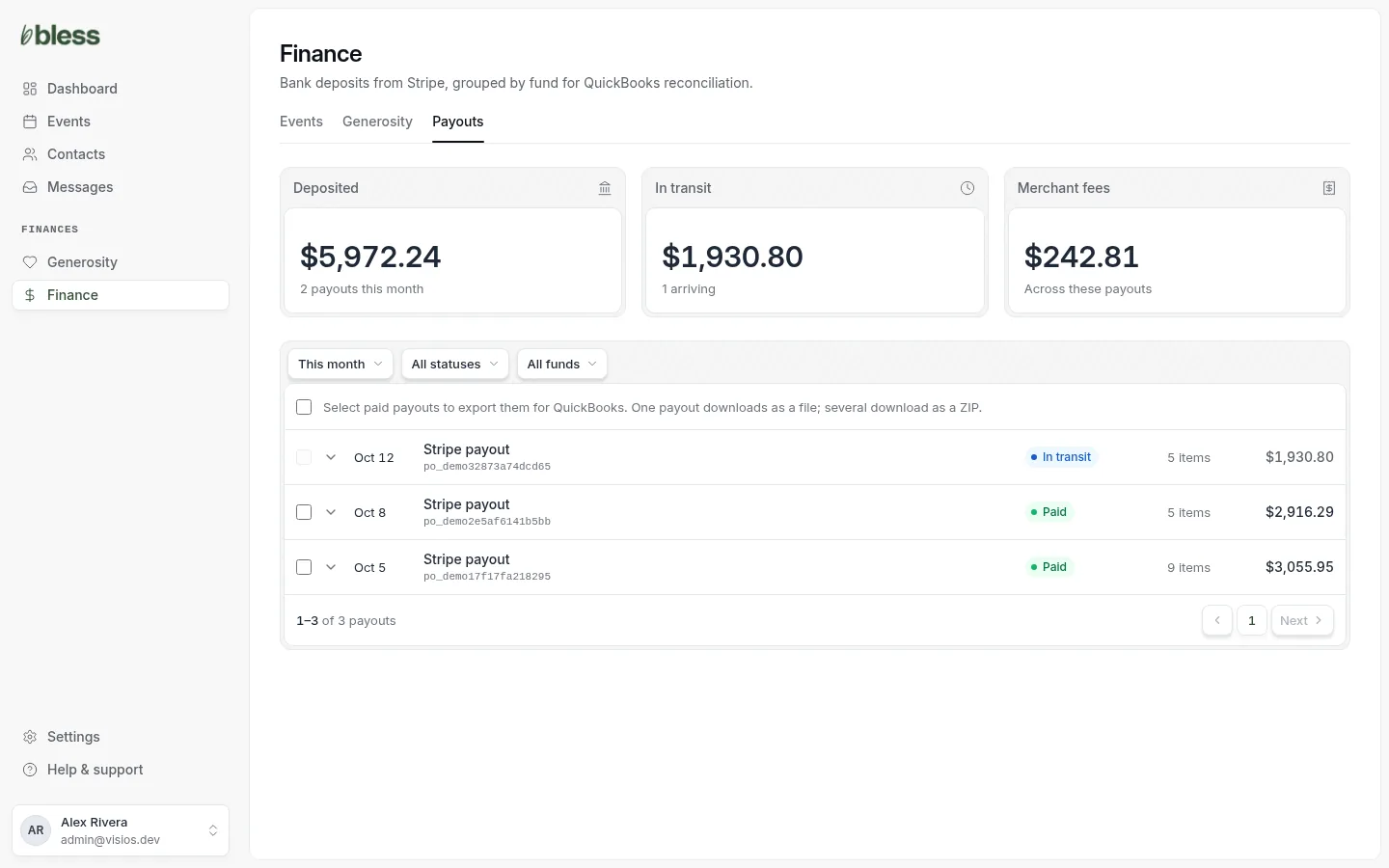
The three cards add up the payouts in the list:
| Card | Shows |
|---|---|
| Deposited | The money that reached your bank. |
| In transit | The money on its way to your bank. |
| Merchant fees | The fees Stripe kept from the payments in these payouts. |
Each row is one payout: the day it reaches the bank, its Stripe number (po_…), its status, how many items it holds and the amount.
Filter the payouts
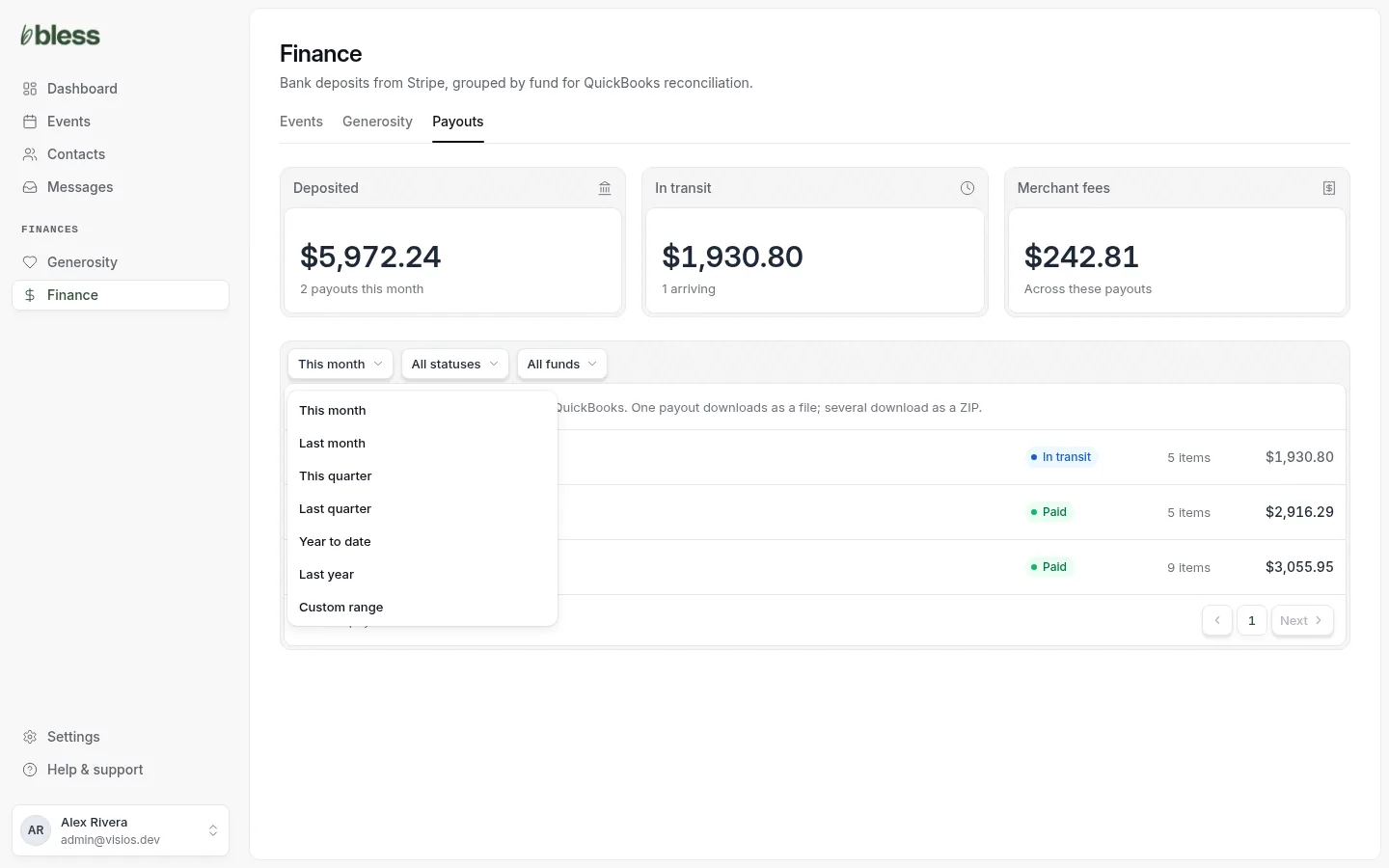
- Date: This month (first), Last month, This quarter, Last quarter, Year to date, Last year or Custom range. Bless uses the day the payout reaches your bank.
- Status: All statuses, Paid, In transit or Failed.
- Fund: a fund, to see only payouts with gifts to it.
For Custom range, type the From and To days and press Apply. Press Clear to remove all filters.
What is in a payout
Press a payout to open it.
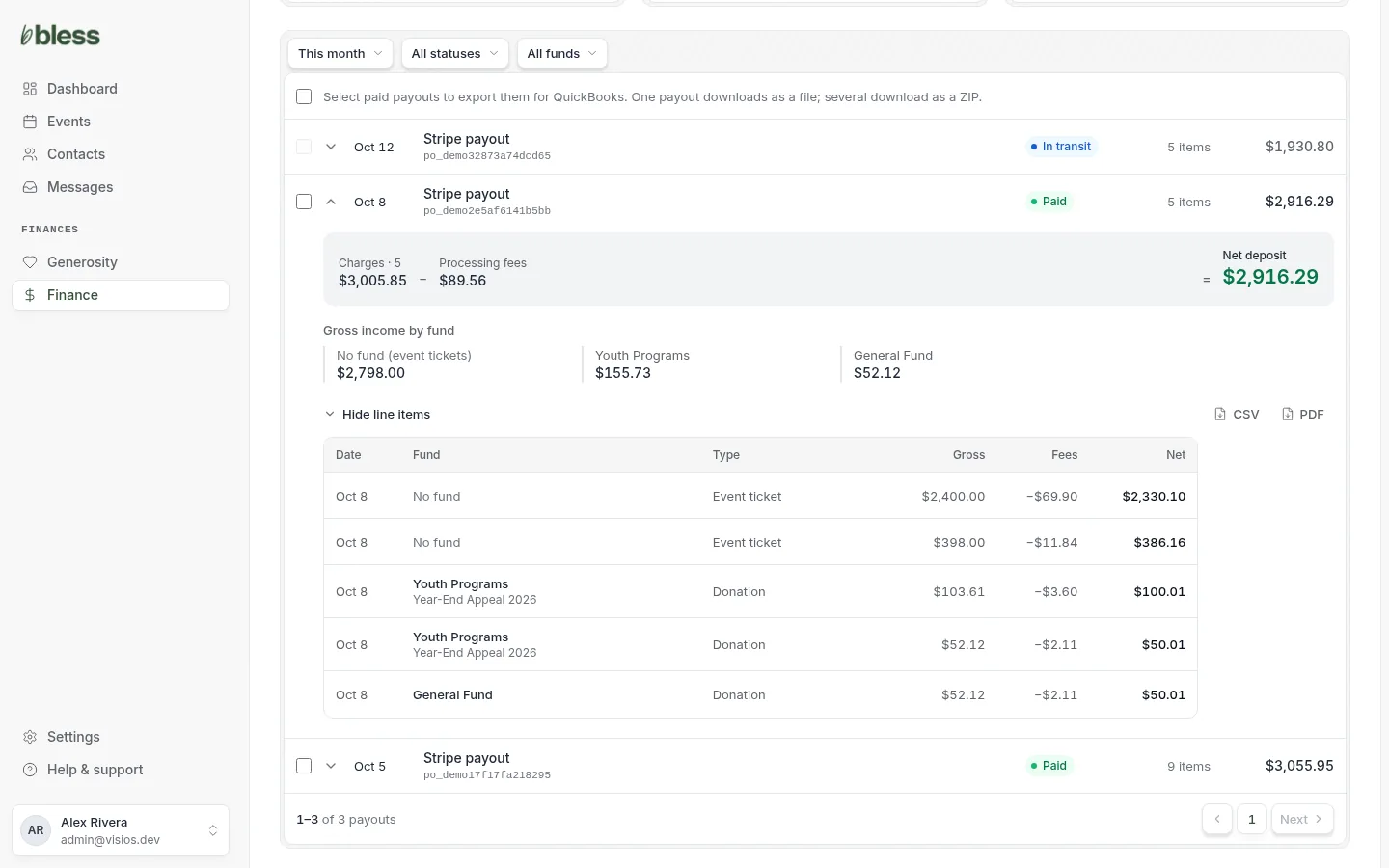
- The top line shows how the deposit adds up: Charges, less Processing fees, less any Refunds and other Stripe charges, equals the Net deposit. The net deposit is the amount in your bank.
- Gross income by fund splits the money by fund. Event tickets show as No fund (event tickets).
- Press Show line items to see each payment, refund and charge, with its Gross, Fees and Net.
A payout that is not paid yet shows “Line items appear once Stripe settles this payout.”
Export payouts
Export paid payouts for your bookkeeper. You cannot export a payout that is in transit or failed.
One payout: open it and press CSV or PDF.
Many payouts:
- Tick the payouts. To tick every paid payout in the list, tick the box at the top.
- Press Export CSV or Export PDF.
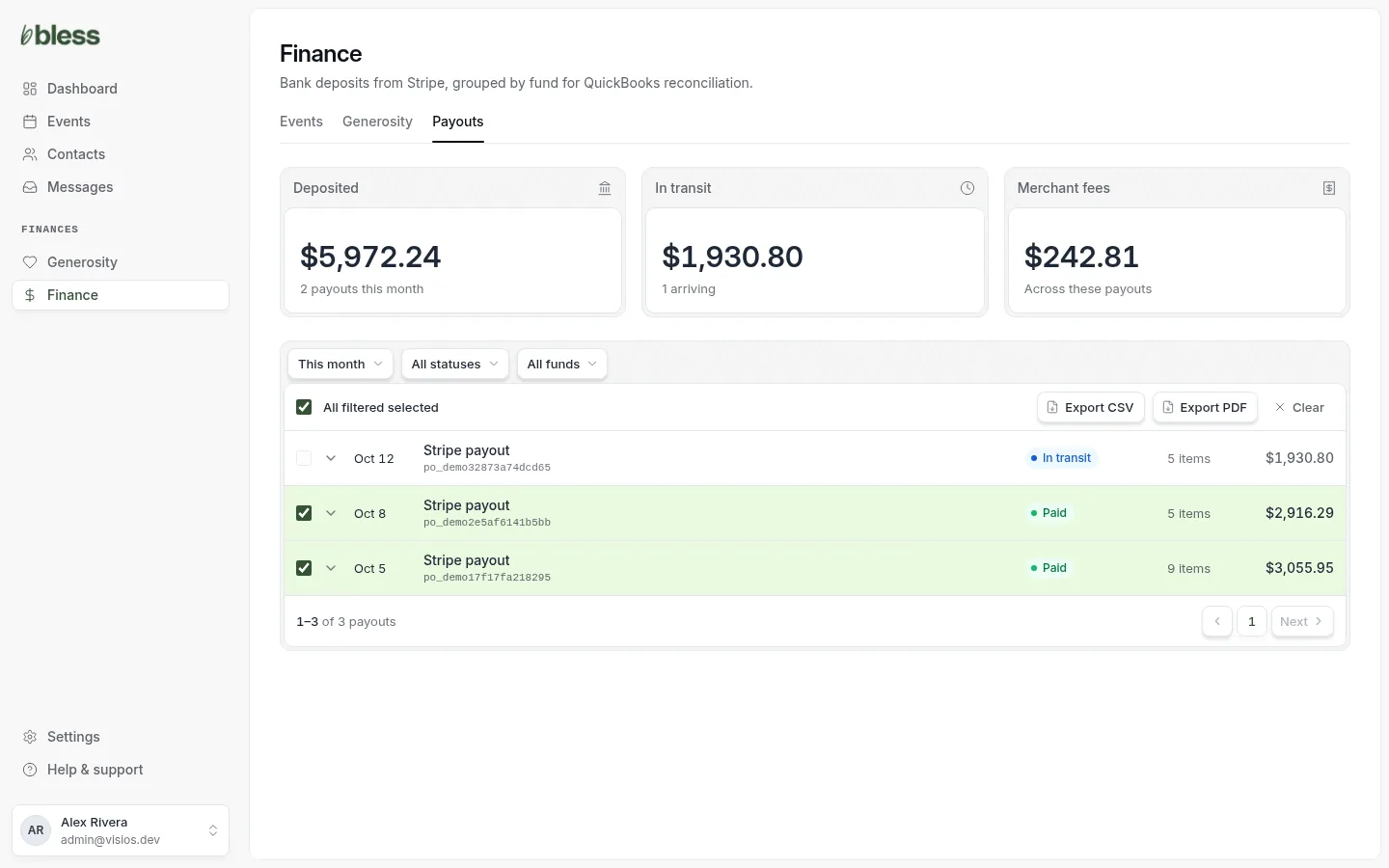
One payout downloads as one file. Many payouts download as a ZIP with one file for each. What is in each file is in Exports and bookkeeping.
You can export up to 250 payouts as CSV, or 50 as PDF, at one time.
When a payout fails
A Failed payout did not reach your bank. Stripe puts the money back in your Stripe balance. The Dashboard shows “payouts failed” under Needs your attention. Press See why.
- Open the failed payout and read why.
- Open Stripe from Settings › Payment Processing.
- Check the bank account in Stripe. Stripe sends the money again after you fix it.
Good to know
- Stripe sends payouts on its own schedule, usually a few days after each payment.
- Bless gets each payout from Stripe as it changes, and checks again every night.
- A payout can hold money from events and from gifts.
Updated
Was this page helpful?
Thank you. Your answer helps us make these pages better.