
Accept an invitation
Set your password from the invitation email. Then Bless signs you in and opens the right page for your role.
The email you get
The subject is “You’ve been invited to” the organization’s name, with your role: Admin or Accountant.
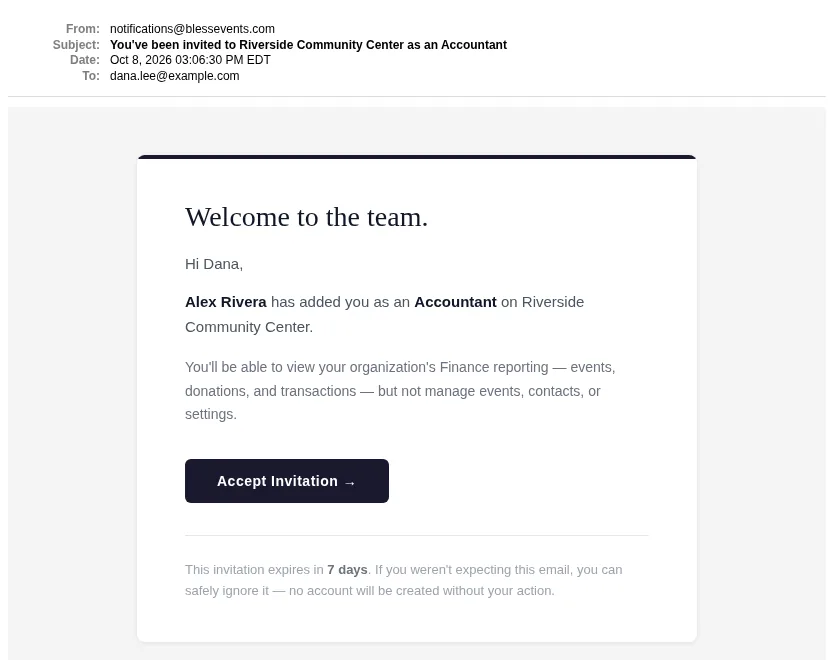
The email tells you what your role can do. The link works for 7 days.
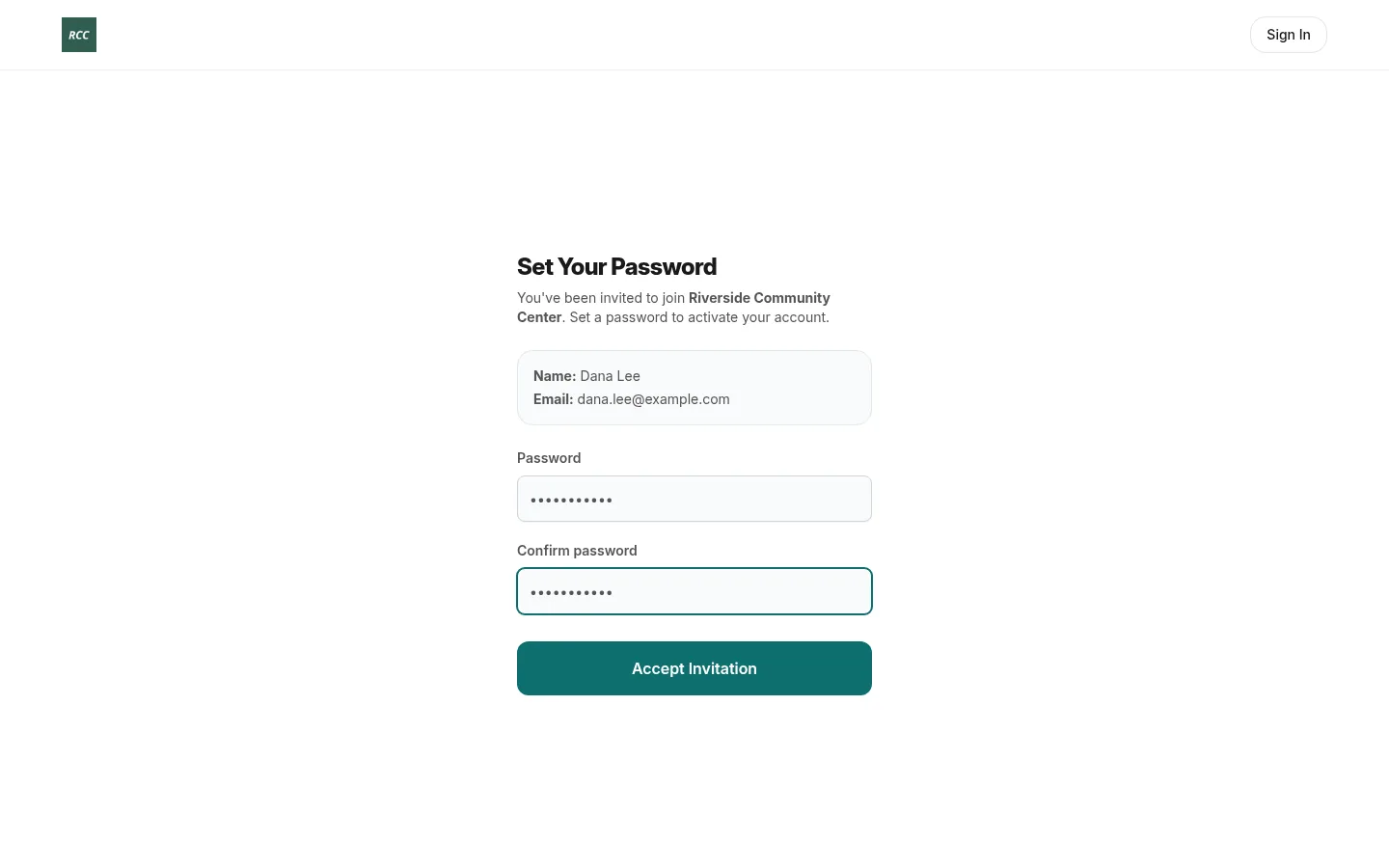
Set your password
- Press Accept Invitation in the email.
- Check your name and email.
- Type a Password of 6 characters or more.
- Type it again in Confirm password.
- Press Accept Invitation.
You see “Welcome to” the organization’s name. Bless opens your first page:
- An admin sees the Dashboard.
- An accountant sees Finance. See Your access.
If the link does not work
If you see “This invitation link is invalid or has expired”, ask an owner or admin to press Resend on your row in Settings › Team. Then use the link in the new email.
If you see “This account has been deactivated”, ask an owner or admin to invite you again.
Updated
Was this page helpful?
Thank you. Your answer helps us make these pages better.