
Billing
Your Bless plan, when you are billed next, and how many contacts you have. Only the owner can change the plan or the card.
See your plan
Open Settings and press Billing.
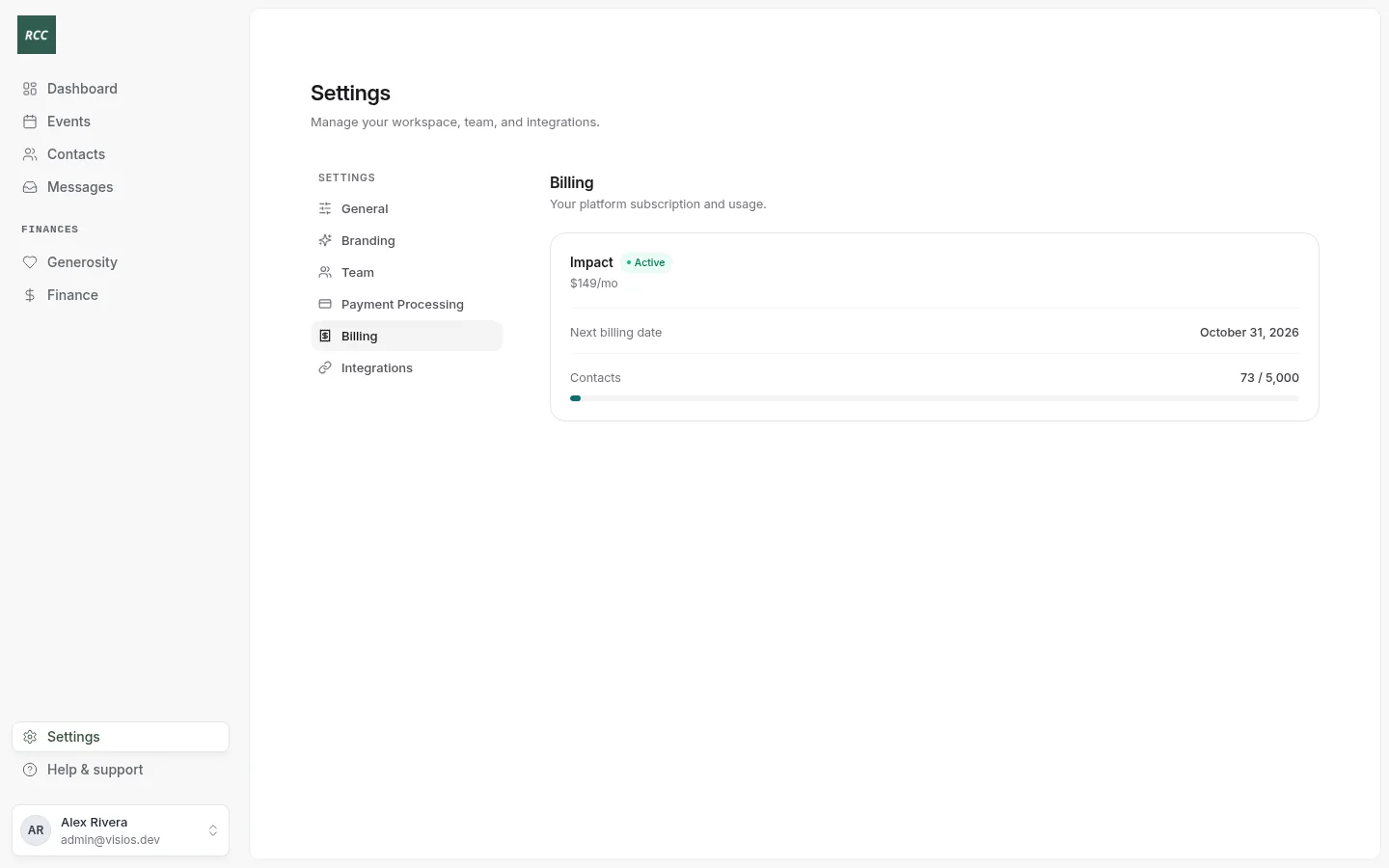
- The plan, its price and its status: Active, Past due or Canceled.
- Next billing date.
- Contacts: how many contacts you have, out of your plan’s limit. The bar turns amber at 80% and red at 100%.
If your organization joined before April 1, 2026, you see Legacy Plan. You have free access, with no subscription.
Plans
| Plan | Price | Contacts |
|---|---|---|
| Growth | $79 a month | Up to 1,000 |
| Impact | $149 a month | Up to 5,000 |
| Scale | $249 a month | Up to 10,000 |
Every plan has unlimited events and household management. Each checkout has a flat $0.30 fee.
Choose or change your plan
Only the owner can do this. The Billing page shows the plans and your current plan.
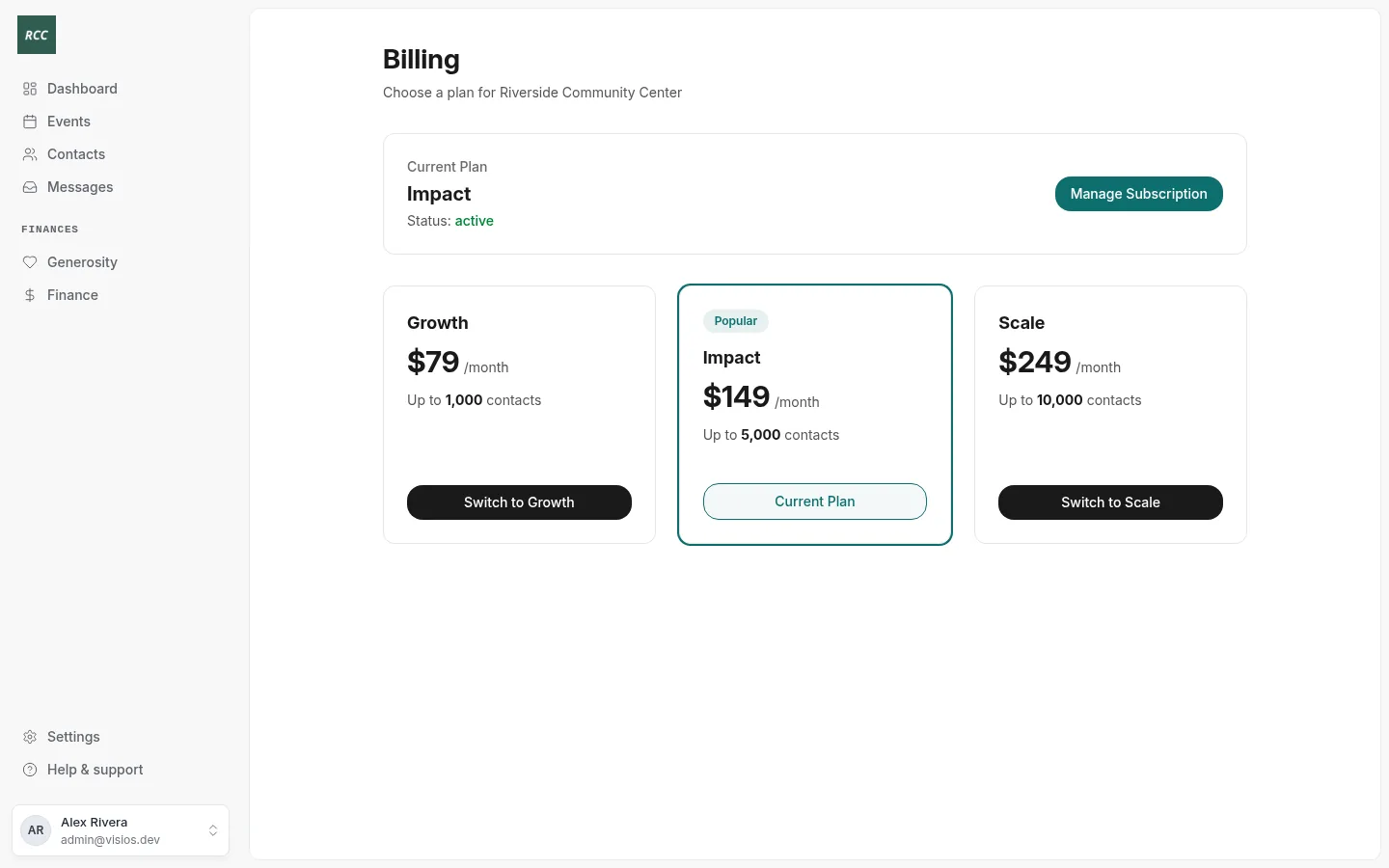
- No plan yet: press Subscribe to the plan you want, and pay in Stripe.
- Change your card or see invoices: press Manage Subscription. A secure Stripe page opens.
- Move to another plan: ask the Bless team. Do not subscribe to a second plan while one is active, or you pay for both.
When you reach your contact limit
You cannot add contacts by hand. You see “You’ve reached your contact limit”. People who register for events online are still added.
- The owner sees Upgrade. Choose a larger plan.
- An admin sees “Ask your organization’s owner to upgrade the plan.”
When a payment fails
The plan shows Past due. Bless asks the owner to choose a plan each time they open a page.
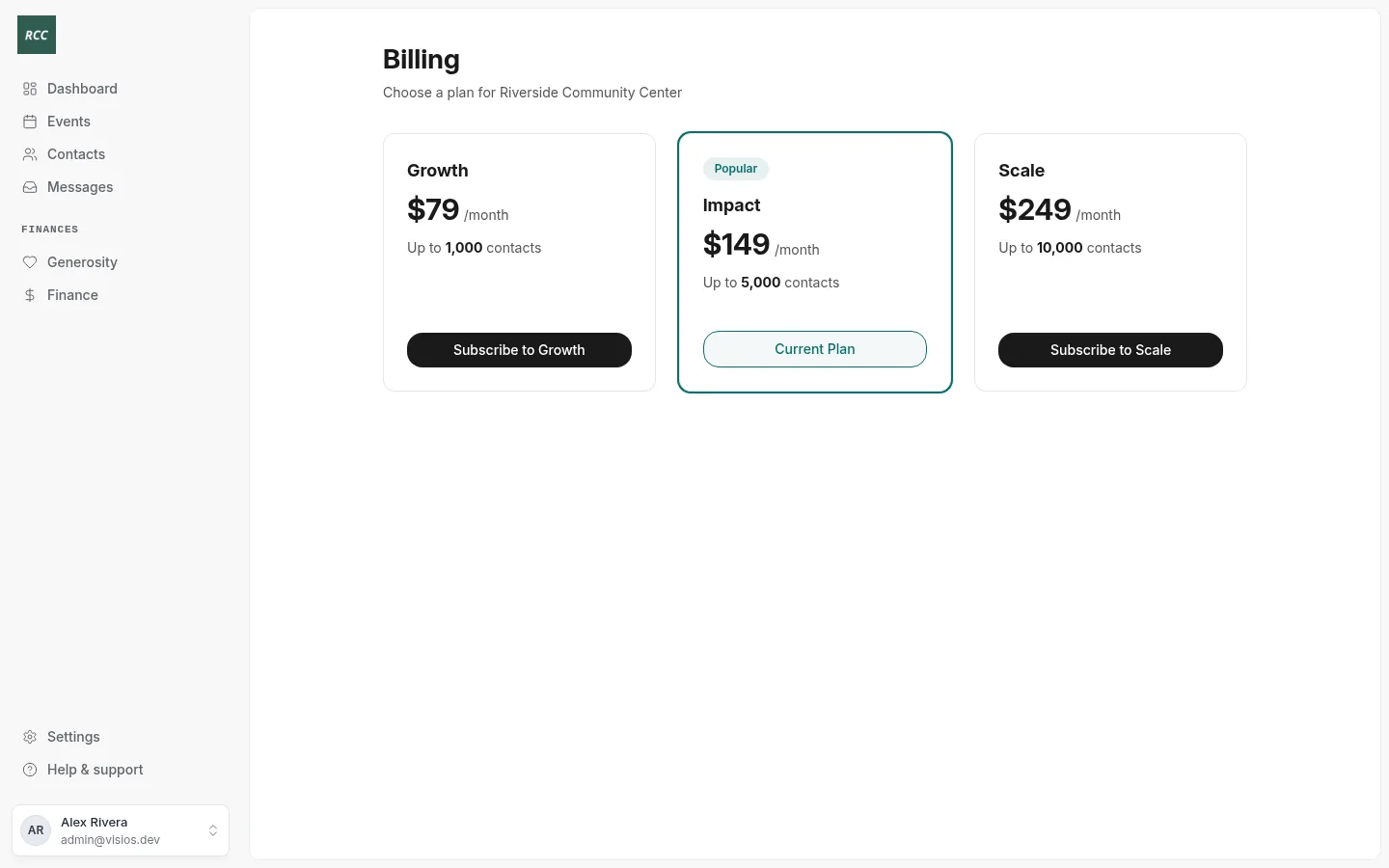
To fix it, update the card in Stripe from the link in Stripe’s payment email. If you cannot, contact the Bless team. Do not subscribe again: that starts a second plan.
Admins and accountants can still use Bless while a payment is past due.
Updated
Was this page helpful?
Thank you. Your answer helps us make these pages better.