
Team
Invite the people who run your organization with you, choose what each one can do, and remove people who leave.
Roles
| Role | Can |
|---|---|
| Owner | Everything, including billing. There is one owner. |
| Admin | Everything except billing. |
| Accountant | The Dashboard and Finance only, including exports. No refunds. |
See How Settings works for more.
The team list
Open Settings and press Team.
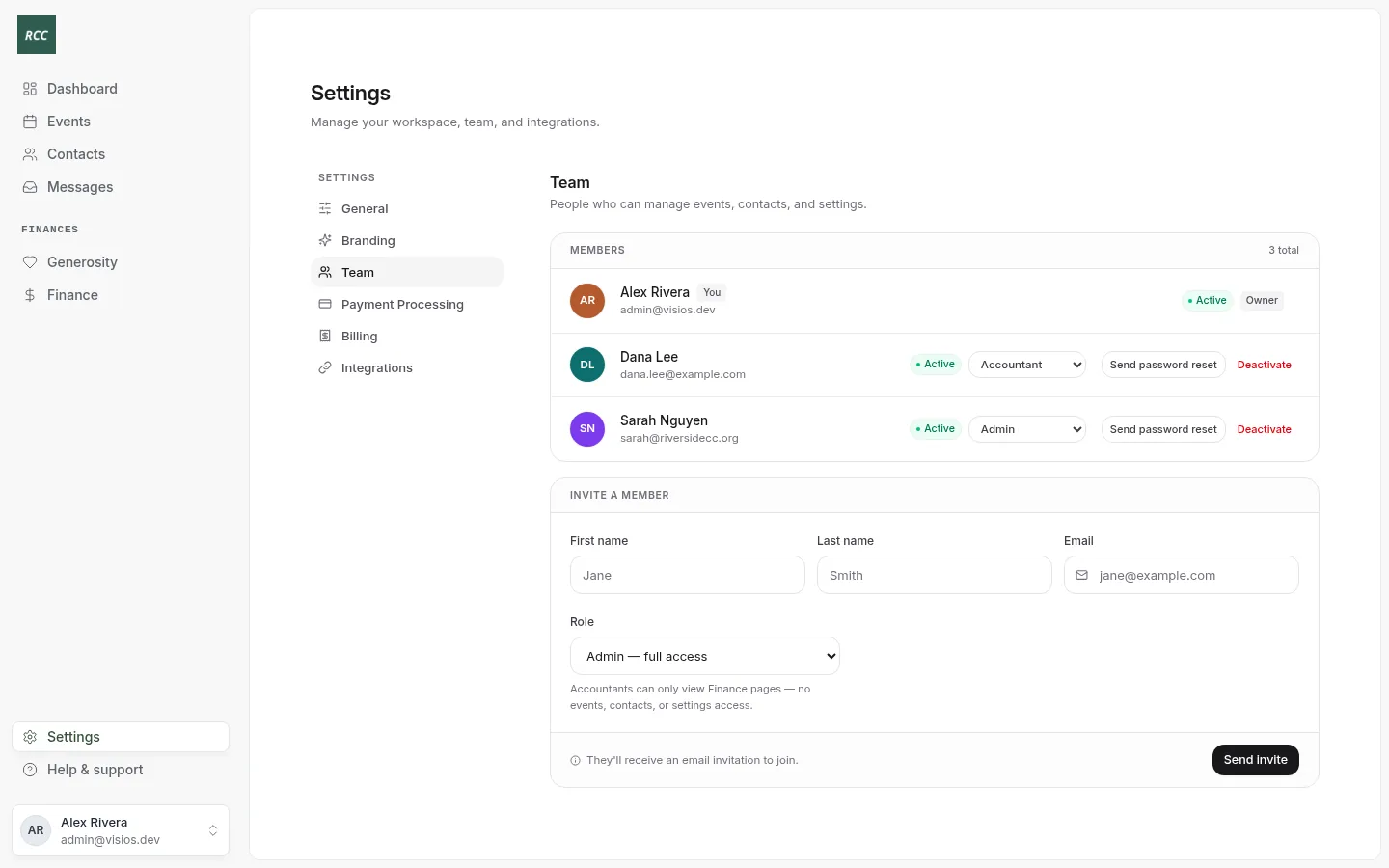
Each person shows their name, email, status and role. Active means they accepted. Pending means they have not accepted their invitation yet.
Invite a person
- Under Invite a member, type the First name, Last name and Email.
- Choose the Role: Admin — full access or Accountant — Finance only.
- Press Send invite.
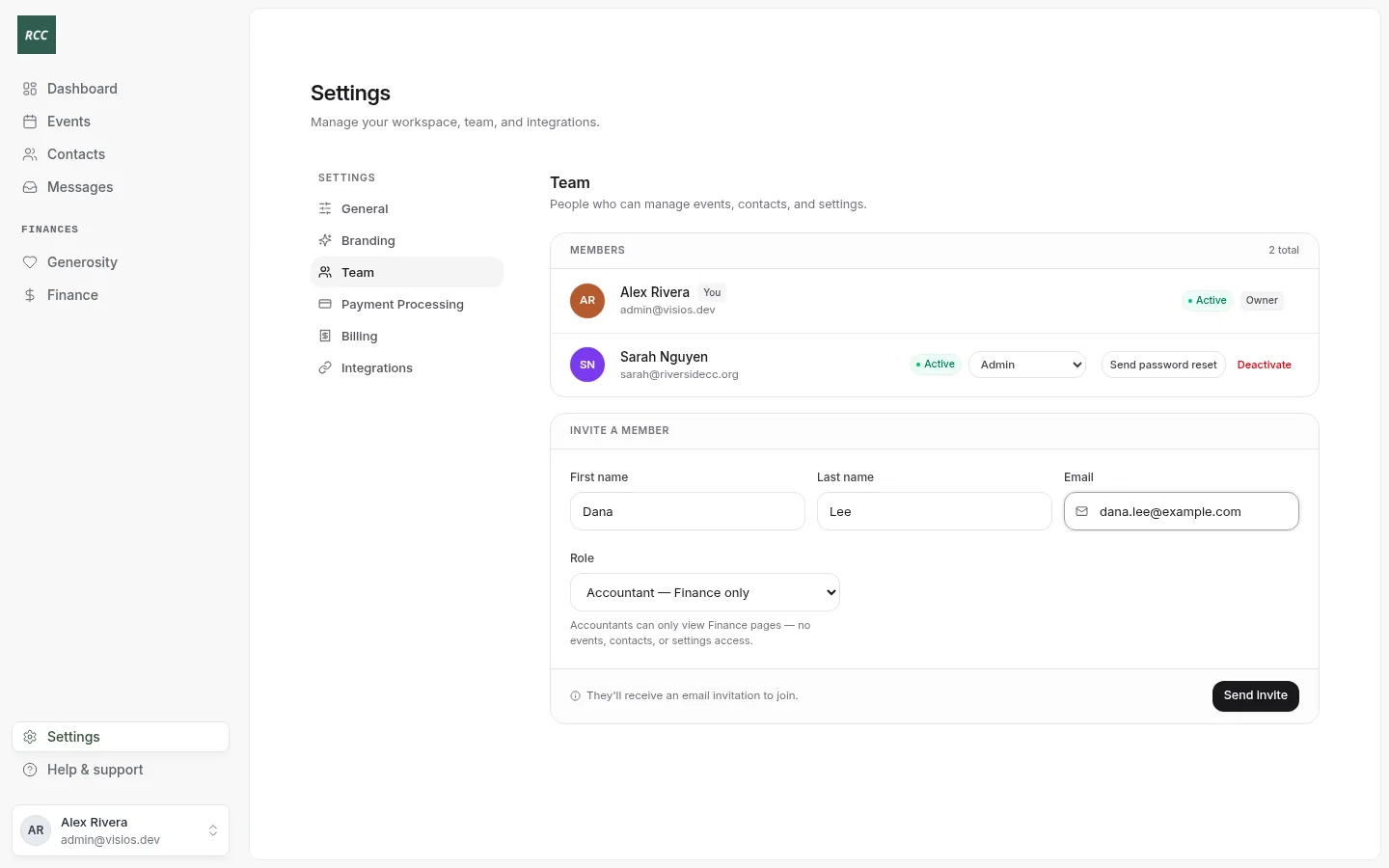
You see “Invitation sent to” and the email. The person shows as Pending until they accept.
They get an email with the subject “You’ve been invited to” your organization. The link works for 7 days.
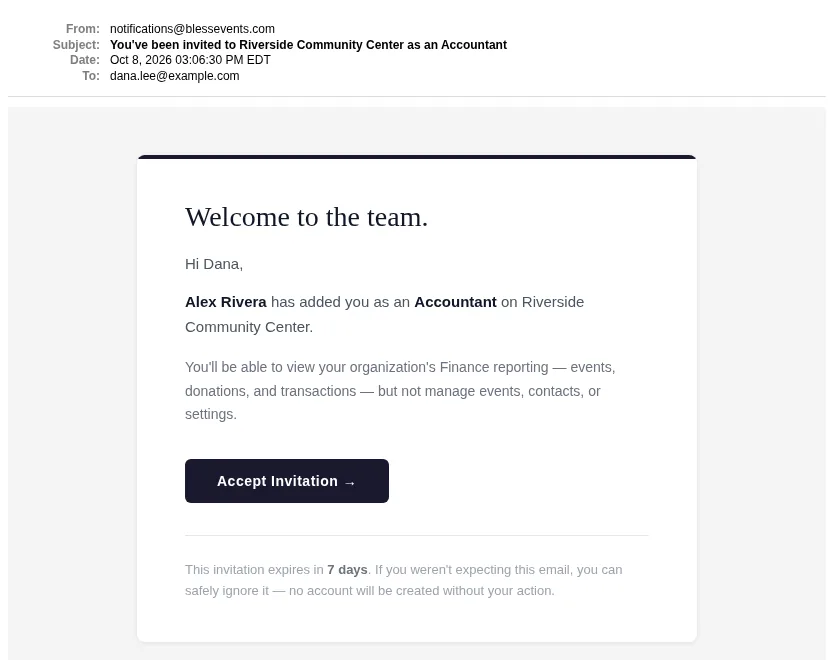
Send them Accept an invitation if they need help.
A person who already has a member account with your organization, such as a donor, cannot be invited with the same email. Use another email.
Resend or revoke an invitation
On a Pending row:
- Press Resend to send the email again. You see “Invitation re-sent to” and the email.
- Press Revoke to cancel the invitation. Confirm when Bless asks. You see “Invitation revoked.”
Change a role
- On the person’s row, choose the new role in the role menu.
- Confirm when Bless asks “Change the role for” the person.
You see the person’s name and their new role. The change takes effect at once.
You cannot change the owner’s role, or the role of a person who has not accepted yet. You cannot make the last admin an accountant.
Send a password reset
Use this when a team member cannot sign in.
- On their row, press Send password reset.
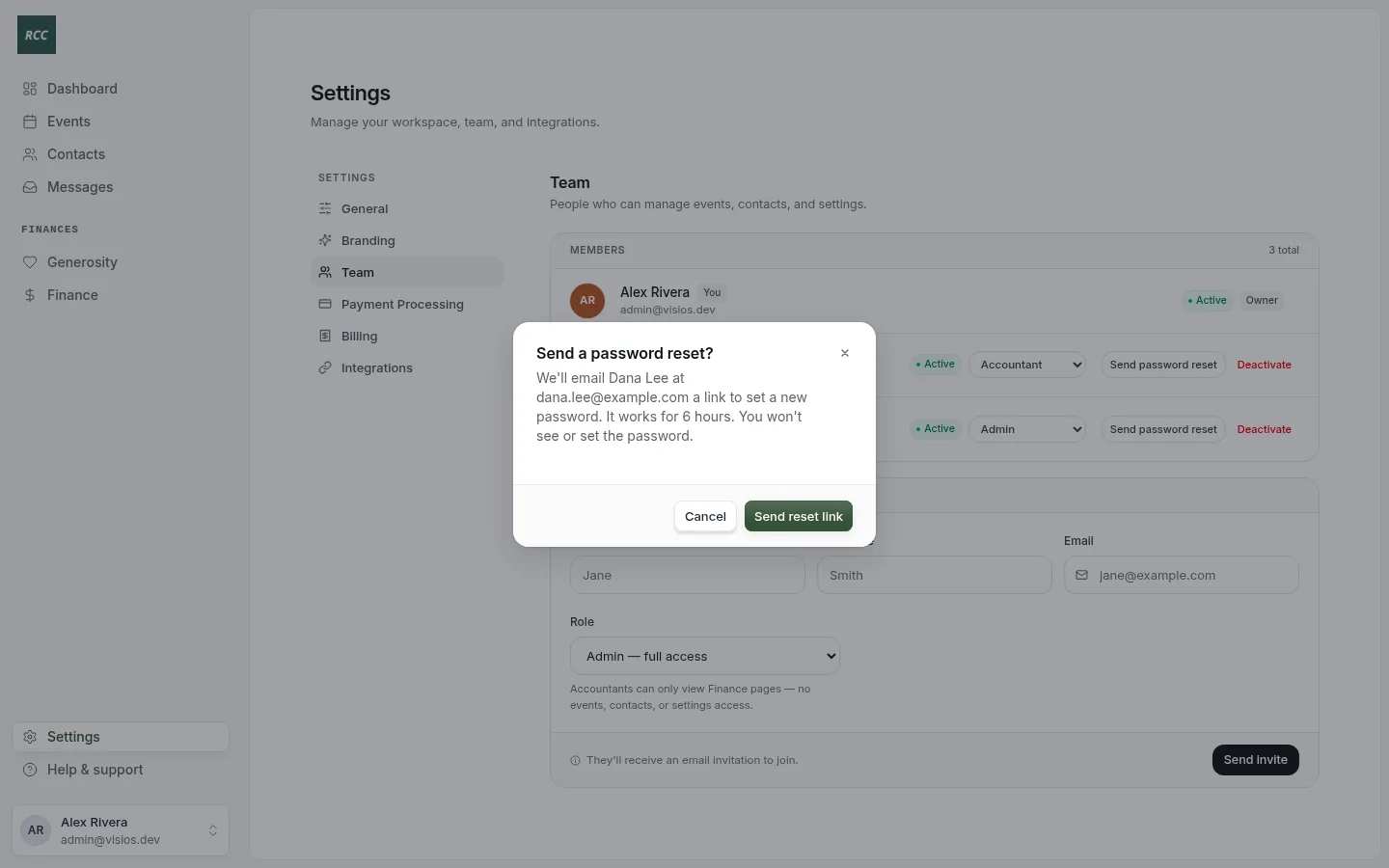
- Press Send reset link.
The link works for 6 hours. You never see or set the password. To change your own password, sign out and use Forgot your password?.
Deactivate a person
Do this when someone leaves.
- On their row, press Deactivate.
- Confirm. You see the name and “has been deactivated.”
They can no longer sign in. Their past work stays in Bless. To bring them back, invite the same email again. Bless turns their account on at once, with no email.
You cannot deactivate yourself, the owner or the last admin.
Updated
Was this page helpful?
Thank you. Your answer helps us make these pages better.