
Portal giving
Members can give from the Give button in their account, without a giving page. Choose what they can give to and what the Give dialog offers.
Set up portal giving
Open Generosity and press the Portal giving tab.
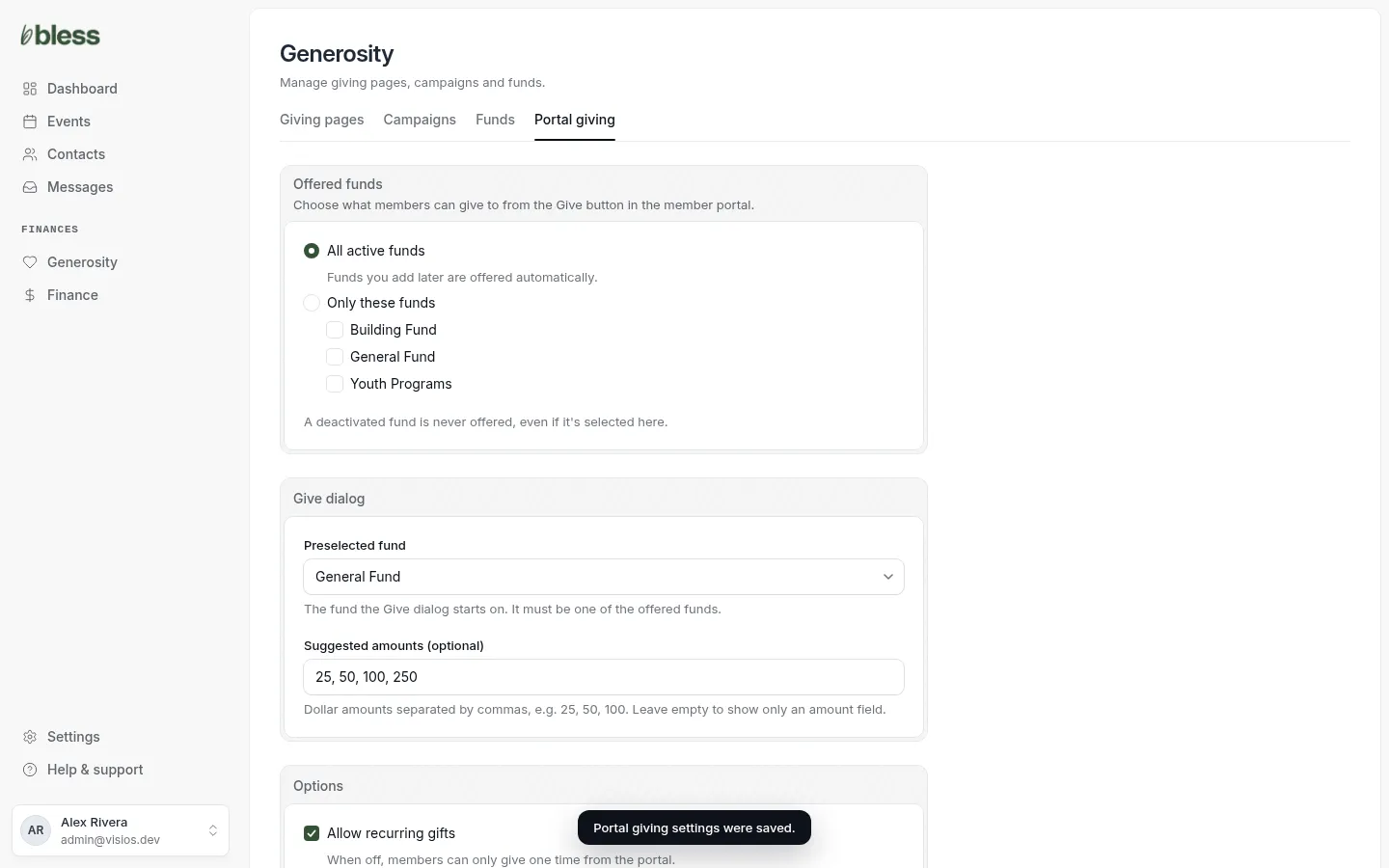
- Under Offered funds, choose one:
- All active funds offers every fund, including funds you add later.
- Only these funds offers only the funds you tick.
- Under Give dialog, choose the Preselected fund. The dialog opens on this fund.
- Type Suggested amounts, separated by commas, such as “25, 50, 100, 250”. Leave it blank to show only an amount box.
- Under Options:
- Allow recurring gifts lets members give on a schedule. Untick it for one-time gifts only.
- Let members cover processing fees offers a box to add the fee to the gift.
- Press Save settings.
You see “Portal giving settings were saved.”
What members see
Members see a Give button on the Giving page of their account. See Your giving.
The button shows only when Stripe is connected and at least one fund is offered. An archived fund is never offered, even if you ticked it.
Portal gifts show in Finance with the source Member portal.
Updated
Was this page helpful?
Thank you. Your answer helps us make these pages better.