
Record an offline gift
Record cash or a check someone handed in, so it counts with your other gifts.
Record a gift
- Open the Dashboard and press Quick actions.
- Under Generosity, press Record offline gift.
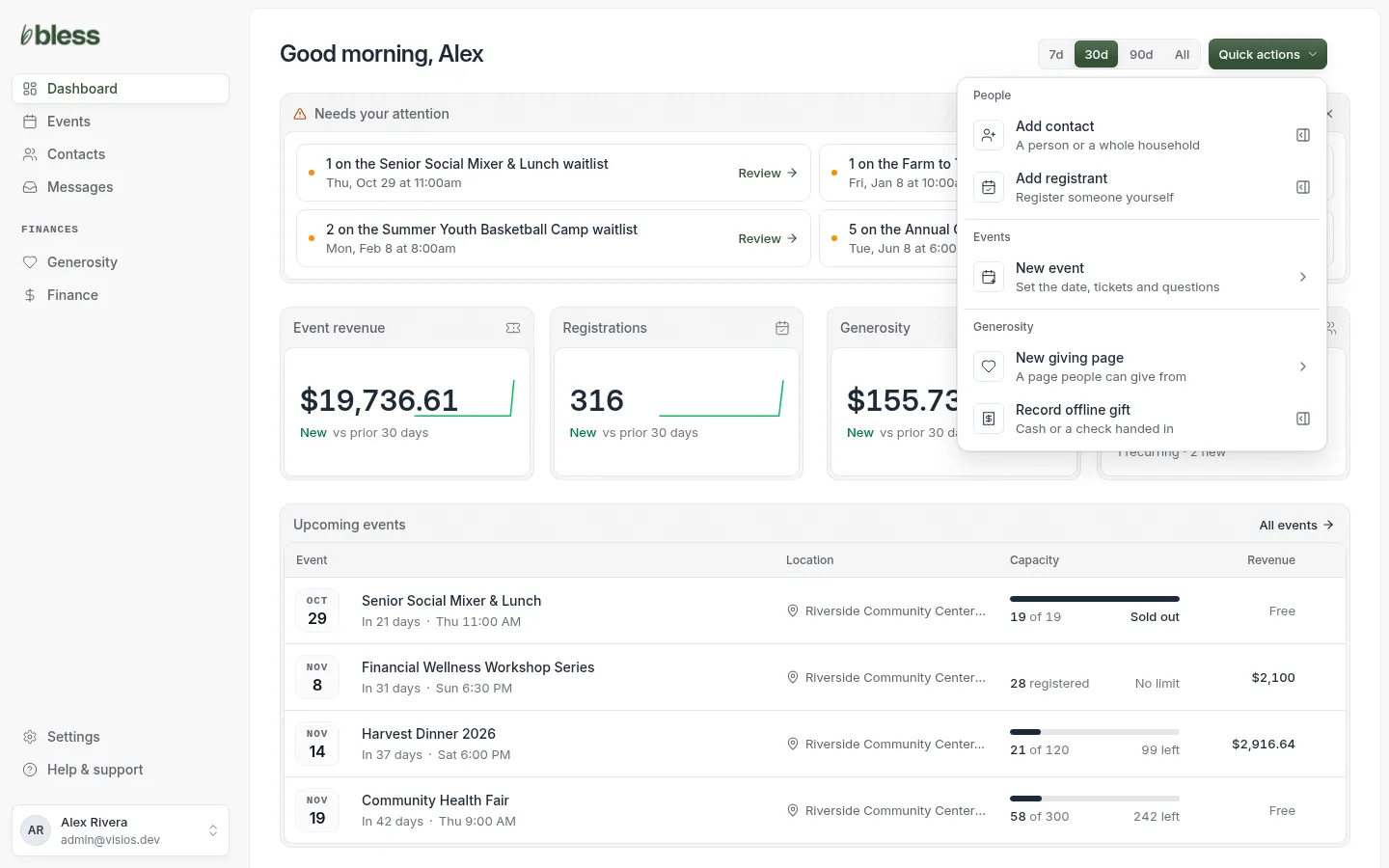
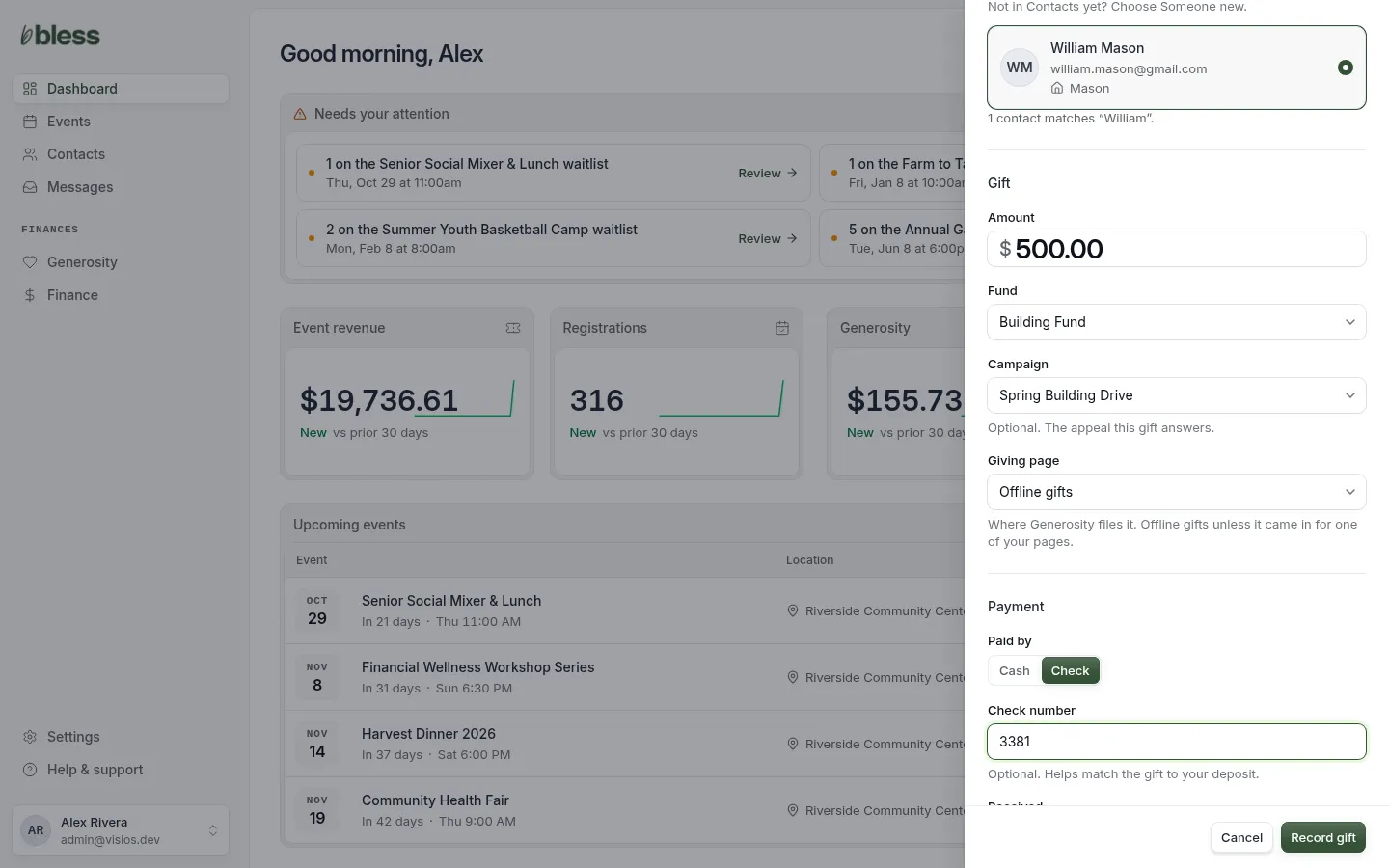
- Donor. Choose Someone in Contacts and find them. Or choose Someone new and type their name and email.
- Gift. Type the amount and choose the fund. Choose a campaign if the gift answers one.
- Giving page. Leave it on Offline gifts, unless the gift came in for one of your pages.
- Payment. Choose Cash or Check. Type the check number.
- Check the Received date. It is the day the gift was handed in.
- Press Record gift.
You see “Recorded” with the amount and the donor’s name.
Good to know
- The gift counts in Finance on the Received date, not the day you record it.
- Bless does not email a receipt for an offline gift.
- An offline gift has no processing fee.
- You cannot refund an offline gift in Bless. Give the money back yourself.
- Someone new is added to Contacts. If their email is already there, Bless uses that contact.
Updated
Was this page helpful?
Thank you. Your answer helps us make these pages better.