
Funds and campaigns
A fund is where a gift's money goes. A campaign is the appeal it answers. Create them first, so your giving pages and gifts can point at them.
Generosity
Open Generosity in the sidebar. It has four tabs: Giving pages, Campaigns, Funds and Portal giving.
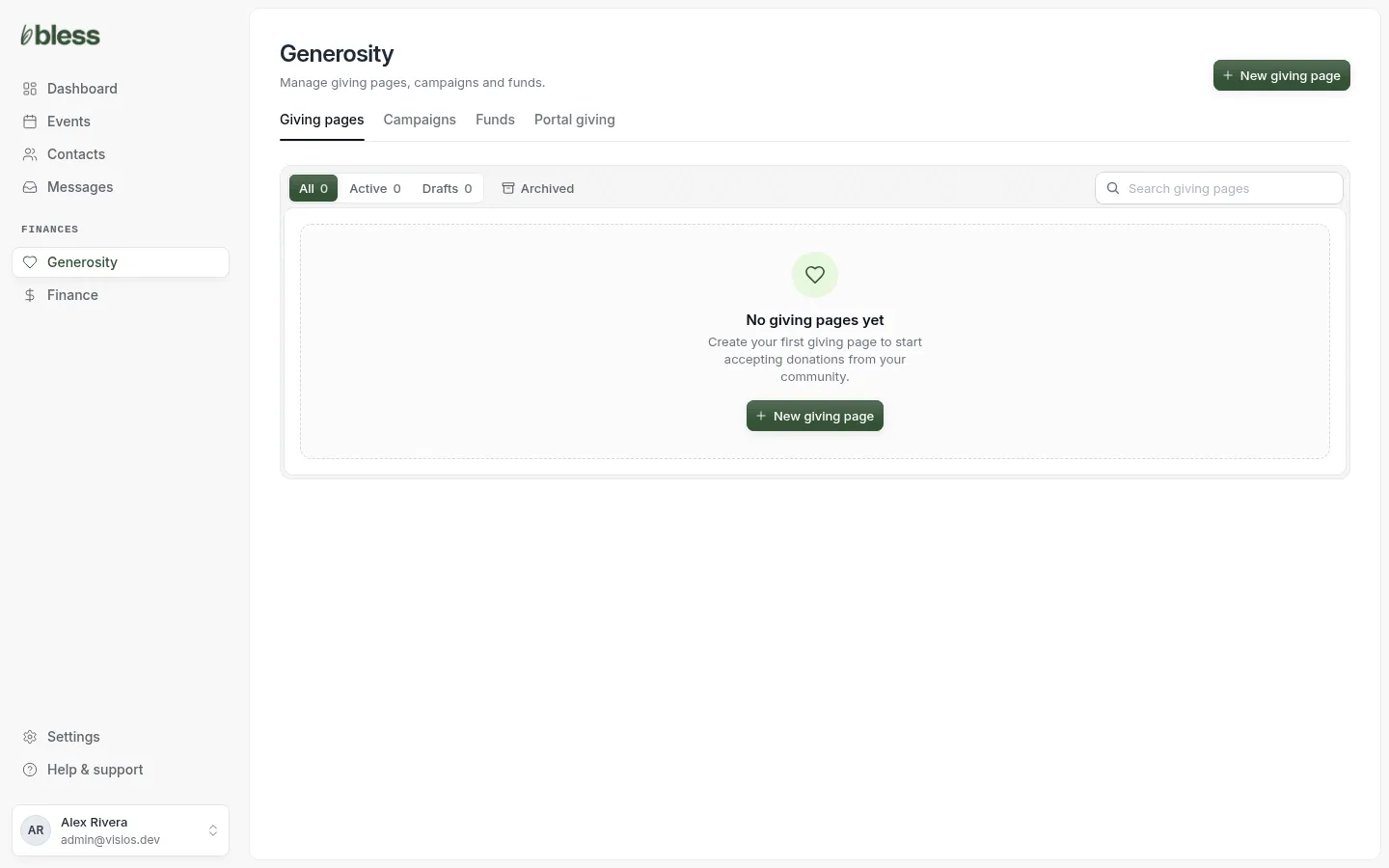
Owners and admins can open Generosity. Accountants see the gifts in Finance instead.
Funds
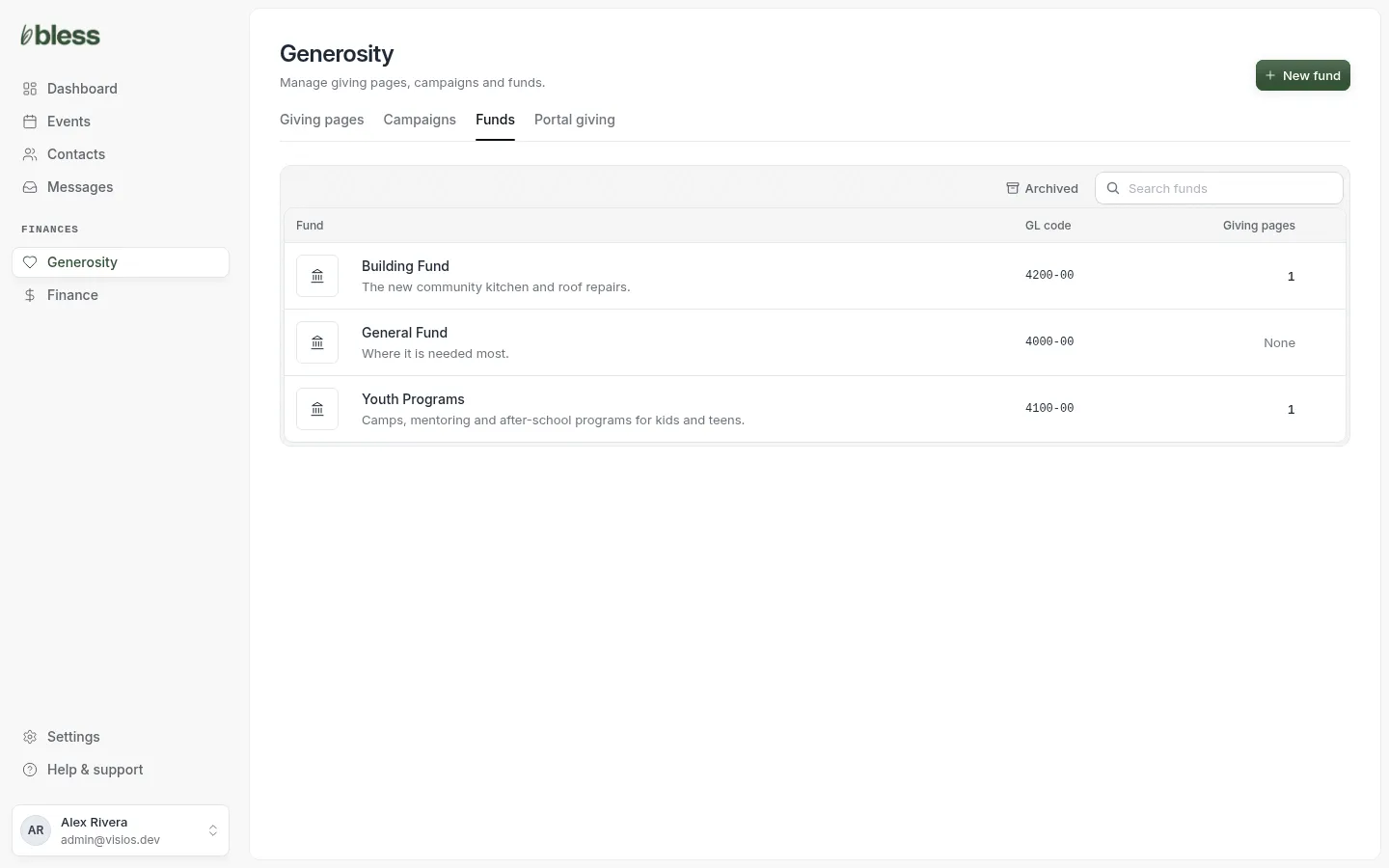
Each row shows the fund, its description, its GL code and the giving pages that use it.
Create a fund
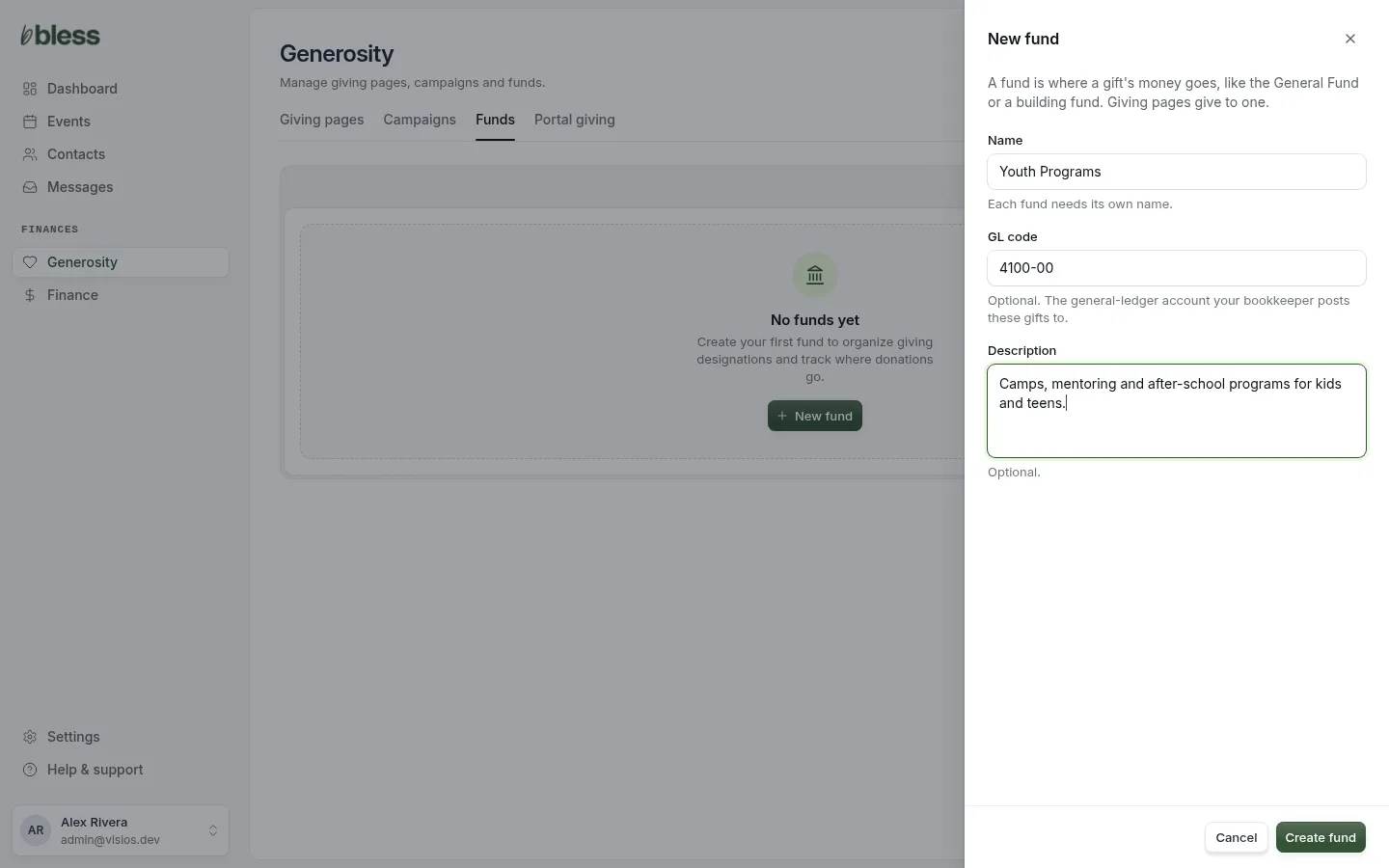
- Open the Funds tab and press New fund.
- Type the name, such as “General Fund”. Each fund needs its own name.
- Type the GL code if your bookkeeper uses one, such as “4100-00”.
- Type a short description.
- Press Create fund.
Create a General Fund first. Donors can give to any active fund from a giving page.
Campaigns
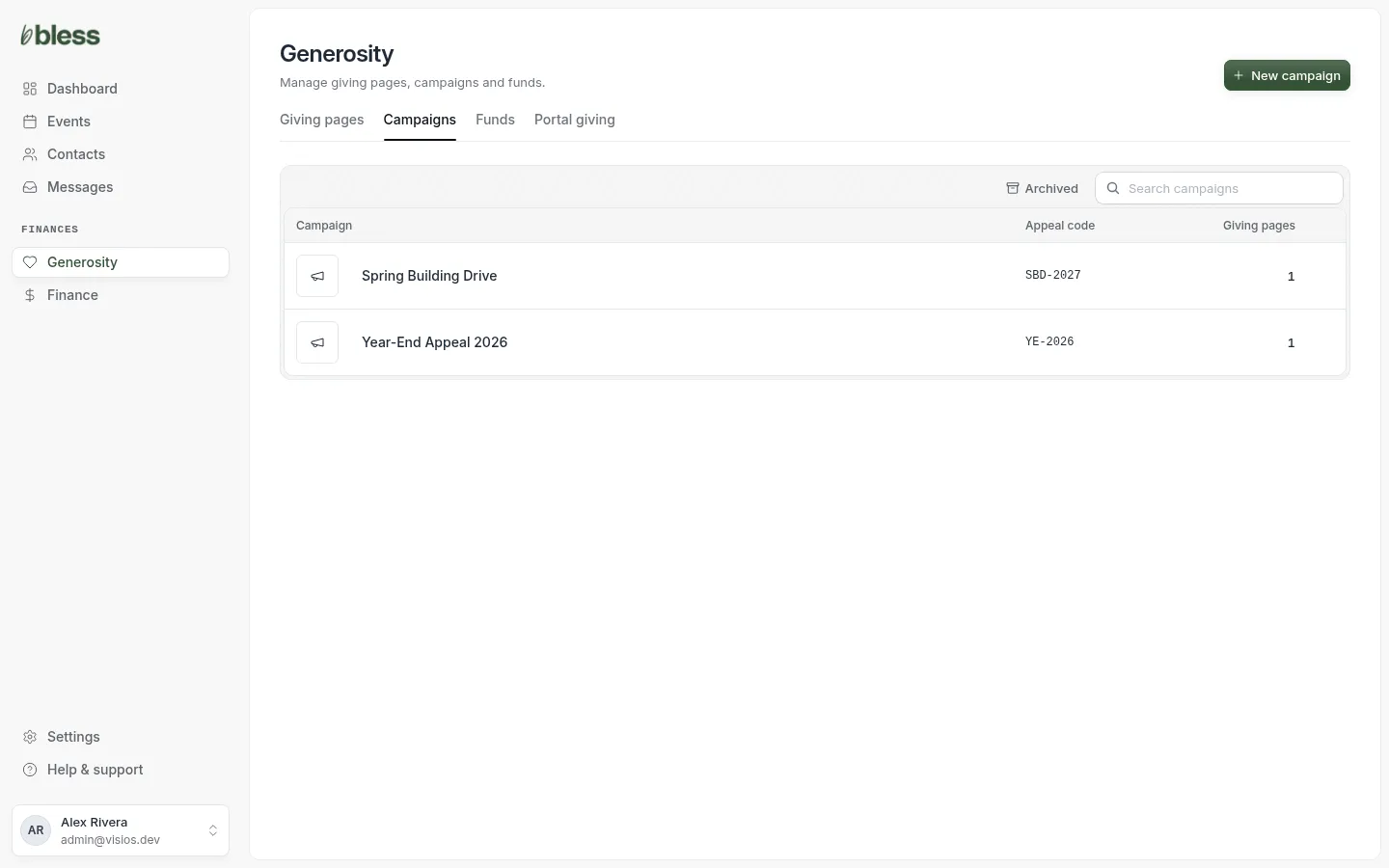
Each row shows the campaign, its appeal code and the giving pages that use it.
Create a campaign
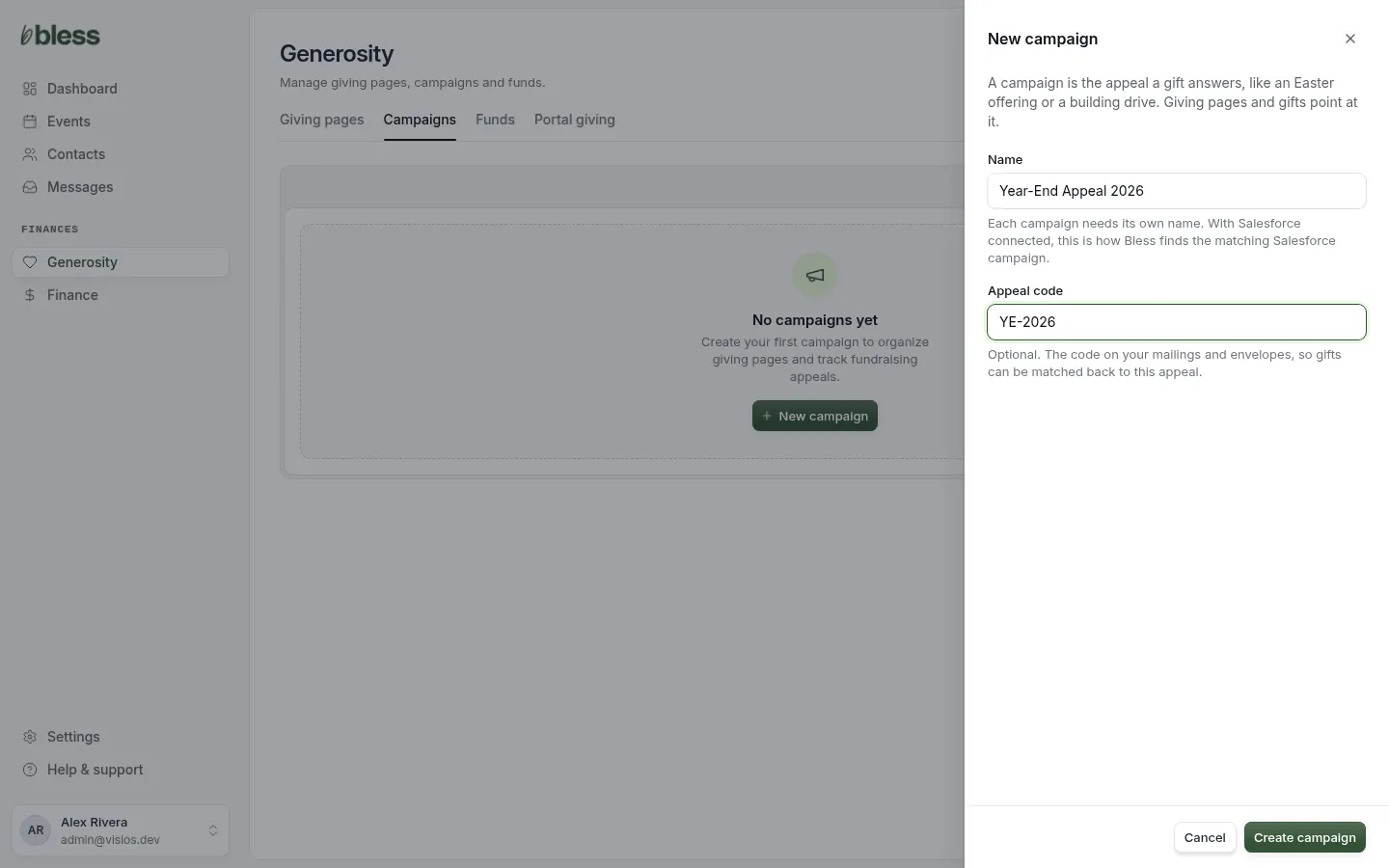
- Open the Campaigns tab and press New campaign.
- Type the name, such as “Year-End Appeal 2026”. Each campaign needs its own name.
- Type the Appeal code if you print one on mailings or envelopes.
- Press Create campaign.
A campaign has no goal of its own. Set a goal on each giving page instead.
If Salesforce is connected, Bless uses the campaign name to find the matching Salesforce campaign. Use the same name in both.
Edit or archive
- Press a fund or a campaign in its list.
- Change the name or the code, then press Update Fund or Update Campaign.
- To take it out of use, press Archive.
An archived fund or campaign keeps its gifts. Press Archived on the list to see them, and Restore to bring one back. Donors never see an archived fund.
Updated
Was this page helpful?
Thank you. Your answer helps us make these pages better.