
Sent announcements
Each announcement you sent, who it went to, and how many emails went out and how many people unsubscribed.
The Sent list
Press Messages in the sidebar.
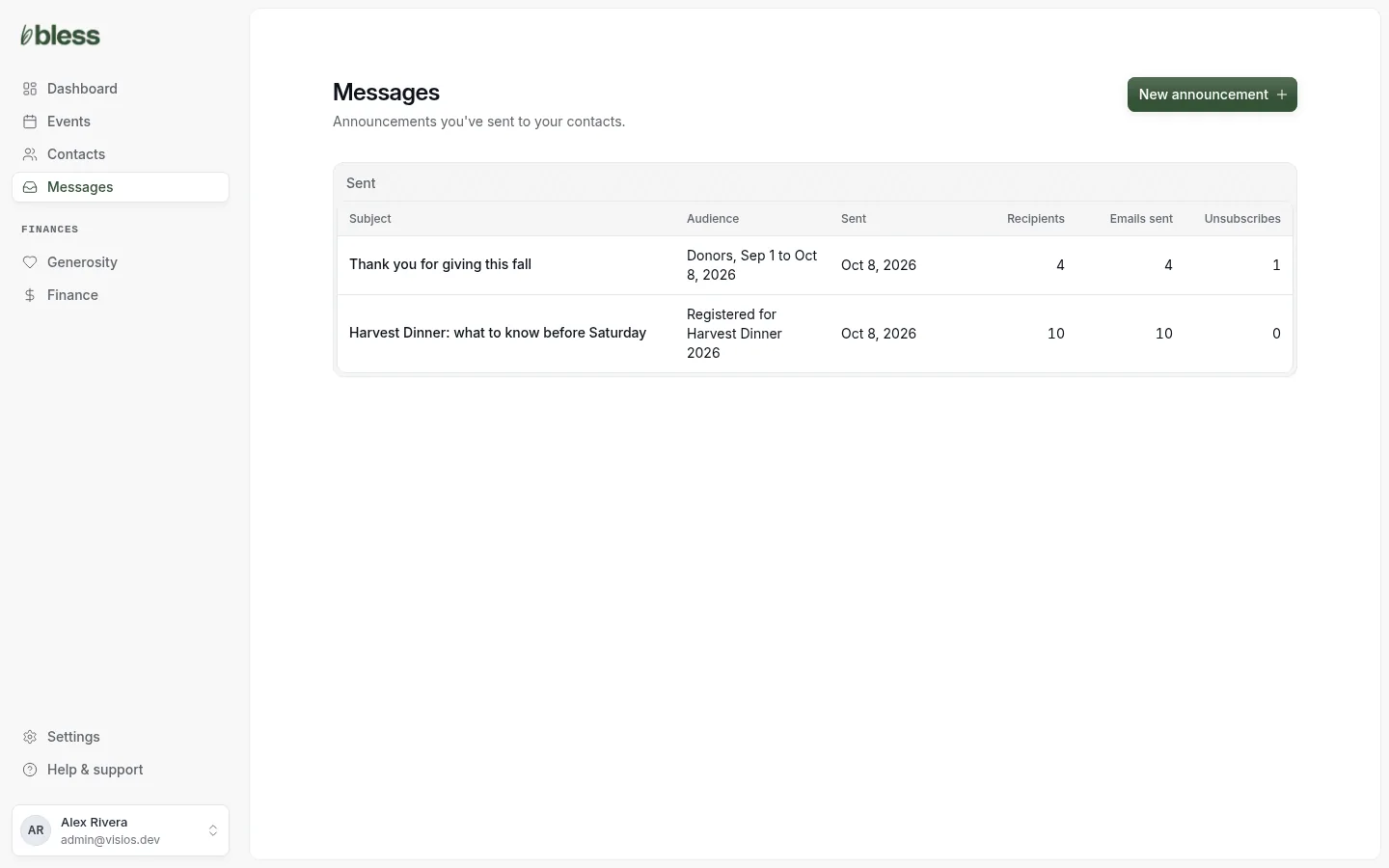
| Column | Shows |
|---|---|
| Subject | The subject. Press it to open the announcement. |
| Audience | Who it went to, such as “Registered for Harvest Dinner 2026” or “Donors, Sep 1 to Oct 8, 2026”. |
| Sent | The day you sent it. |
| Recipients | How many contacts got the inbox copy. Sending… while Bless makes the list. |
| Emails sent | How many emails went out so far. |
| Unsubscribes | How many of the recipients unsubscribed after it. |
Emails sent is often lower than Recipients. Contacts with no email or who unsubscribed get the inbox copy only.
The list shows 25 announcements on each page, newest first. It shows only sent announcements.
One sent announcement
Press a subject to open it.
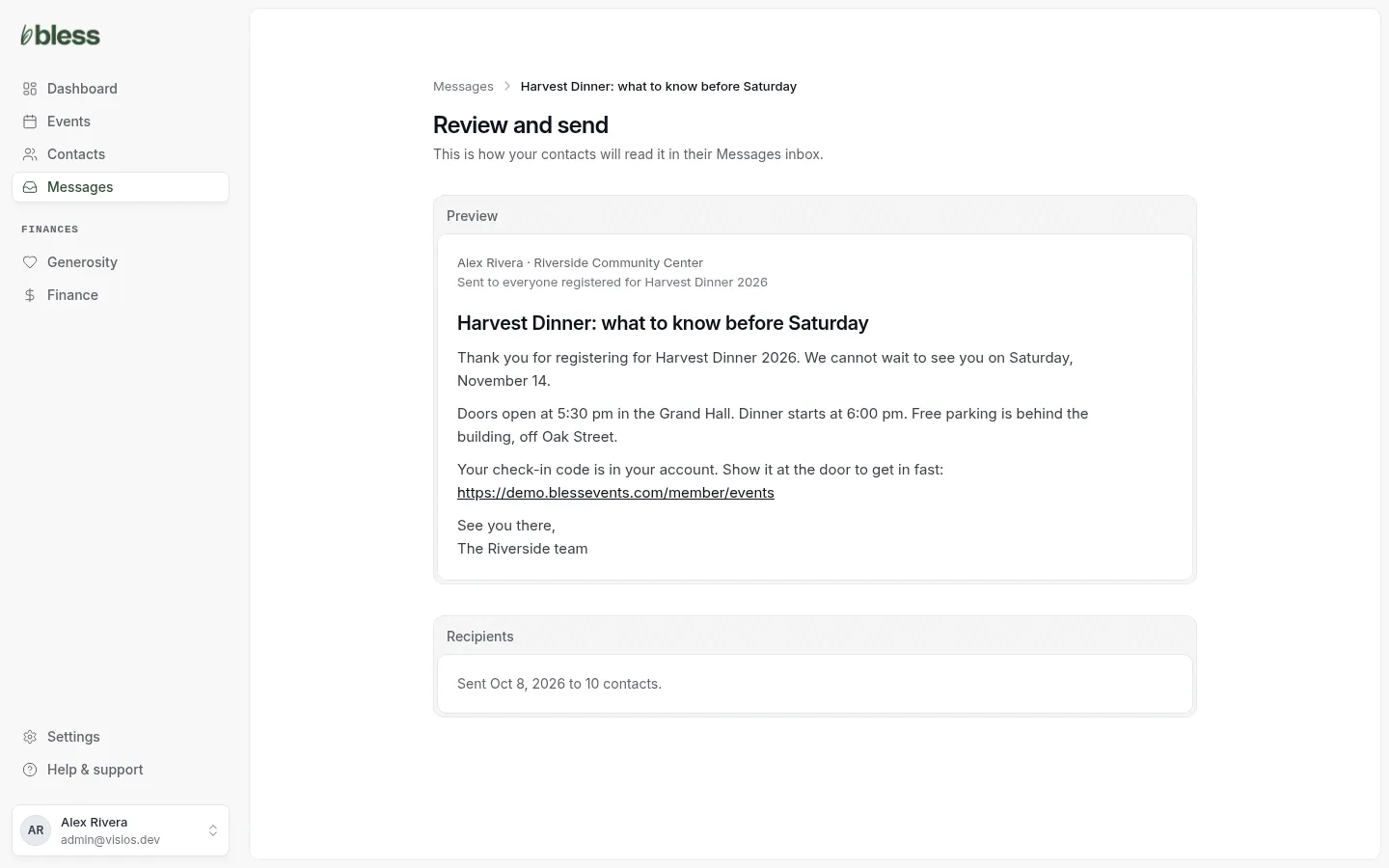
You see the announcement as people read it, and “Sent” with the day and the number of contacts. While Bless sends the emails, you see “It’s reaching inboxes now.”
The page has no list of the people who got it. To see who was in the audience, open the event’s Registrations or Finance › Generosity.
After you send
- You cannot change, delete or recall an announcement.
- You cannot send it again. To send the same words to more people, start a new announcement and paste the words.
- If a person gets an email later, or turns announcement emails on again, Bless does not send them old announcements.
- Bless does not show who opened an announcement or which emails bounced.
Updated
Was this page helpful?
Thank you. Your answer helps us make these pages better.