
Your inbox
Every announcement, receipt and registration confirmation from your organization is in Messages in your account.
Open your inbox
Sign in, then do one of these:
- On a phone, press the inbox at the top of the page. The number shows how many messages you did not read.
- On a computer, press Messages in the sidebar.
- On Overview, press See all messages.
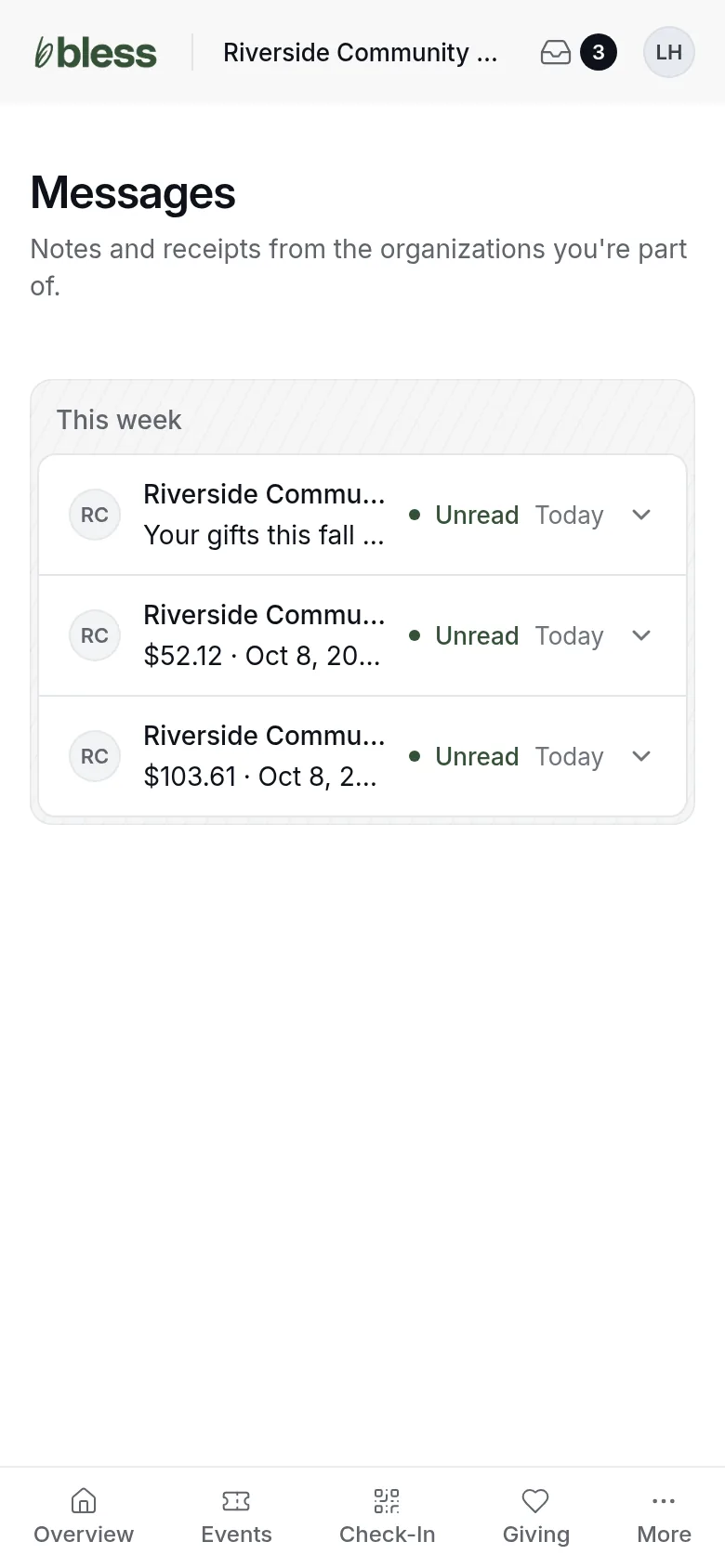
Messages from the last 7 days are under This week. Older ones are under Earlier.
Each row shows the organization, the first line of the message and the day. A dot and Unread mark a message you did not open.
Read a message
Press a message. It opens in the list, and Bless marks it read.
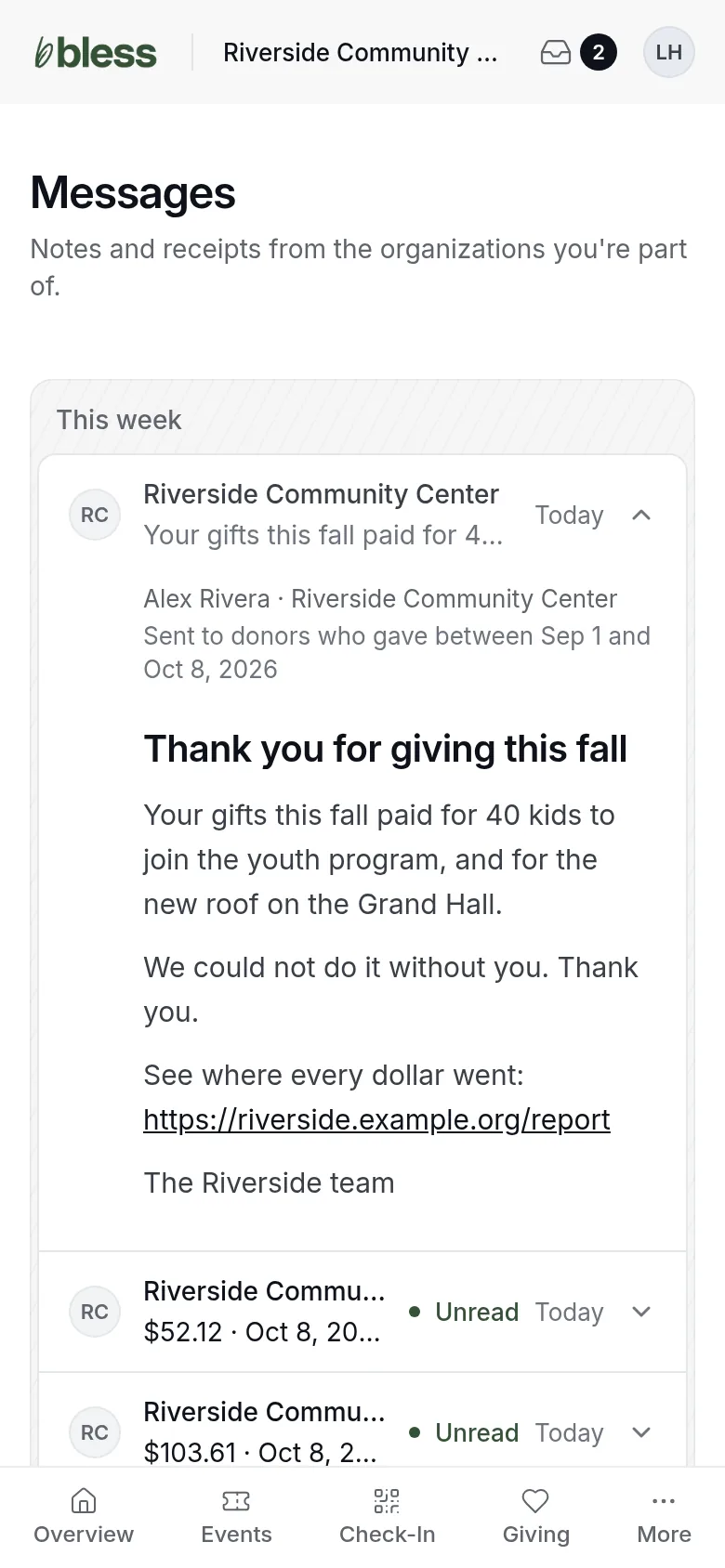
An announcement shows:
- Who wrote it, and the organization.
- Why you got it, such as “Sent to everyone registered for Harvest Dinner 2026”.
- The subject and the message. Press a link to open it.
Press the message again to close it.
When you read the email, the message stays Unread in your inbox. Press View in portal in the email to open it in your inbox.
Receipts and confirmations
Bless also puts a copy of these in your inbox:
| Message | Button |
|---|---|
| A receipt for each gift | See on Giving |
| A confirmation for each registration you bought | See order |
| Auction messages, such as your paddle or a note that someone bid more than you | Open the auction |
You get these by email too. They always come by email, even if you unsubscribe from announcements.
Good to know
- You cannot reply to a message. Contact your organization by phone or email.
- You cannot delete a message.
- If you see “No messages yet”, your organization has not sent you anything.
Updated
Was this page helpful?
Thank you. Your answer helps us make these pages better.