
Find a contact
Every person your organization knows is in one list. Filter it to donors or attendees, or search for a name or an email.
The contacts list
Press Contacts in the sidebar.
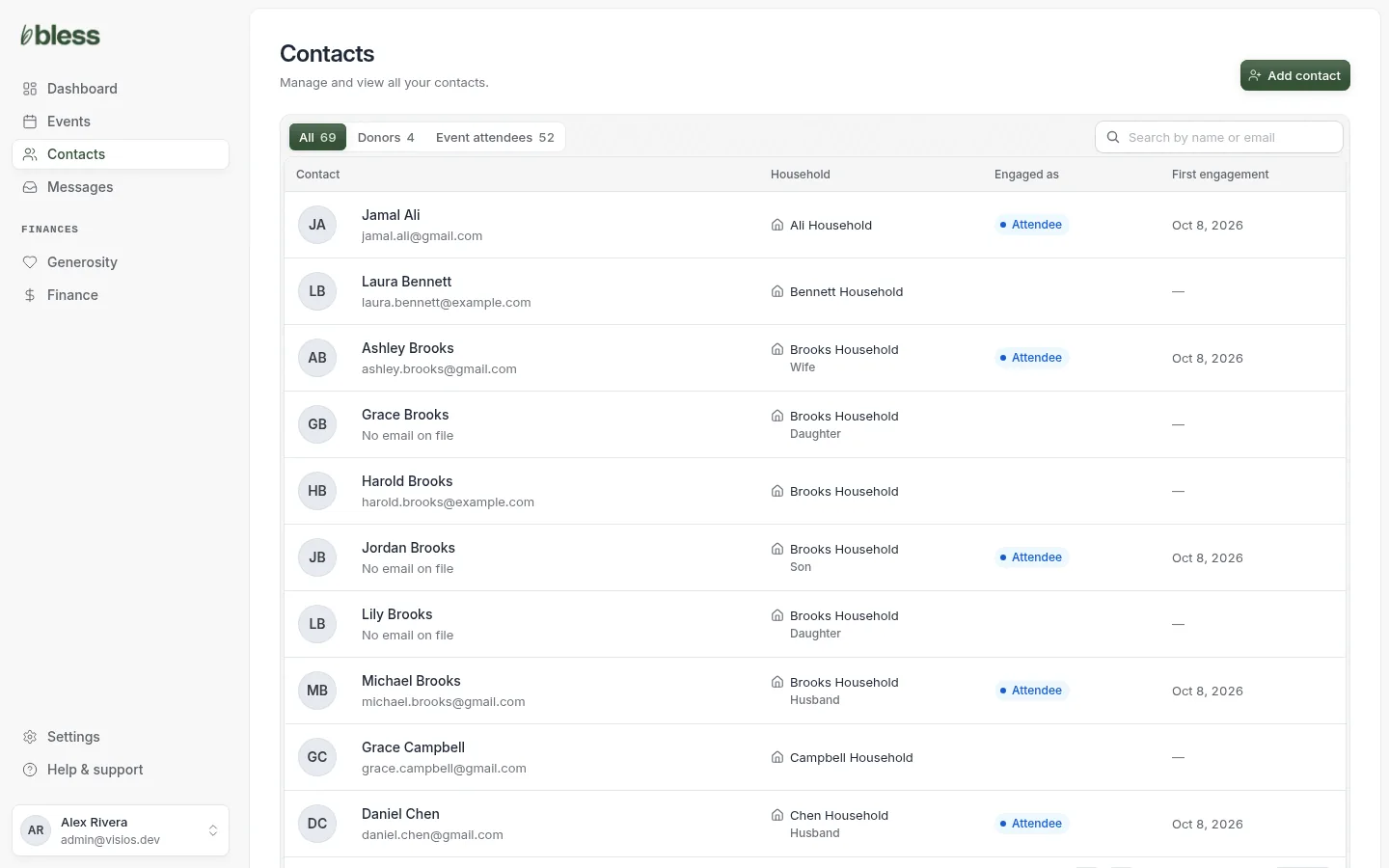
Each row shows one contact:
| Column | Shows |
|---|---|
| Contact | The name and the email. “No email on file” if there is none. |
| Household | The household, and the relationship in it, such as Wife. |
| Engaged as | Donor, Attendee, both, or nothing. |
| First engagement | The date of the first check-in or gift. A dash if there is none. |
The list is in last name order. It shows 10 contacts on each page. Use the page buttons at the bottom to see more.
Press a row to open the contact page.
On a phone or a small window, the list shows only the name and the email.
Filters
Press a filter above the list. Each filter shows how many contacts are in it.
| Filter | Shows |
|---|---|
| All | Every contact. |
| Donors | Contacts who made at least one gift that went through. |
| Event attendees | Contacts who were checked in at an event at least once. |
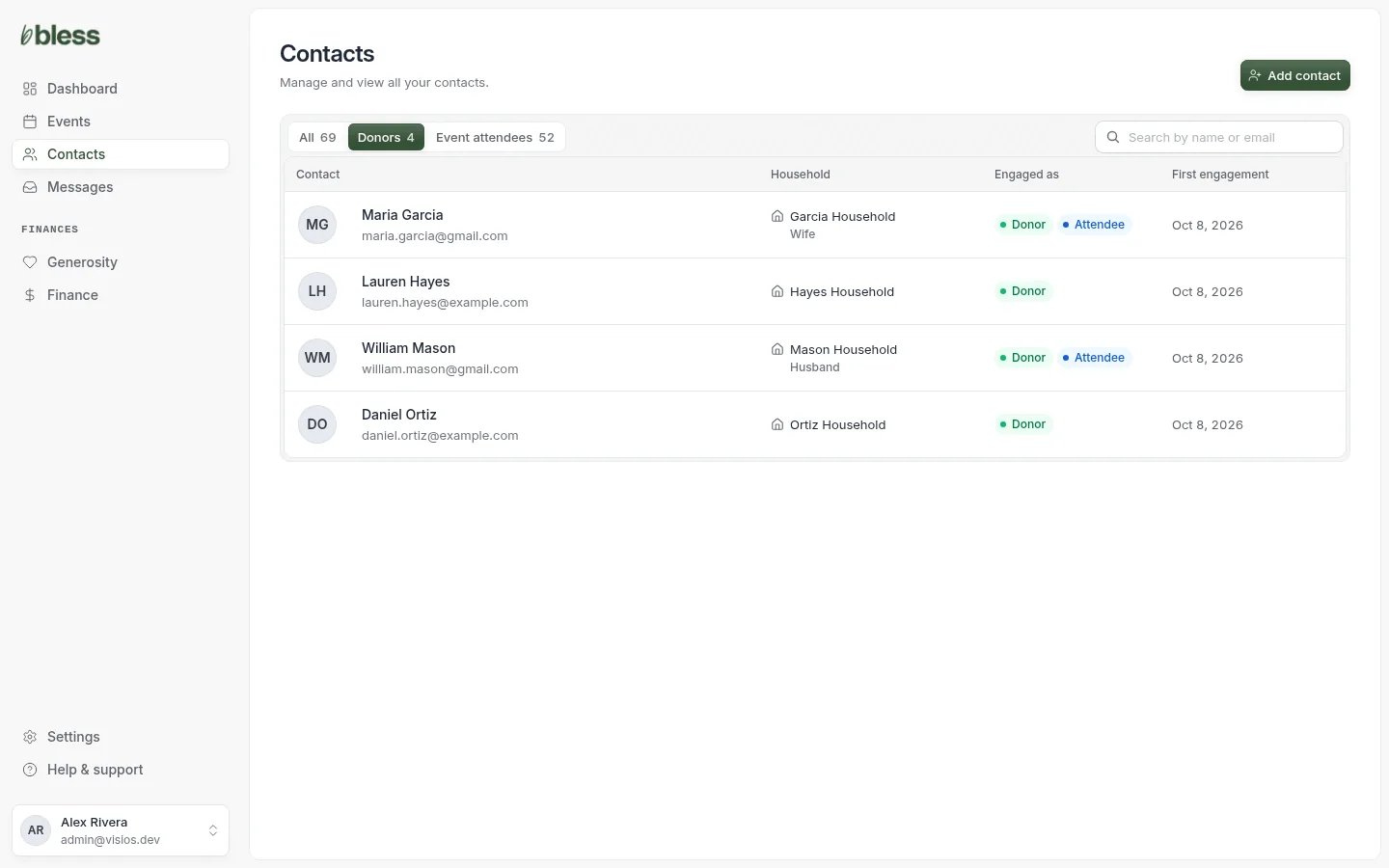
A person who registered but did not come is not in Event attendees. To see who registered, open the event’s Registrations.
Search
- Type in Search by name or email. The list changes as you type.
- Press the × to clear the search.
Type one thing: a first name, a last name or an email. A full name, such as “Maria Garcia”, finds nothing. Type “Garcia” instead.
The search and the filter work together. For example, press Donors and type “Hayes” to find a donor named Hayes.
If nothing matches, you see “No contacts match” and a Clear search button.
Updated
Was this page helpful?
Thank you. Your answer helps us make these pages better.