
The contact page
One page for each person, with their numbers, their registrations, orders and gifts, their household and what they did last.
Open a contact
Open Contacts and press a row. You can also press a name in Recent generosity on the Dashboard, or a member in Household members.
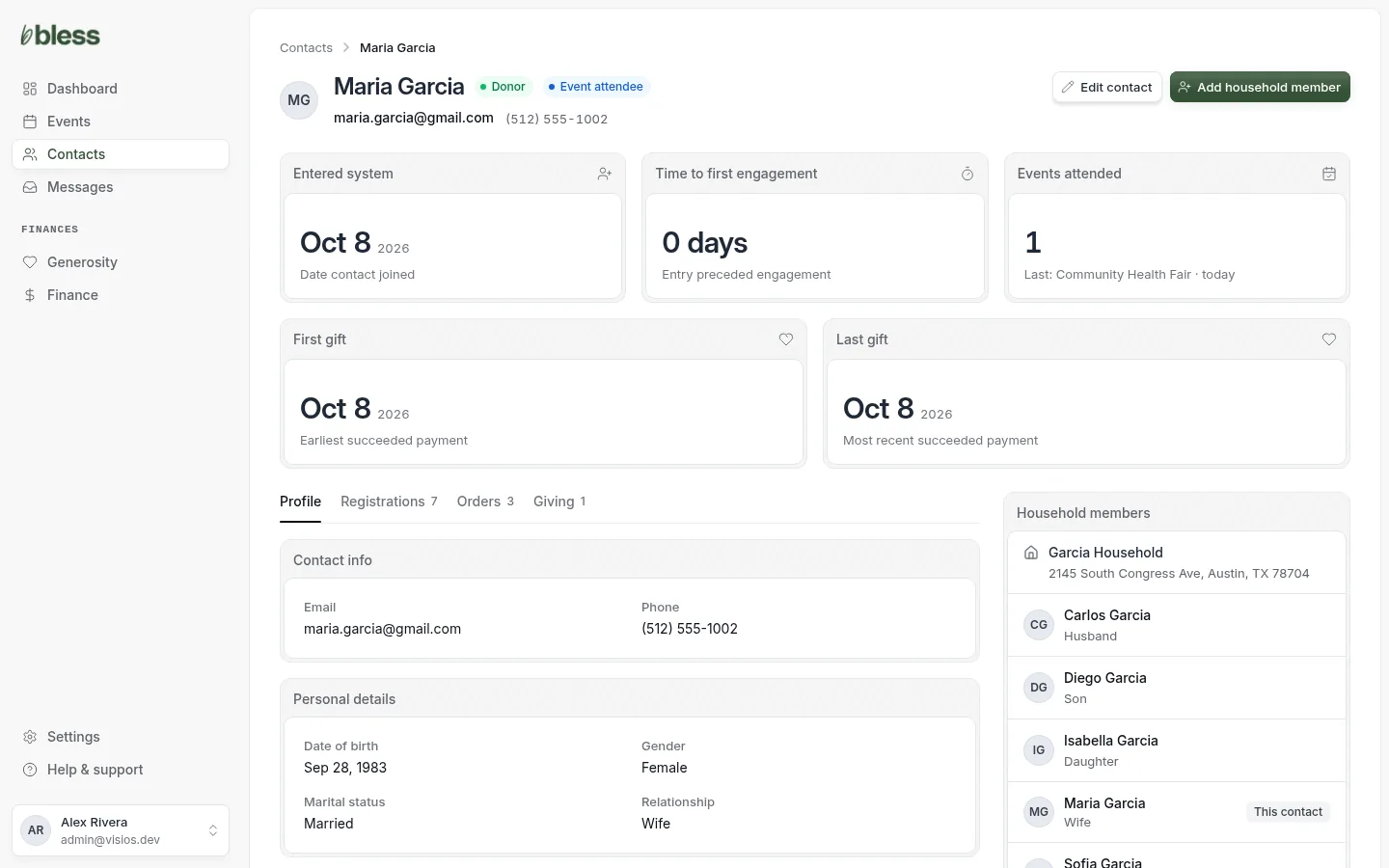
The top of the page shows the name, the labels, the email and the phone. Press the email to write to the person from your own email.
The buttons are:
- Send password reset: only for a person with an account. See Send a password reset.
- Edit contact: see Edit a contact.
- Add household member: see Add a household member.
The five numbers
| Card | Shows |
|---|---|
| Entered system | The day the contact was added. |
| Time to first engagement | The days from that day to the first check-in or gift. Not yet engaged if there is none. |
| Events attended | How many events the person was checked in at, and the last one. |
| First gift | The day of the first gift that went through. |
| Last gift | The day of the last gift that went through. |
The tabs
The number next to a tab shows how many rows it has.
Profile
The email, the phone, the personal details (Date of birth, Gender, Marital status, Relationship) and the household address. A dash means the detail is blank.
Registrations
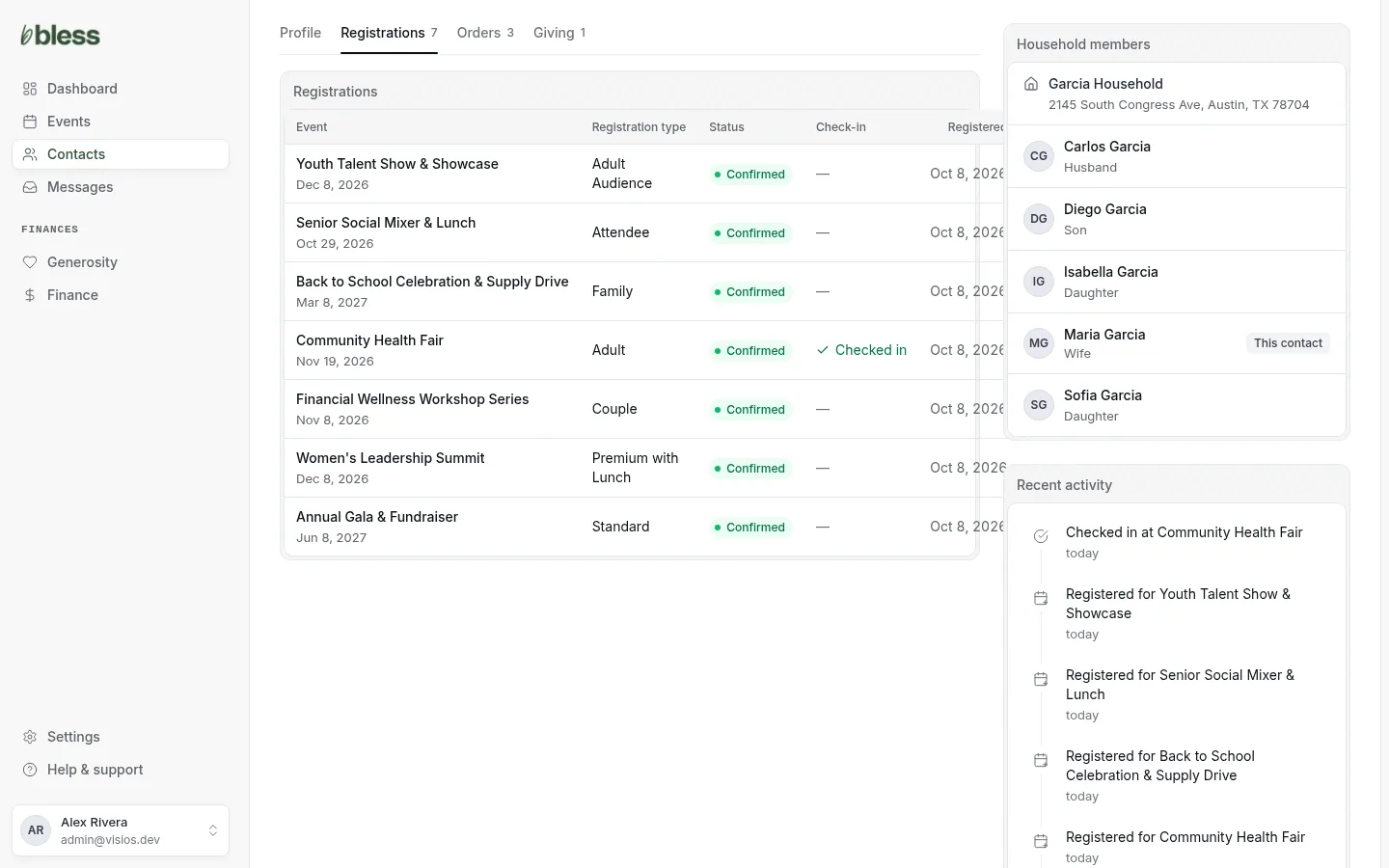
Each event the person is registered for, with the Registration type, the Status and the Check-in. Status is Confirmed, Pending payment, Waitlisted or Cancelled. Press an event to open it.
This tab includes registrations that someone else bought for this person.
Orders
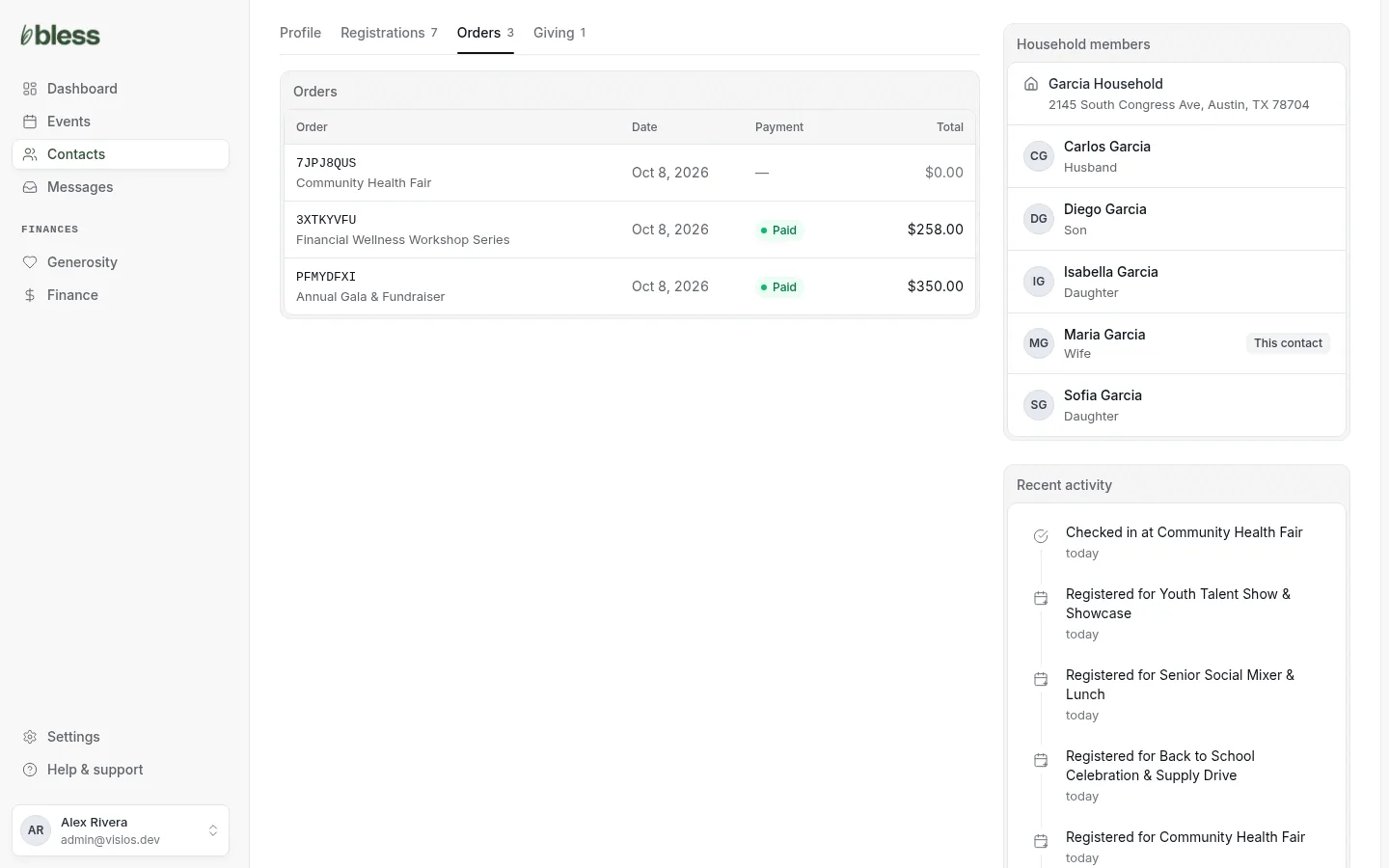
Each order this person paid for, with the confirmation number, the event, the date, the Payment status and the total. It does not include seats on someone else’s order.
A checkout the person did not finish shows Checkout not completed, and whether they bought later.
Giving
This tab shows only when your organization has at least one fund.
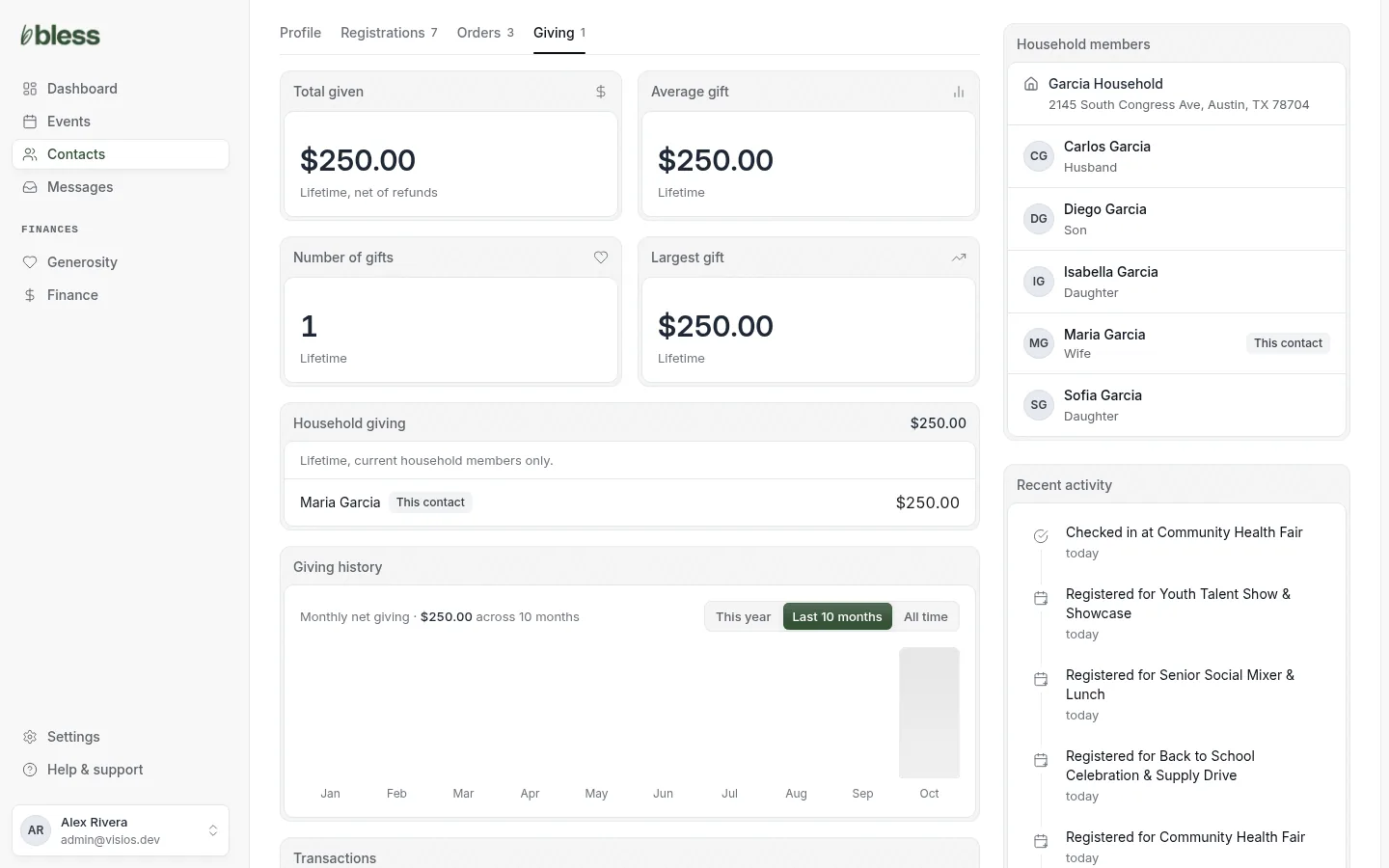
- Total given, Average gift, Number of gifts and Largest gift. Total given takes away refunds.
- Household giving: the total from everyone now in the household, and each person’s part.
- Giving history: a chart of each month. Press This year, Last 10 months or All time.
- Transactions: each gift with its date, type, fund, campaign, status and amount.
Online gifts and offline gifts both show here. To refund a gift, open it in Finance › Generosity.
Household members
The box on the right shows the household name, its address and each person in it, with their relationship. This contact marks the person whose page you are on. Press a person to open their page.
Recent activity
The last ten things the person did, newest first. For example:
- Registered for Harvest Dinner 2026
- Checked in at Community Health Fair
- Gave $250.00 to General Fund
- Refunded $50.00
Updated
Was this page helpful?
Thank you. Your answer helps us make these pages better.