
Contact matches
When Salesforce may already have a person, Bless does not guess. It holds the contact until you link it to the right record or create a new one.
Why a contact waits
Bless holds a contact when:
- A Salesforce contact has the same first and last name, or the same email, but nothing else matches. See the matching rules.
- A duplicate rule in your Salesforce org blocks the new contact.
Until you choose, the contact’s registrations, check-ins, gifts and orders wait too. Nothing goes to Salesforce without its contact.
Find contacts that wait
You see them in two places:
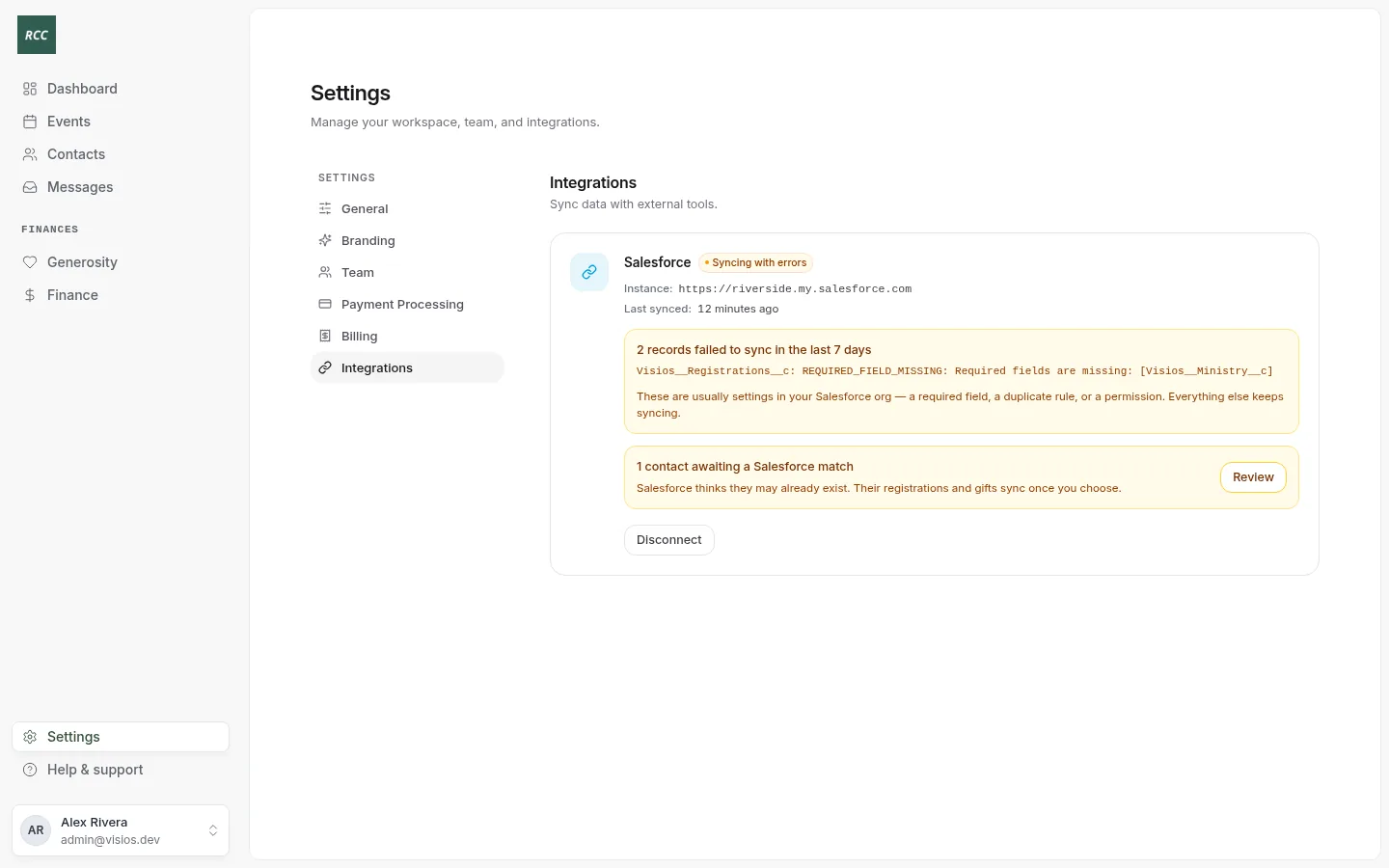
- Settings › Integrations: “contacts awaiting a Salesforce match”, with Review.
- The Dashboard, under Needs your attention: “contact to match”, with Match.
Choose a match
- Press Review. The page Contacts awaiting a Salesforce match opens.
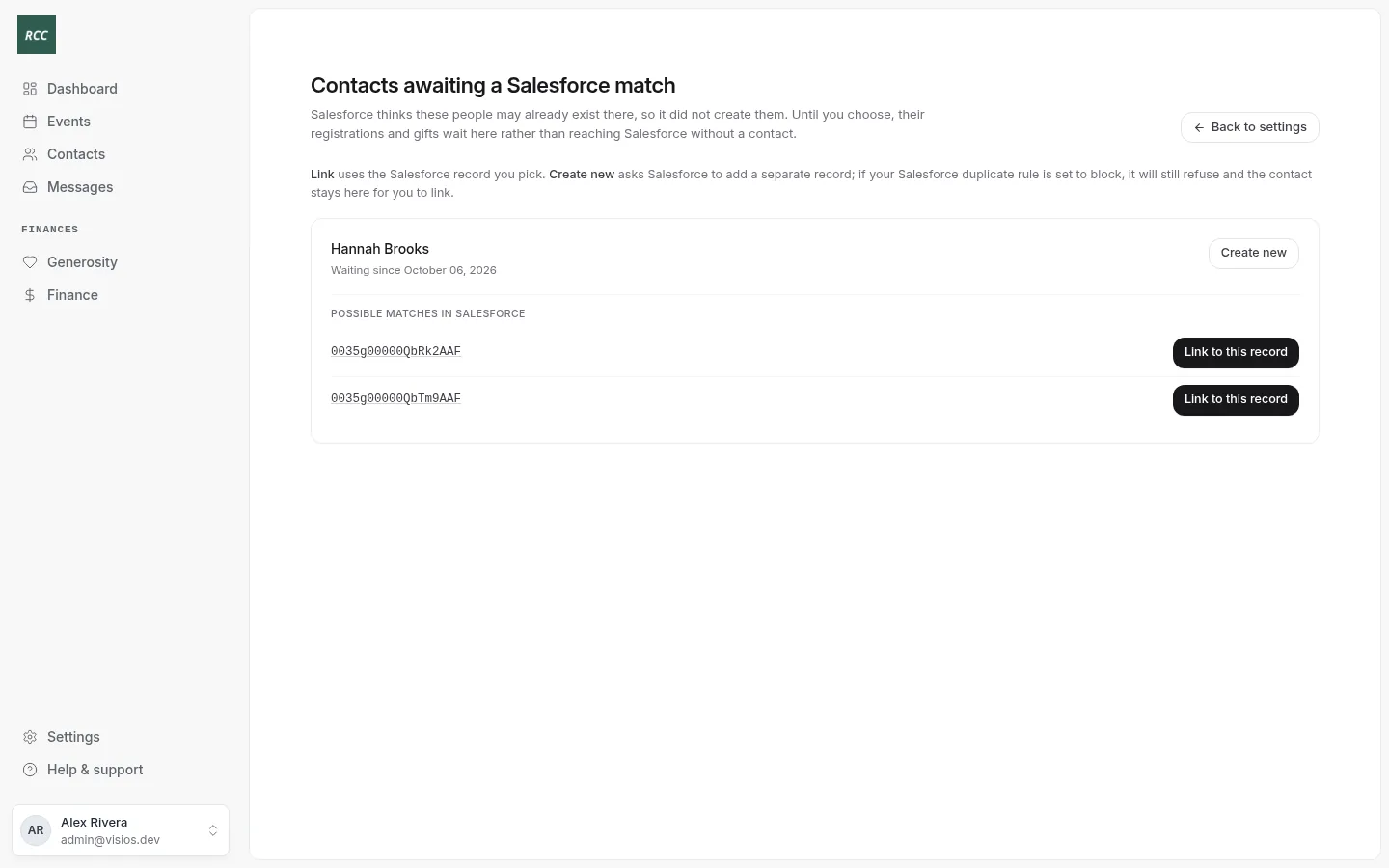
- For each contact, read Possible matches in Salesforce. Press an ID to open that record in Salesforce and check it.
- Choose one:
- Link to this record if it is the same person. You see “(name) is linked. Their registrations and gifts will sync shortly.”
- Create new if it is a different person. Confirm. You see “Creating (name) in Salesforce.”
Waiting since is the day Bless started to hold the contact. The oldest is at the top.
If Create new does not work
If the contact is still on the list a minute after Create new, a duplicate rule in Salesforce is set to Block. Bless can get past a rule set to Allow or Alert, but not Block. Link the contact to one of the matches, or ask your Salesforce admin to change the rule.
Other things you might see
| You see | What to do |
|---|---|
| “That Salesforce record already belongs to (name) in Bless” | Two Bless contacts are the same person. Link this one to another record, or create it new. |
| “Salesforce did not say which records it matched” | Press Create new, or find the person in Salesforce and merge the records there. |
| The contact left the list by itself | Someone changed the contact’s name, email, phone or date of birth in Bless. Bless matched again. |
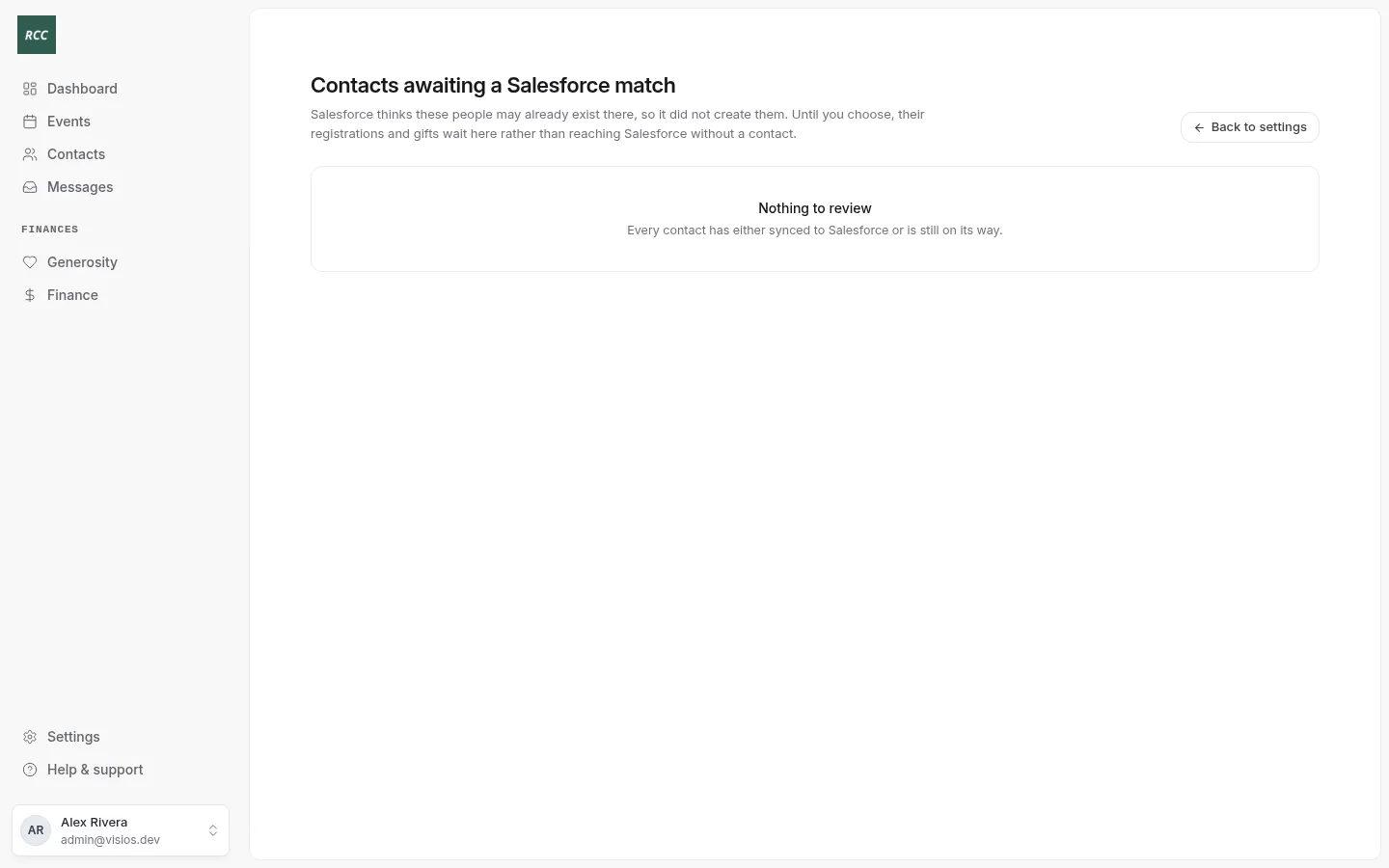
| “Nothing to review” | No contacts wait. |
Updated
Was this page helpful?
Thank you. Your answer helps us make these pages better.